AI prompts: the new keywords
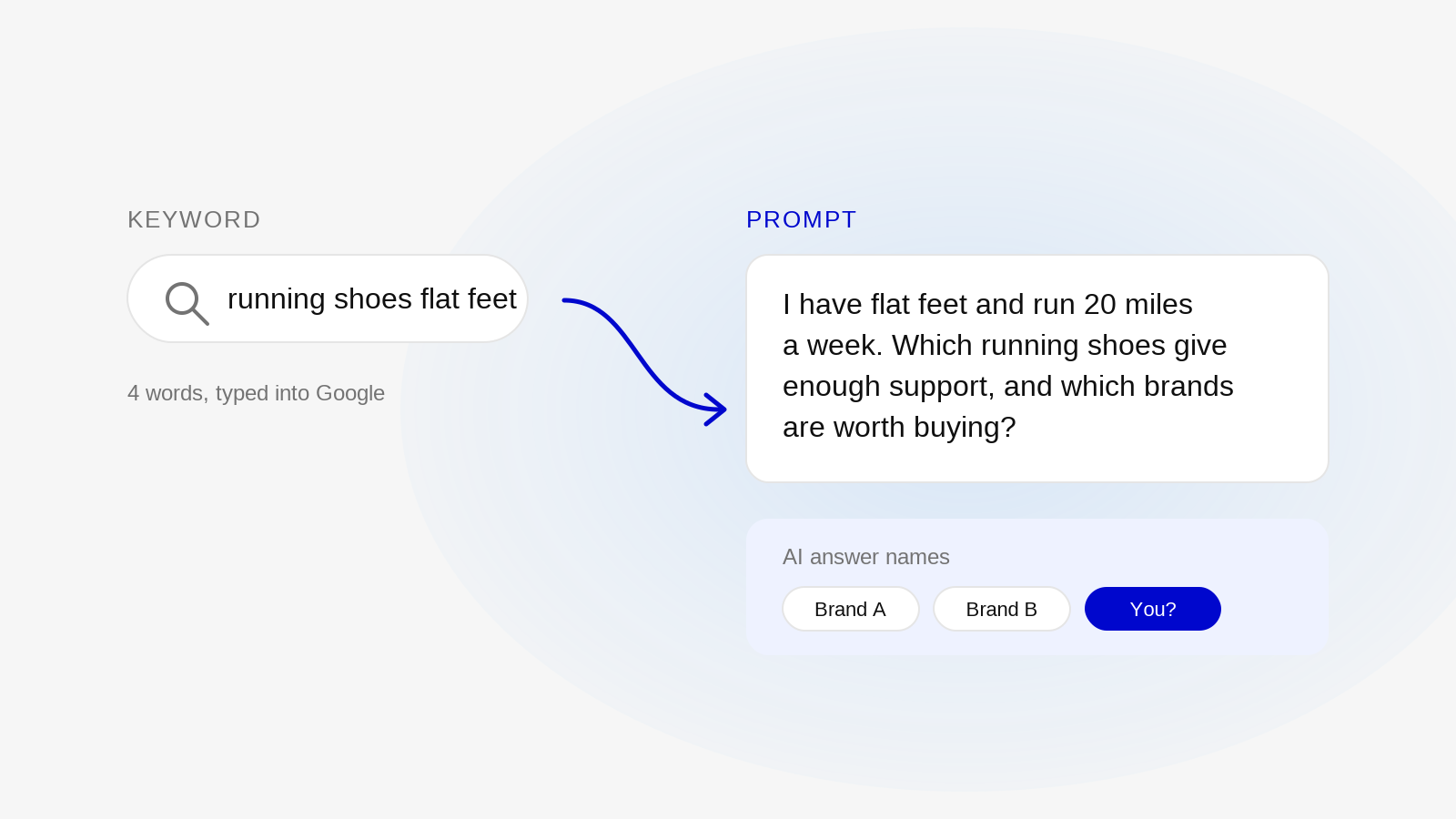
An AI prompt is the full request a person types into ChatGPT, Claude or Gemini, and it is the unit of research for AI search the way a keyword is for Google. Prompts decide which brands an assistant names, so you need to know which ones your buyers ask.
Key takeaways
- Google says the average AI Mode search is triple the length of a traditional query, so research the full question, not just the short phrase.
- No AI company publishes prompt data, so build prompts from real searches (People Also Ask, autocomplete, Shopping, TikTok, YouTube, Trends) instead of guessing them.
- The AI Prompts section on an Answer Socrates Google search writes up to 40 prompts and drops any that cannot be traced to a real search or that add a brand the search never named.
- Each prompt is tagged Choose, Compare, Discover, Solve or Trust; start with Choose and Compare, because those are where AI answers name brands.
- In Ask Socrates, asking for prompt ideas on a topic is free; only checking them against AI engines costs credits, and the chat shows the cost first.
A prompt is a keyword written as a full request
A keyword is the short phrase someone types into a search box, like "espresso grinder". A prompt is the full request someone types into an AI assistant such as ChatGPT, Claude or Gemini, like "I'm new to espresso, which grinder should I buy first?"
They come from the same need. The prompt just says more of it out loud: who is asking, what they already know, and what kind of answer they want.
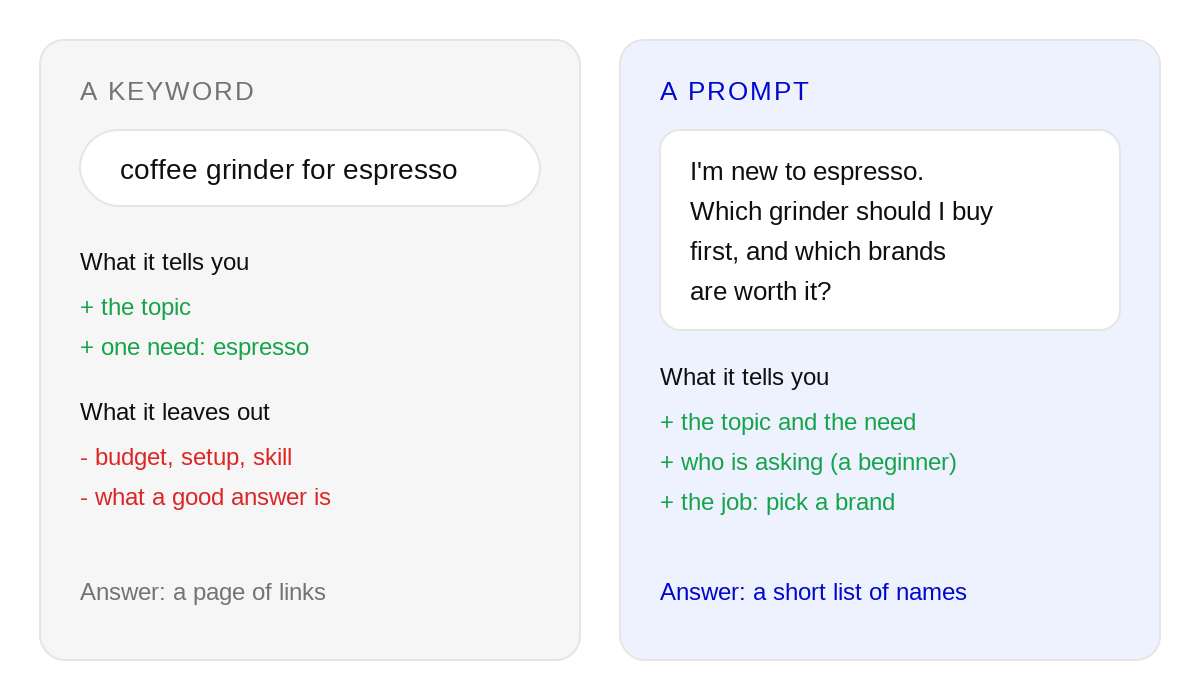
That last part is the big change. A search engine answers a keyword with ten links, and you can rank on any of them. An AI assistant answers a prompt with a few paragraphs, and often names a handful of brands. If you are not one of the names, you are not in the answer at all.
People type longer, fuller questions into AI
This is not a guess. Google, which can see its own logs, says the average search in AI Mode (the chat-style tab inside Google Search) is triple the length of a traditional search query [1]. The same post says searches that start with "where to", "where should I" and "ideas for" are growing, which are the openings of a real question, not a keyword.
ChatGPT shows the same pattern. Semrush studied more than a billion lines of US clickstream data from October 2024 to February 2026 and measured prompt length over time [2]. Prompts sent without web search averaged 24.9 words at the start of that period and 13.5 words at the end. Prompts that triggered a web search grew from 4.7 words to 8.7 words. Either way, they are longer than the two to four words most people type into Google.
What people ask about matters too. A large study of ChatGPT use by OpenAI and university economists found that three topics, "Practical Guidance", "Seeking Information" and "Writing", make up nearly 80% of conversations [3]. Practical guidance and seeking information are exactly the questions a business wants to be named in: what to buy, how to fix something, which option fits.
Real searches beat guessed prompts
Here is the problem with prompt research: nobody outside the AI companies can see what people type into AI. Google publishes autocomplete, People Also Ask and Trends, so you can see real search demand. The AI companies publish nothing like that. There is no "prompt volume" you can look up for ChatGPT.
So most prompt lists are guesses. Someone sits down, imagines what a buyer might ask, and writes twenty prompts. Those lists have two habits:
- They sound like the person who wrote them, not like the buyer. A marketer writes "top-rated premium espresso grinders for discerning home baristas". A buyer types "is a cheap grinder worth it for espresso".
- They miss the odd, specific needs you would never think of, which are often the ones with the least competition.
The fix is to start from evidence you can see. If thousands of people search Google for "espresso grinder for beginners", it is a safe bet that people ask an assistant the same thing, in a longer form. A real search is the closest public signal you have for a real prompt.
How Answer Socrates turns searches into prompts
When you run a Google search in the classic keyword search, the results page includes an AI Prompts section. Its subtitle says what it is: built from real searches for your topic. Behind it are three steps.
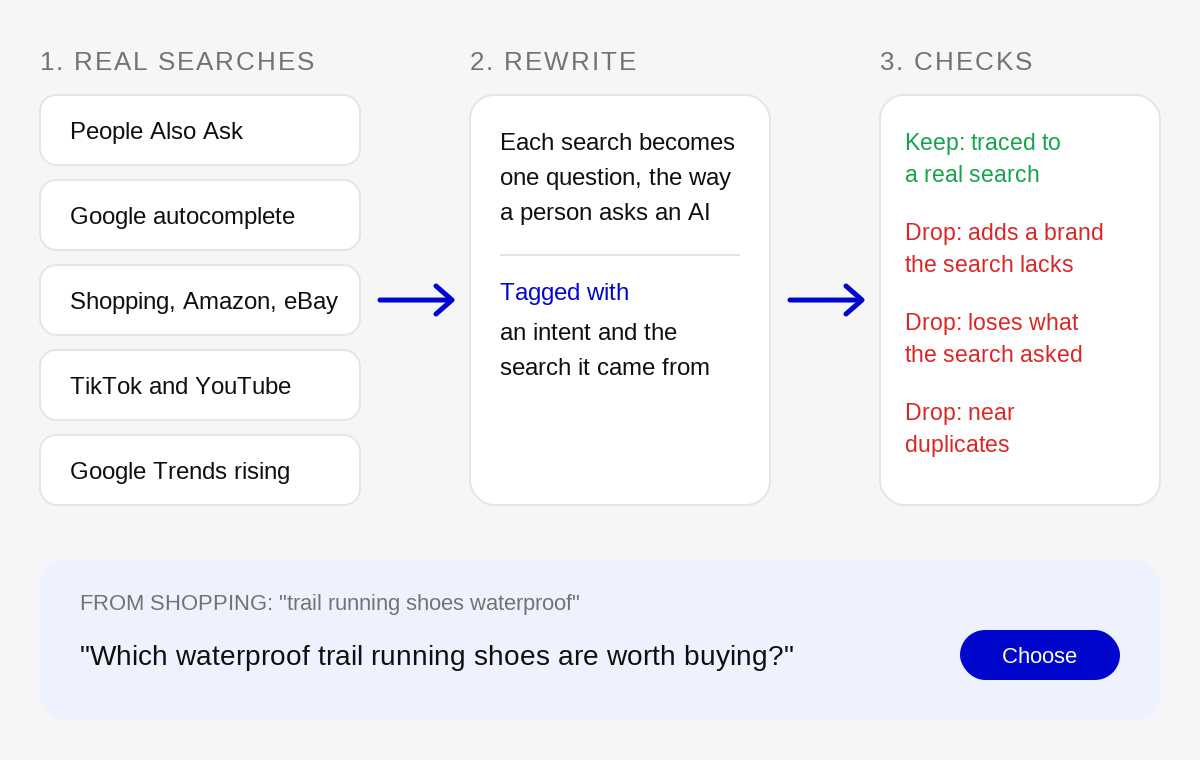
1. Collect real searches. We pull searches for your topic from People Also Ask, Google autocomplete (the question, preposition and comparison groups), Google Shopping, Amazon and eBay, TikTok and YouTube search, and rising queries from Google Trends. Searches that name a different country from the one you picked are removed, so a UK search does not get prompts about buying in India.
2. Rewrite each one as a request. An AI model rewrites each search the way a person would type it to an assistant, one prompt per search. It is told to keep what the search asks for (its audience, its constraint, its comparison) and to add nothing the search does not contain: no ages, budgets or made-up details, and never a brand the search does not name.
3. Check every prompt. The rewriting model does not get the last word. Code then drops any prompt that:
- cannot be matched to a search in the list,
- names a brand or product the original search did not mention,
- loses the part of the search that made it distinct,
- is a near duplicate of a prompt already kept, or is very short or very long.
What survives is a list of up to 40 prompts, each tagged with the search it came from and an intent. Prompts about topics that keep coming up across two or more sources go to the top, because a topic that shows up on Google, in Shopping and on TikTok is a strong sign people really care about it.
Prompts carry an intent: learn, compare or buy
Intent is what the person wants out of the answer. Each prompt in the AI Prompts section gets one of five intents, and the filter chips above the list let you show one at a time:
| Intent | What the person wants | Example | Funnel stage |
|---|---|---|---|
| Discover | To know what the options are or how something works | "How does a burr grinder work?" | Learn |
| Solve | To get a specific task done | "How do I stop my espresso tasting sour?" | Learn |
| Compare | Two or more options, head to head | "Is a flat burr or conical burr better for espresso?" | Compare |
| Trust | To know if something is safe, legit or worth it | "Is a cheap grinder worth it for espresso?" | Compare |
| Choose | Which one to buy or use | "Which espresso grinder should a beginner buy?" | Buy |
The funnel stage column follows how Answer Socrates maps intents elsewhere: discover and solve are top of funnel (Learn), compare and trust are middle (Compare), choose is bottom (Buy). The clustering tool uses the same Learn, Compare and Buy labels for keyword topics.
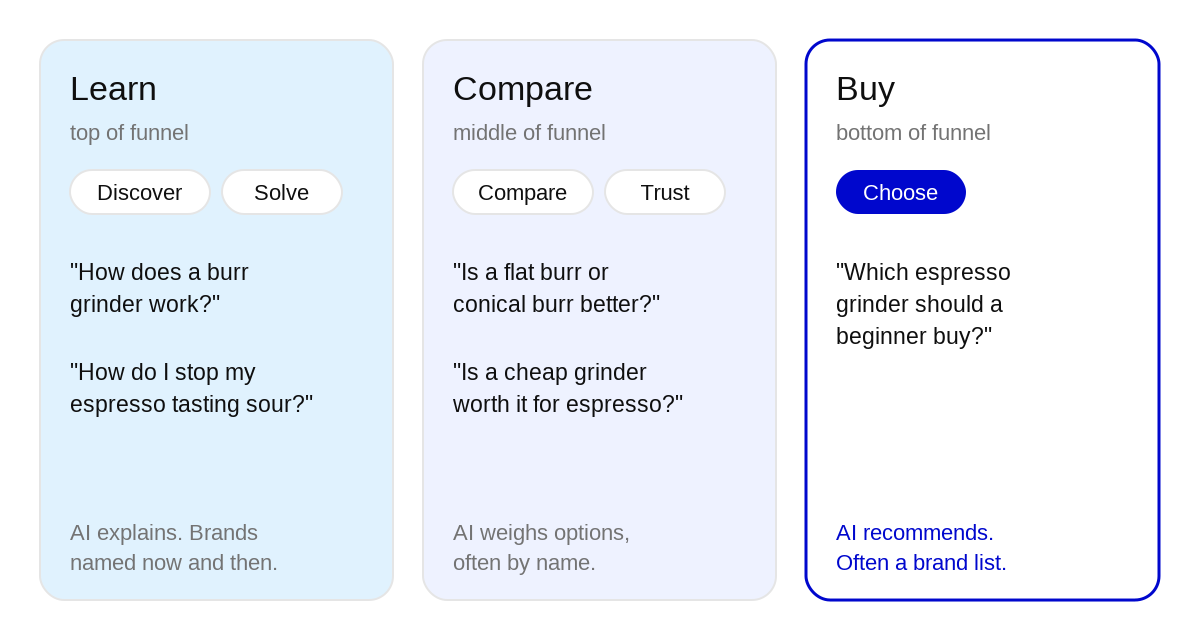
The list is sorted with Choose first, then Compare, Discover, Solve and Trust. That order is on purpose. A Choose prompt is the one where an assistant is most likely to answer with a short list of brands, so it is where being named matters most.
From keyword to prompt: a worked example
A made-up example: a small coffee roaster that also sells grinders wants to know which questions to win in AI answers. They run the classic keyword search for "espresso grinder". Here is the kind of mapping the AI Prompts section produces. These rows show the shape of the output, not a saved result.
| Real search (source) | Prompt it becomes | Intent |
|---|---|---|
| espresso grinder for beginners (Google) | "I'm new to espresso. Which grinder should I start with?" | Choose |
| espresso grinder under 200 (Shopping) | "Which espresso grinders under 200 are worth buying?" | Choose |
| flat vs conical burr espresso (Google) | "Is a flat burr or conical burr grinder better for espresso?" | Compare |
| is a hand grinder good for espresso (People Also Ask) | "Is a hand grinder good enough for espresso, or should I go electric?" | Trust |
| how to dial in espresso grinder (YouTube) | "How do I dial in a new espresso grinder?" | Solve |
| single dose grinder (Trends, rising) | "What is a single dose grinder and who is it for?" | Discover |
Notice what the prompts do not do. None of them adds a brand, a budget or a detail the search did not have. "Under 200" stays because the search said it. The roaster's own name does not appear, because no search asked for it.
The roaster now has a short list to act on. The Choose and Compare rows are the ones to check first, because an assistant answering them is likely to name specific grinders. The Solve row is a content idea: a clear "how to dial in" guide is a page an assistant could cite.
Keywords still matter, for a different job
Prompts do not replace keyword research. They sit on top of it. Use this to decide which to reach for:
| Your goal | Work from | Why |
|---|---|---|
| Decide which pages to write | Keywords and clusters | Search volume and grouping tell you what deserves its own page |
| Check if AI names your brand | Prompts (Choose, Compare) | AI answers prompts, and these intents produce brand lists |
| Find content an AI might cite | Prompts (Solve, Discover) | Clear how-to and explainer pages are what answers quote |
| Size demand | Keywords | There is no public prompt volume; search volume is the closest number |
| Write in the buyer's words | Both | The search gives the need, the prompt gives the phrasing |
One honest limit: AI answers change from one run to the next. A prompt that names you today may not tomorrow. That is why a first check from Ask Socrates asks each engine more than once by default, and why prompts are worth tracking over time rather than checking once.
How to do it in Answer Socrates
The AI Prompts section comes with a normal Google keyword search, so there is no separate tool to learn.
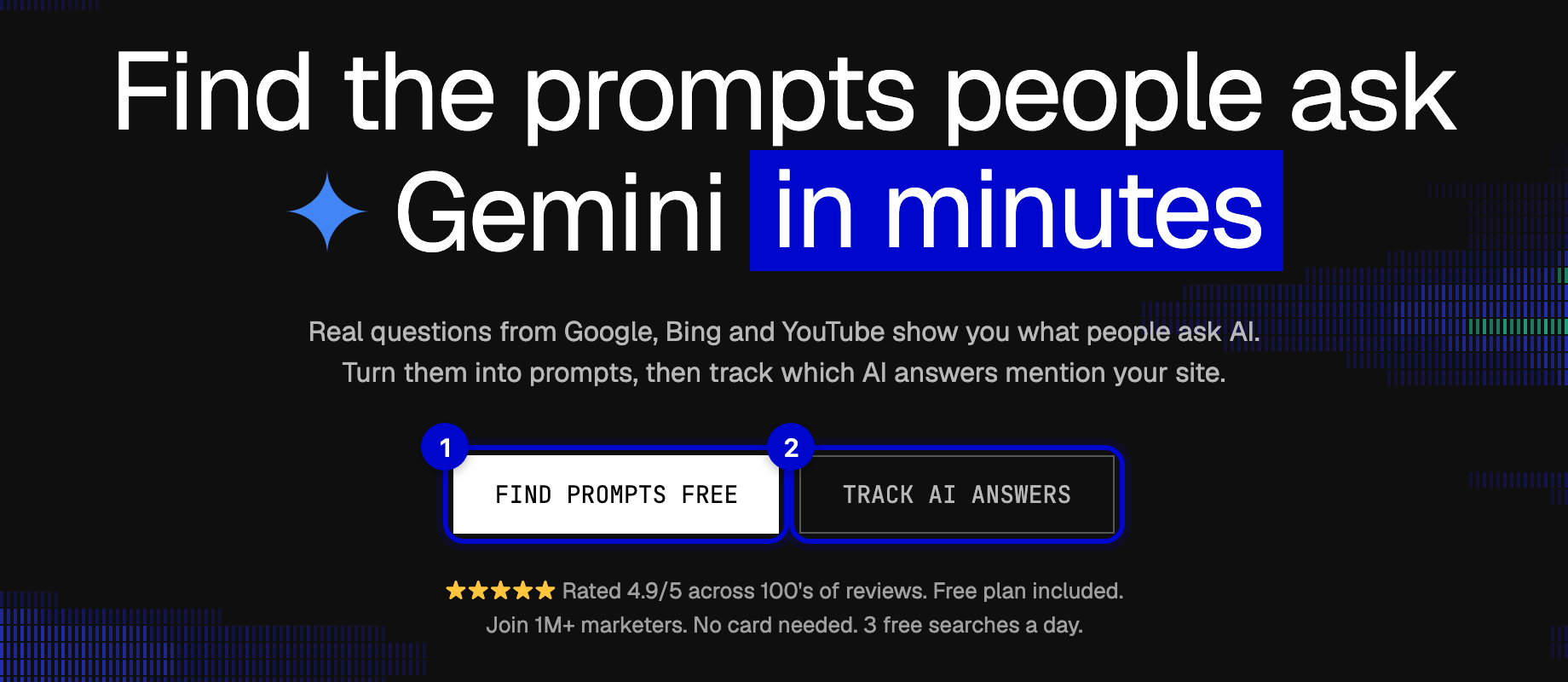
Step 1. Run a Google search for your topic. Open the keyword search (the Find prompts free button on the homepage goes there), type one or two seed words, and pick the country and language your buyers search in. Prompts are written per country and language, so a search set to Spain gets Spanish prompts built from Spanish searches.

Step 2. Scroll to AI Prompts and wait for it to fill. The prompts are written after the search results come in, because they are built from them. While they are being written the section says it is building prompts from real searches for your term. The first time anyone searches a term this can take a minute. After that the same term, country and language load the saved list.
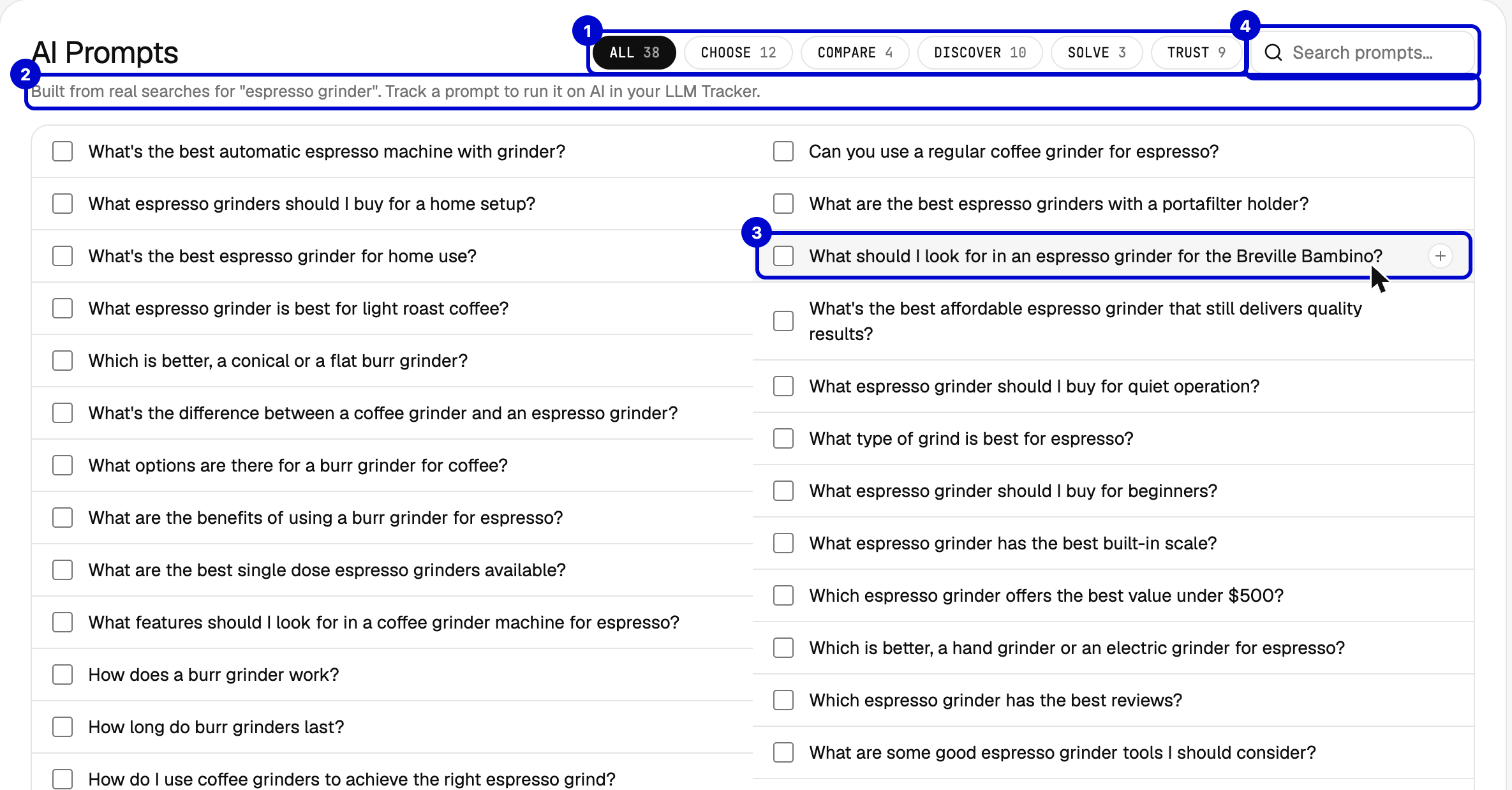
Step 3. Filter by intent. Click Choose to see only the buying prompts, then Compare. Use the small search box to narrow to a word, like "beginner" or "under". A small arrow icon next to a prompt means it came from a rising Google Trends query.
Step 4. Pick the prompts that fit your business. Tick the ones you would want to be named in. Leave out prompts for products you do not sell. Clicking a prompt (or ticking several) opens a side panel with two actions.
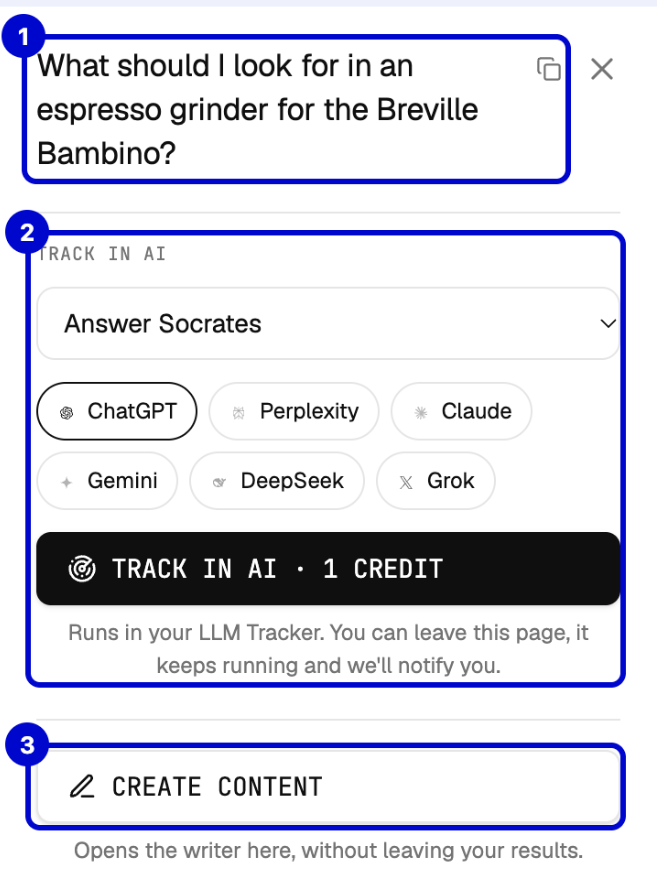
Step 5. Track or write. Track in AI sends the prompts to the LLM Tracker, which asks the AI models you pick and records which brands they name and which pages they cite. This needs a plan with tracker credits and costs credits per prompt per model; the panel shows the cost before you run it. Create content opens the writer on the search the prompt came from, without leaving the results.
The same thing in Ask Socrates
Ask Socrates, our chat, also writes prompts from real searches, though its list for a topic will not match the results page word for word. It needs a project with your website saved, because it links the prompts to your brand.

Open Ask Socrates from the top menu and type something like:
The chat opens a prompt panel and sums up what the prompts have in common. Suggesting prompts is free. Leave the topic out ("Suggest prompts for my site") and it uses the categories it read from your site instead.
From the panel you tick the prompts you want checked, up to three at a time. Checking runs each prompt through AI engines and costs AI visibility credits; by default the chat shows the cost on a card and waits for your yes before it runs anything.
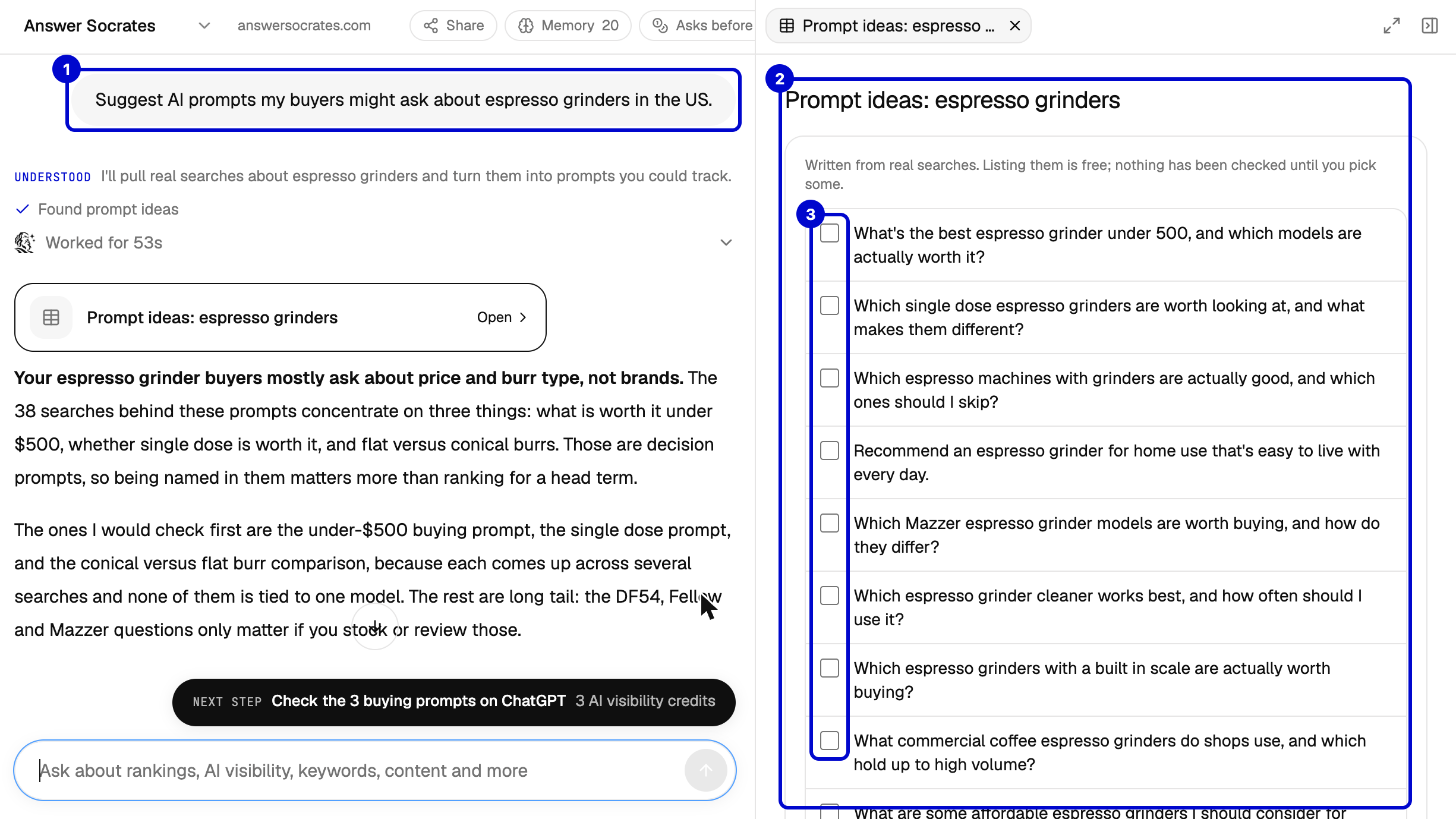
If you run a keyword pull in the chat for a term that already has prompts written, they come with it. If not, the panel loads them afterwards, so the chat does not stall waiting.
Where to go next
| If you want to... | Read |
|---|---|
| See how AI answers are put together | What is AI search? ChatGPT, AI Overviews and AI Mode |
| Build a prompt list for one product or service | Finding the prompts your buyers type |
| Run your prompts and see who gets named | Is AI mentioning your brand? How to check |
| Find the searches the prompts come from | How to do keyword research: find what people actually ask |
| Group your keywords into Learn, Compare and Buy topics | Keyword clustering: turning a list into topics |
Sources
- How AI Mode is changing the way people search in the U.S., Google (The Keyword blog), Shivani Mohan, 2026
- ChatGPT traffic analysis: Insights from 17 months of clickstream data, Semrush, Luke Harsel, 2026
- How People Use ChatGPT (NBER Working Paper 34255), National Bureau of Economic Research, Chatterji, Cunningham, Deming, Hitzig, Ong, Shan and Wadman, 2025
