Is AI mentioning your brand? How to check
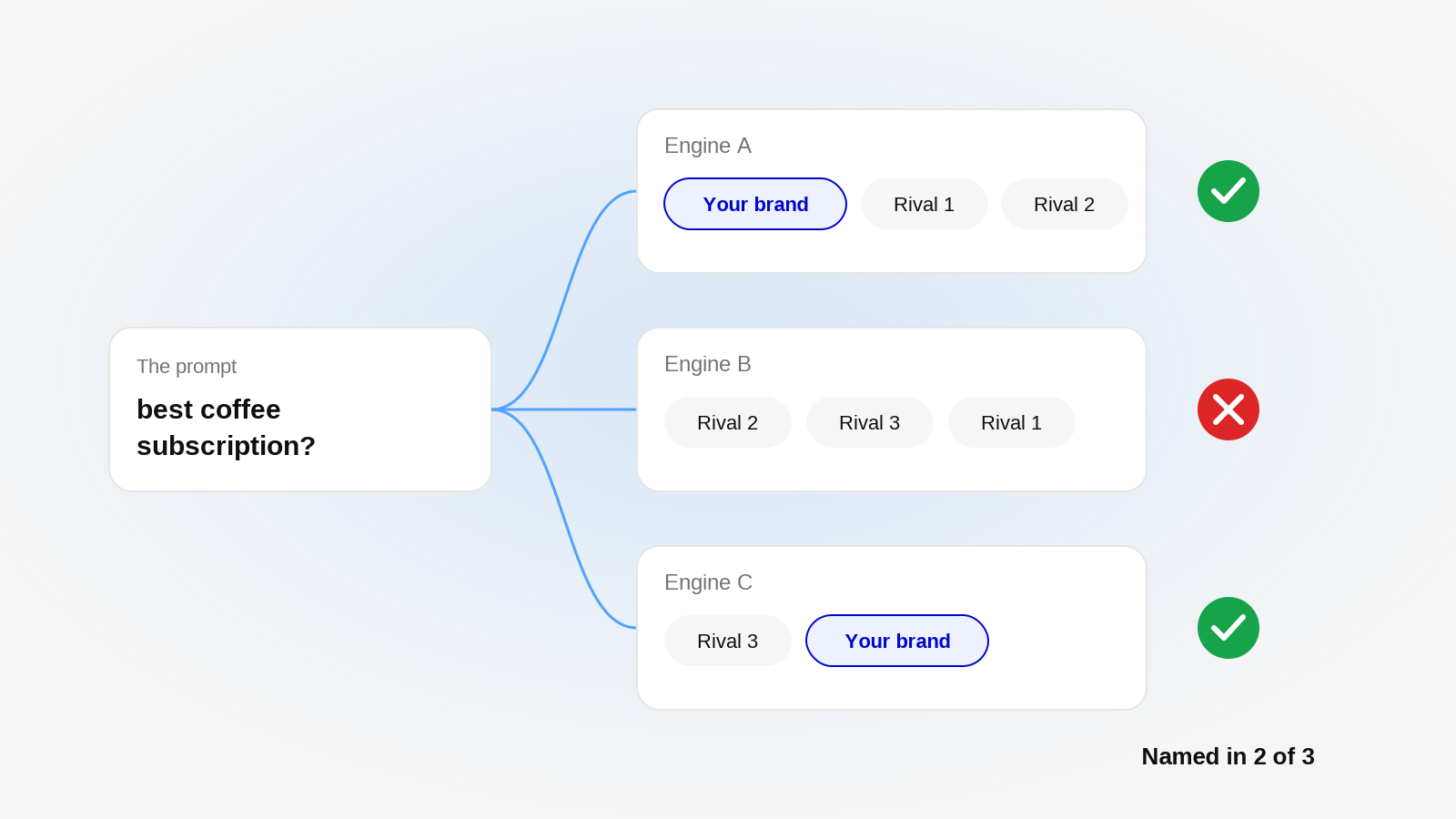
Checking brand mentions in AI means running a fixed set of buyer prompts through several AI engines, more than once each, and counting the share of answers that name you. One chat in your own ChatGPT account cannot tell you that, because answers change on every run and with your history and location.
Key takeaways
- In SparkToro's study of 2,961 runs, ChatGPT or Google's AI returned the same brand list less than 1 time in 100, so a single chat proves nothing.
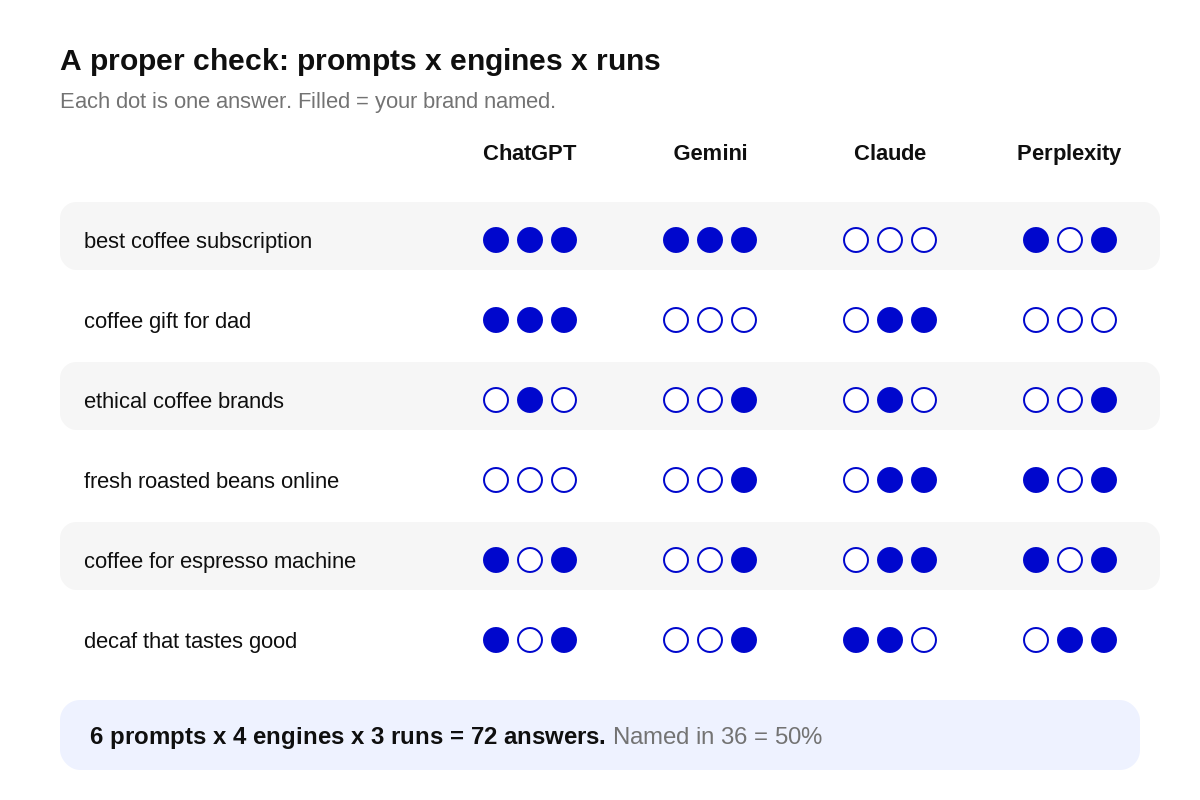
- A proper check uses a fixed prompt list, at least two engines, 3 or more runs per prompt, no personal chat history and a set location.
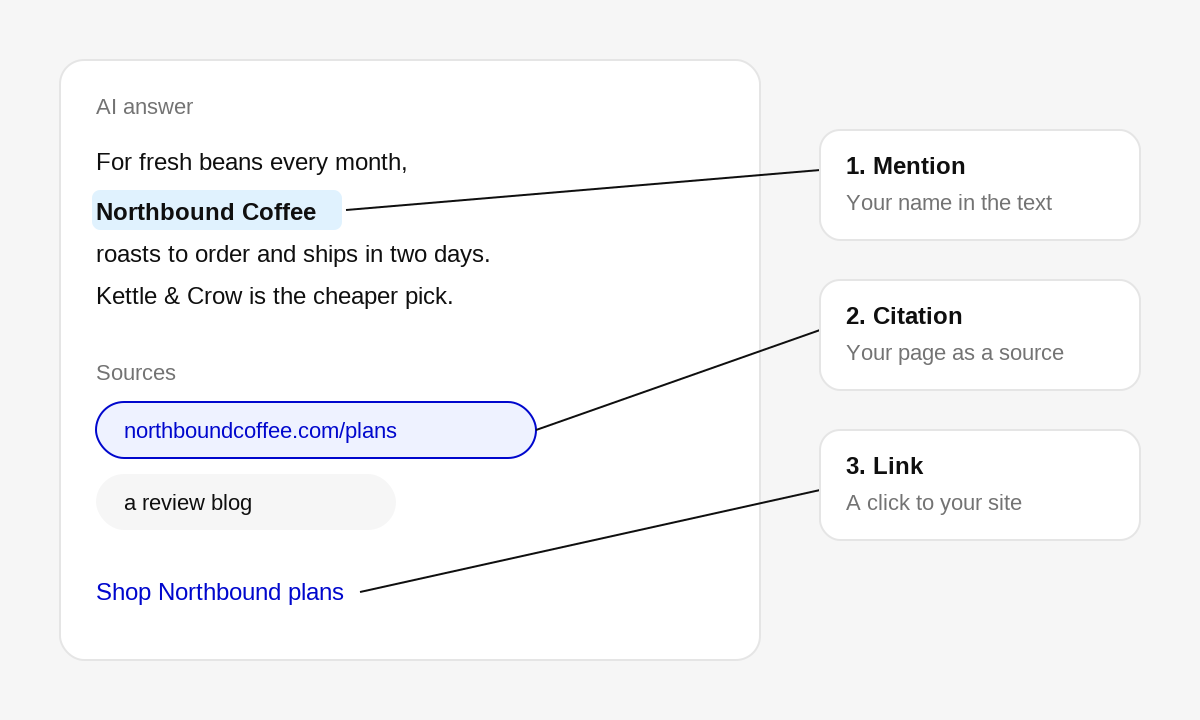
- A mention (your name in the text), a citation (your page as a source) and a link (a click to your site) are separate wins with separate fixes.
- The LLM Brand Tracker's New Scan asks up to six engines for one prompt at 1 credit per engine, with an optional country and a Daily, Weekly or Monthly repeat.
- In Ask Socrates, a prompt's first check is a sticky check: each engine is asked 3 times, and you approve the credit cost on a card before it runs.
One chat in ChatGPT is not a check
Typing your category into ChatGPT and looking for your name feels like a test. It is one sample of something that changes every time you ask.
Three things get in the way:
- Answers vary run to run. In a study by SparkToro and Gumshoe, 600 volunteers ran 12 prompts through ChatGPT, Claude and Google's AI a combined 2,961 times. Fishkin's write-up puts the chance of ChatGPT or Google's AI returning the same brand list at under 1 in 100, and the same list in the same order closer to 1 in 1,000 [1].
- Your account is personalised. With memory on, ChatGPT can "use relevant information from past conversations to personalize future responses" [2]. If you have spent months asking it about your own brand, you are not seeing what a stranger sees.
- Location changes the answer. ChatGPT search "may use an approximate location based on your IP address", and a VPN can change that location [3]. A shop in Leeds and a buyer in Boston can get different lists for the same words.
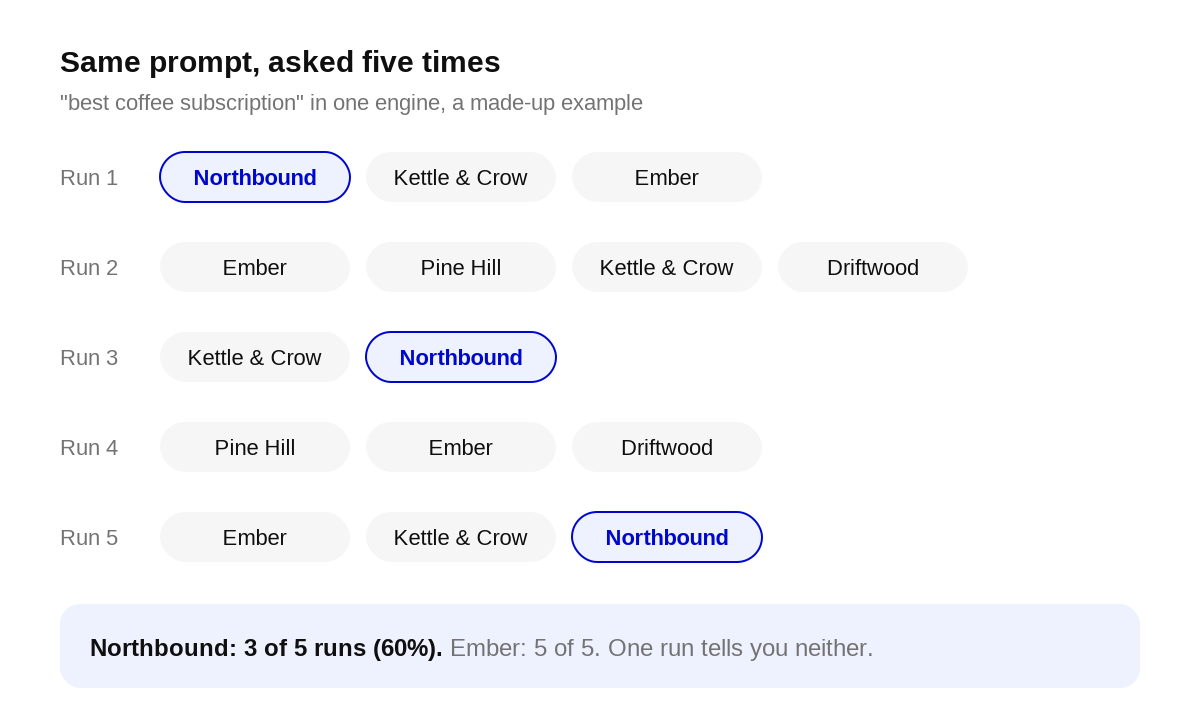
The same study found something useful: how often a brand appears held steadier than where it appears in the list. Fishkin calls visibility percentage across many prompts and runs "a reasonable metric", and dismisses rank position [1]. So count appearances, and treat rank as a rough hint.
A proper check: fixed prompts, engines and runs
A check you can trust has four parts, and each one removes a source of noise.
- A fixed prompt set. Write down 10 to 30 prompts your buyers would type, such as "best coffee subscription" or "coffee gift for dad". Use the same wording every time, so a change in the result is a change in the engines, not in you.
- Several engines. ChatGPT, Gemini, Claude and Perplexity read different sources and can disagree. Your buyers use more than one.
- Repeated runs. Ask each prompt in each engine more than once. Three runs is a minimum for spotting what sticks; SparkToro suggests far more for research-grade numbers [1].
- A clean, stated location. Run from no account history, and pick the country your buyers are in.
Use this as a pass or fail list before you trust any number, from a tool or your own spreadsheet:
| Check | Pass | Fail |
|---|---|---|
| Prompts | Same written list every time | Typed fresh from memory |
| Engines | Two or more, named | "I asked AI" |
| Runs | 3 or more per prompt per engine | One run |
| Account | No history or memory | Your work account |
| Location | Set to your market | Wherever you happen to be |
| Result | Share of answers that name you | "We came third" |
Mention, citation and link are different wins
AI answers can credit you in three ways, and they are not the same thing.
| What it is | Example | Why it matters | |
|---|---|---|---|
| Mention | Your brand named in the answer text | "Northbound Coffee roasts to order" | This is what the buyer reads and remembers |
| Citation | One of your pages listed as a source | northboundcoffee.com/plans under Sources | The engine read and trusted your page |
| Link | A clickable route to your site | "Shop Northbound plans" | The only one that can send a visit |
The gaps between them tell you what to fix. Cited but not mentioned means the engine used your page as evidence but recommended someone else, so look at how the page describes you. Mentioned but not cited means the engine knows you from other sites (reviews, lists, forums), which is good, but you do not control what those sites say. Google says AI Overviews and AI Mode "surface relevant links" and find them by "issuing multiple related searches across subtopics" [4], so a citation can come from a search you never typed.
Read who gets named instead of you
The most useful part of a check is often the brands that do appear. If a rival is named in 9 answers out of 12 and you are named in 2, that rival is the model the engines have of your category.
A made-up example: a coffee roaster, Northbound Coffee, checks "best coffee subscription" in four engines. Two rivals, Ember and Kettle & Crow, show up in most answers. Reading the cited sources shows the same two review blogs and one "best subscriptions" list in almost every answer. Northbound sells a better plan, but it is on none of those pages.
That gives three questions to ask of every competitor named instead of you:
- Which sources are cited next to them? Those pages are where the engines learn about your category.
- Which prompts do they win, and which do they lose? A rival who wins "best" prompts and loses "cheapest" prompts has a clear position. You may want a different one.
- Which engines favour them? A rival strong in Perplexity and absent in ChatGPT is winning on fresh web sources, not on long-standing reputation.
How to do it in Answer Socrates
The LLM Brand Tracker runs your prompt through the engines you pick, at the same moment, from our side rather than your account. That removes your own chat history from the result. Here are the steps.
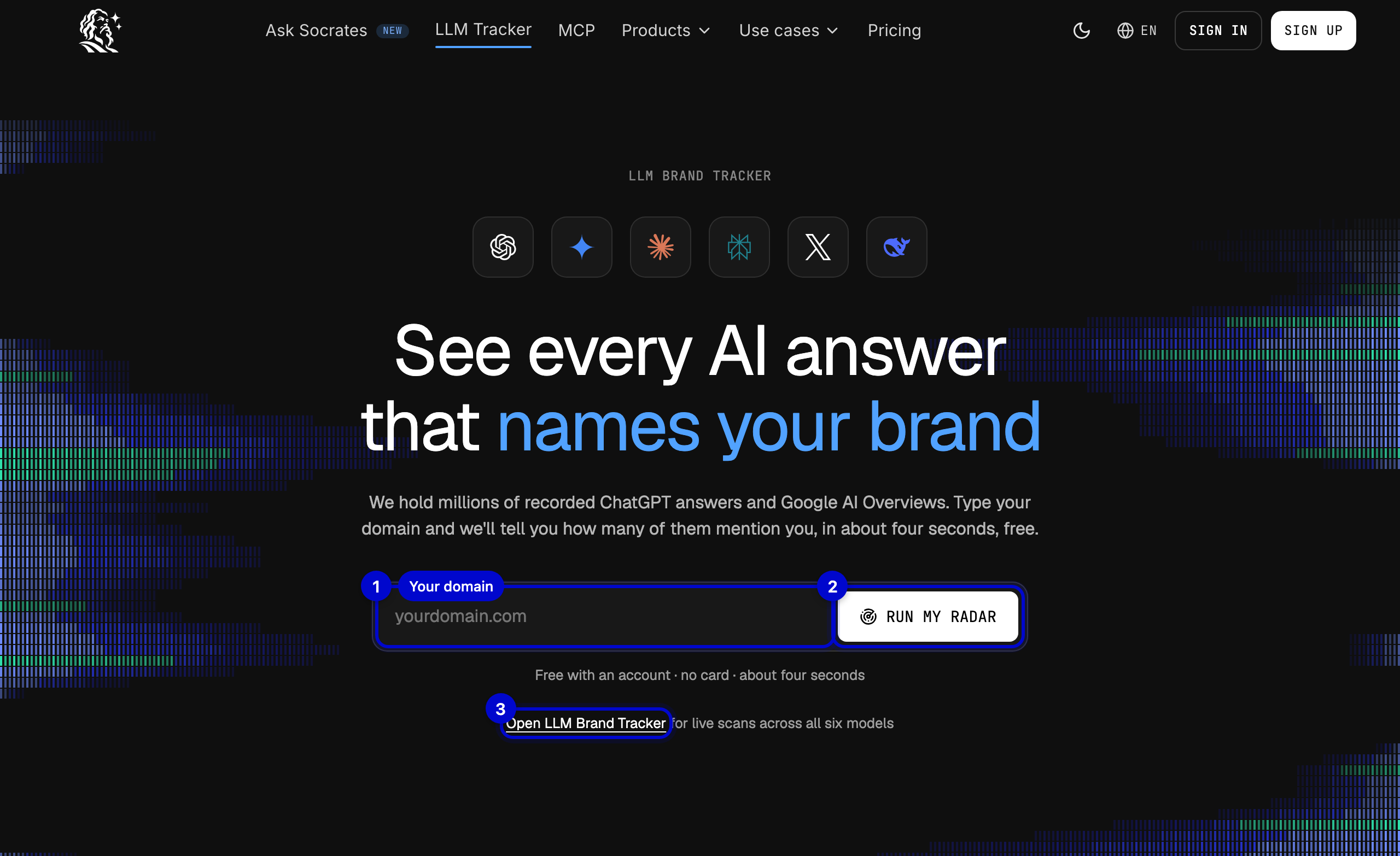
Step 1. Start with the free Radar. Open the LLM Brand Tracker page, type your domain and press Run my Radar. Radar looks your domain up in recorded ChatGPT answers and Google AI Overviews, so you see existing mentions before you spend anything. It needs a free account.
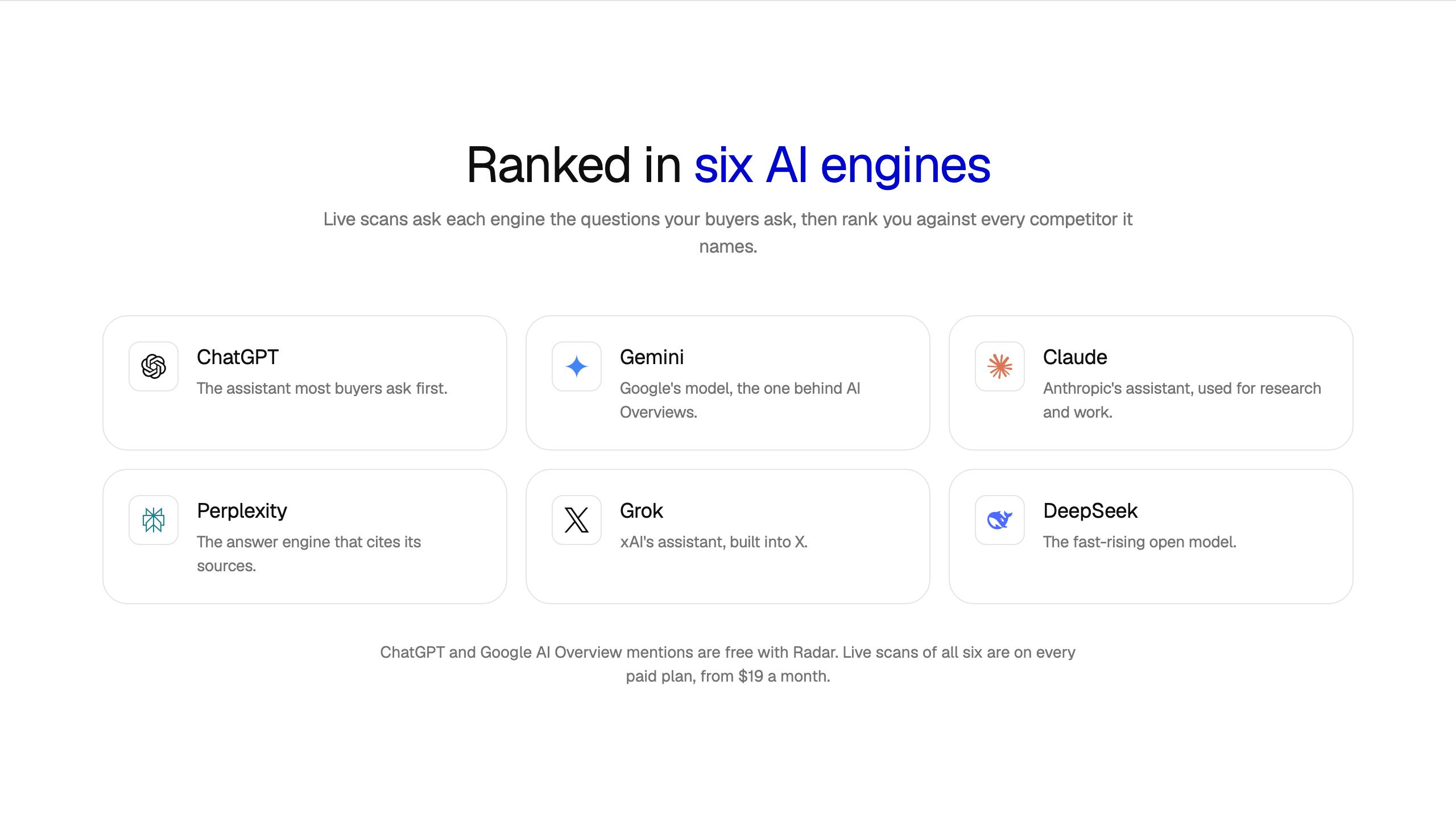
Step 2. Pick your engines. Live scans cover six engines: ChatGPT, Gemini, Claude, Perplexity, Grok and DeepSeek. Live scans need a paid plan, and every paid plan includes all six.
Step 3. Set your brand. Open the tracker's Dashboard. The first time, it asks "What brand do you want to track?". Enter your brand name or website, press Go, check the brand name and website it found, then press Start tracking. Every scan is now matched against this brand.
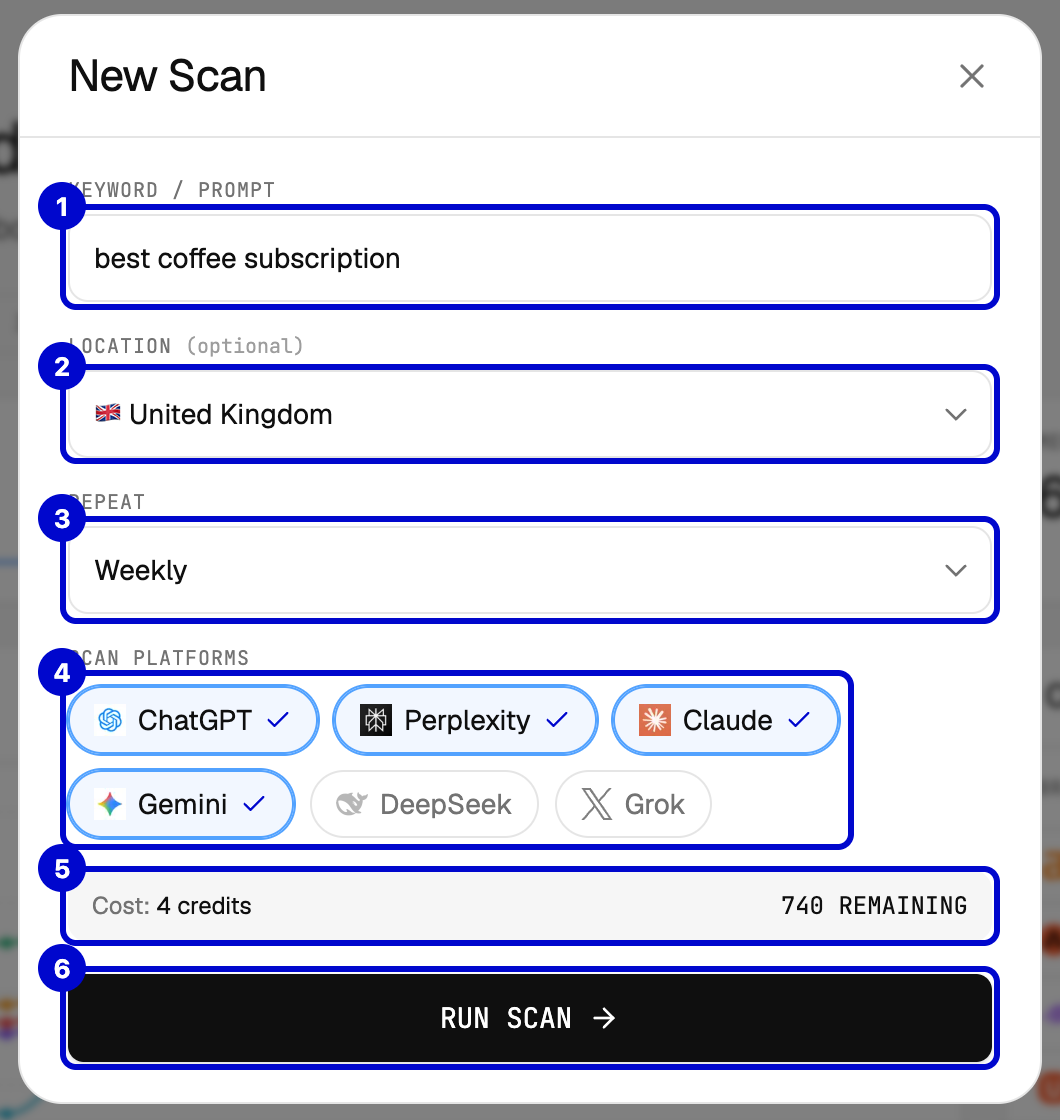
Step 4. Run a New Scan. In the sidebar, under LLM Tracker, press New Scan. The form has four parts:
- Keyword / prompt: one prompt, sent to each engine as written. Keep it under 100 characters: the box lets you type more, but a longer prompt is refused when the scan starts.
- Location (optional): Global by default, or a country.
- Repeat: Once, Daily, Weekly or Monthly.
- Scan platforms: the engines, each a pill you can switch off.
The Cost line shows the credits before you press Run Scan: 1 credit per engine selected.
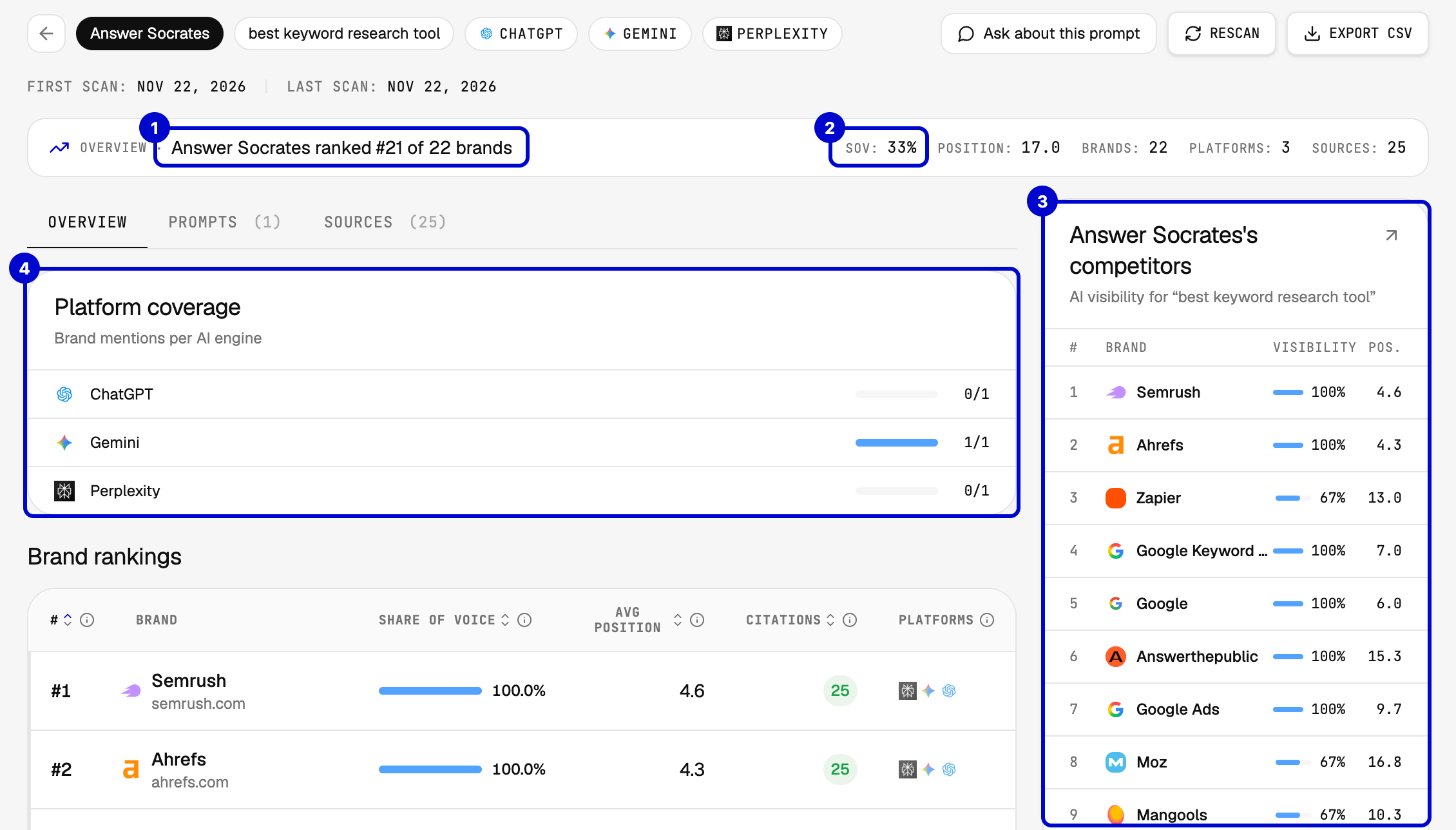
Step 5. Read the overview. When the scan finishes, the result page opens. The strip at the top says either "[brand] ranked #N of M brands" or "[brand] not found in results", followed by five numbers: SoV (share of voice: the percent of engine answers in this scan that named you), Position (your average place in the lists), Brands, Platforms and Sources.
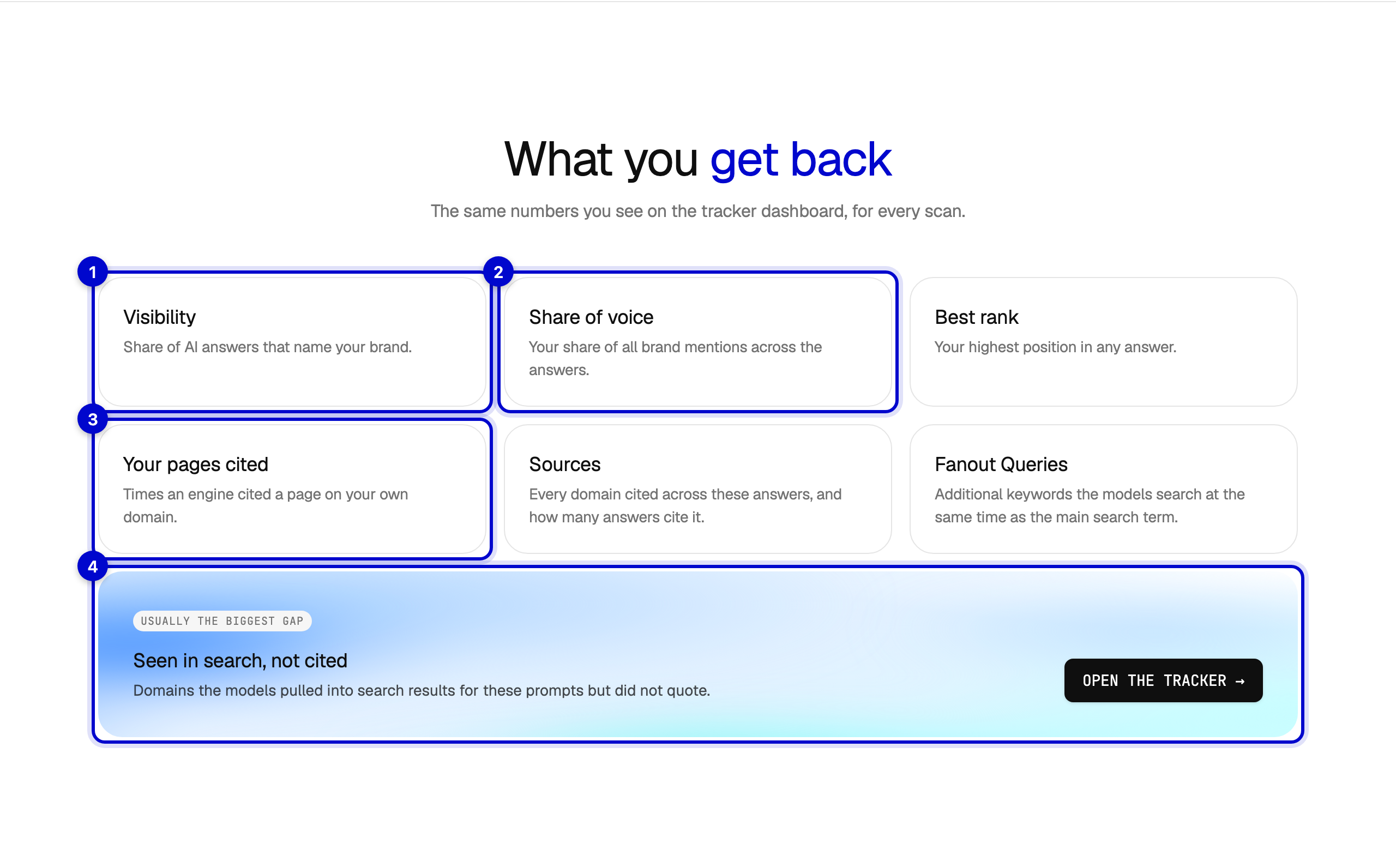
Step 6. Read the competitors and engines. The Overview tab lists your competitors with each one's visibility and position, a Platform coverage panel that shows Mentioned or Not mentioned per engine, and a Share of voice chart. Export CSV downloads the brand table.
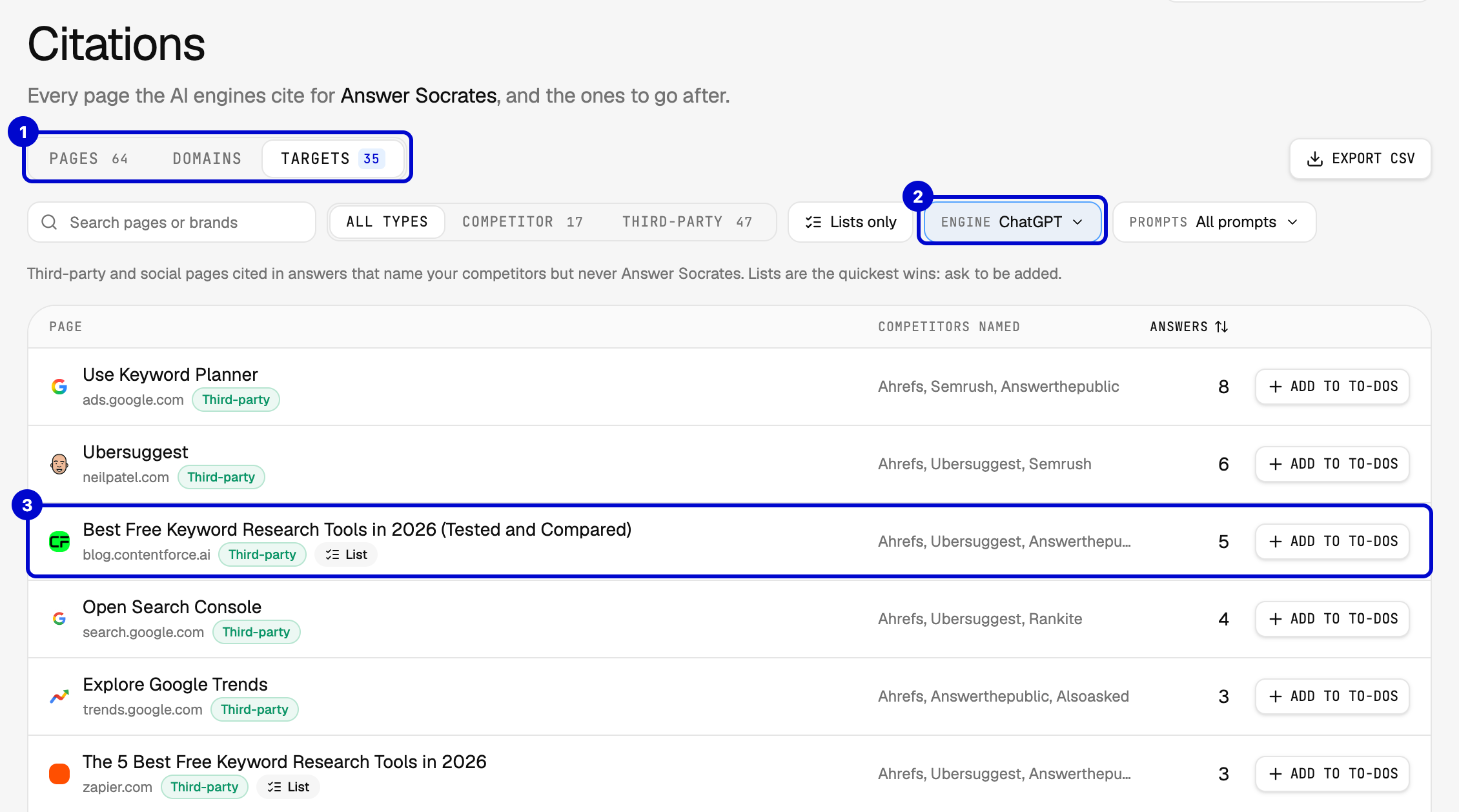
Step 7. Open the answers and sources. The Prompts tab shows each engine's result, so you can read the actual wording. The Sources tab lists the cited sources with a mention rate and an average position for each. Across all scans, the Citations page groups cited pages and domains, and its Targets view lists third-party and social pages cited in answers that name your competitors but never you.
Step 8. Repeat it. Set Repeat to Weekly on the prompts that matter, or press Rescan on a result page. One scan asks each engine once, so the second and third runs are what turn a snapshot into a pattern.
The same thing in Ask Socrates
Ask Socrates, our chat, runs the same scan as New Scan and adds the repeat runs for you. Open a project with your brand set and type:
What comes back:
- A cost card first. It lists the engines and the credits, and nothing runs until you approve (unless you have set the chat to auto-approve small spends). If you name no engines, it checks ChatGPT, Gemini and AI Overviews.
- A sticky check by default. The first check of a prompt asks each engine 3 times back to back, at 3 credits per engine. Say "check once" for a single run, or ask for 5 or 10 runs.
- The result. Which brands each engine named, your rank and share of voice, and which sites were cited. It can also check Google's AI Overviews and AI Mode; Google often shows no AI answer for a search, and that is not charged.
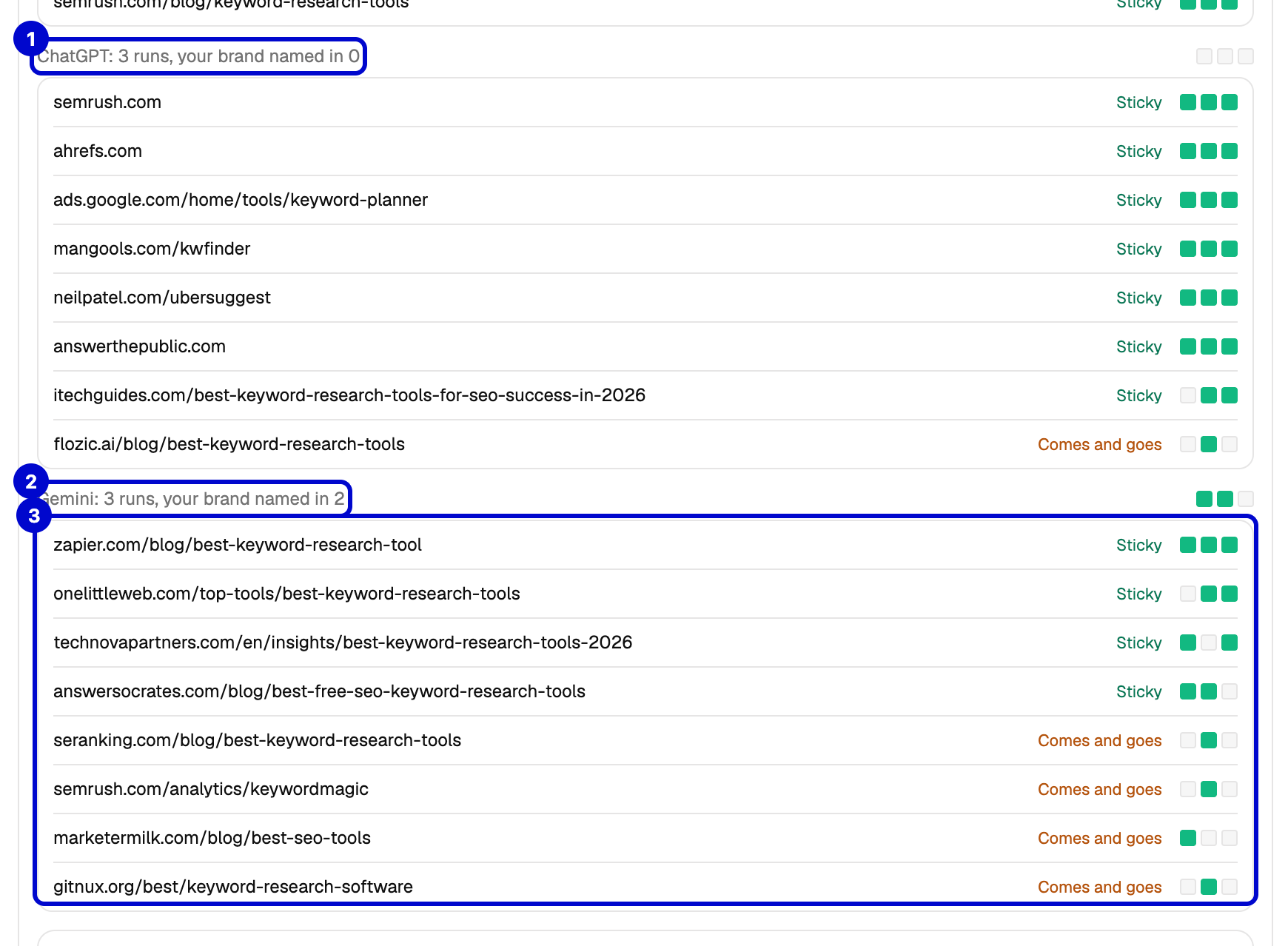
Three follow-ups worth typing, all of which read saved checks and cost nothing:
- "What have I already checked?" lists every prompt the project has, with its newest result.
- "Which citations stick for the prompts I've already checked?" shows pages cited in at least 2 of 3 runs, the ones the engines rely on.
- "Which topics am I losing to Ember in AI answers?" compares your share of answers with one competitor, topic by topic.
To keep watching, ask it to track the prompts. Tracking takes up to 10 prompts at a time, daily, weekly or monthly, and the card shows the monthly cost before you agree.
What a tracker cannot tell you
A tool fixes the method, not the randomness. A few limits to keep in mind:
- It is still a sample. Three runs beats one, but SparkToro's advice for firm numbers is 60 to 100 runs [1]. Treat a single scan's share of voice as a reading, not a verdict.
- Brand names are read by AI. We pull the brand names out of each answer with a model, then check the text for your brand name as a backup. Odd spellings or a brand named only by its product can slip through. Read the answers when a result looks wrong.
- Rank is the weakest number. Lists change order almost every run [1]. Use Position to compare large gaps, not to celebrate moving from 3rd to 2nd.
- Engines change underneath you. A drop after a model update may have nothing to do with your site. Look for the same drop across several prompts before you act.
Where to go next
| If you want to... | Read |
|---|---|
| Build the prompt list this check depends on | Finding the prompts your buyers type |
| Watch these numbers week by week | Tracking AI visibility over time |
| Understand why some pages get cited | Why AI cites some pages and not others |
| Go deeper on the brands named instead of you | Competitors in AI answers: who gets named instead of you |
| Turn an unlinked mention into a link | Links vs mentions in the age of AI |
Sources
- NEW Research: AIs are highly inconsistent when recommending brands or products, SparkToro, 2026
- Memory in ChatGPT, OpenAI Help Center, 2026
- Searching the web with ChatGPT, OpenAI Help Center, 2026
- AI features and your website, Google Search Central, 2026
