What is AI search? ChatGPT, AI Overviews and AI Mode
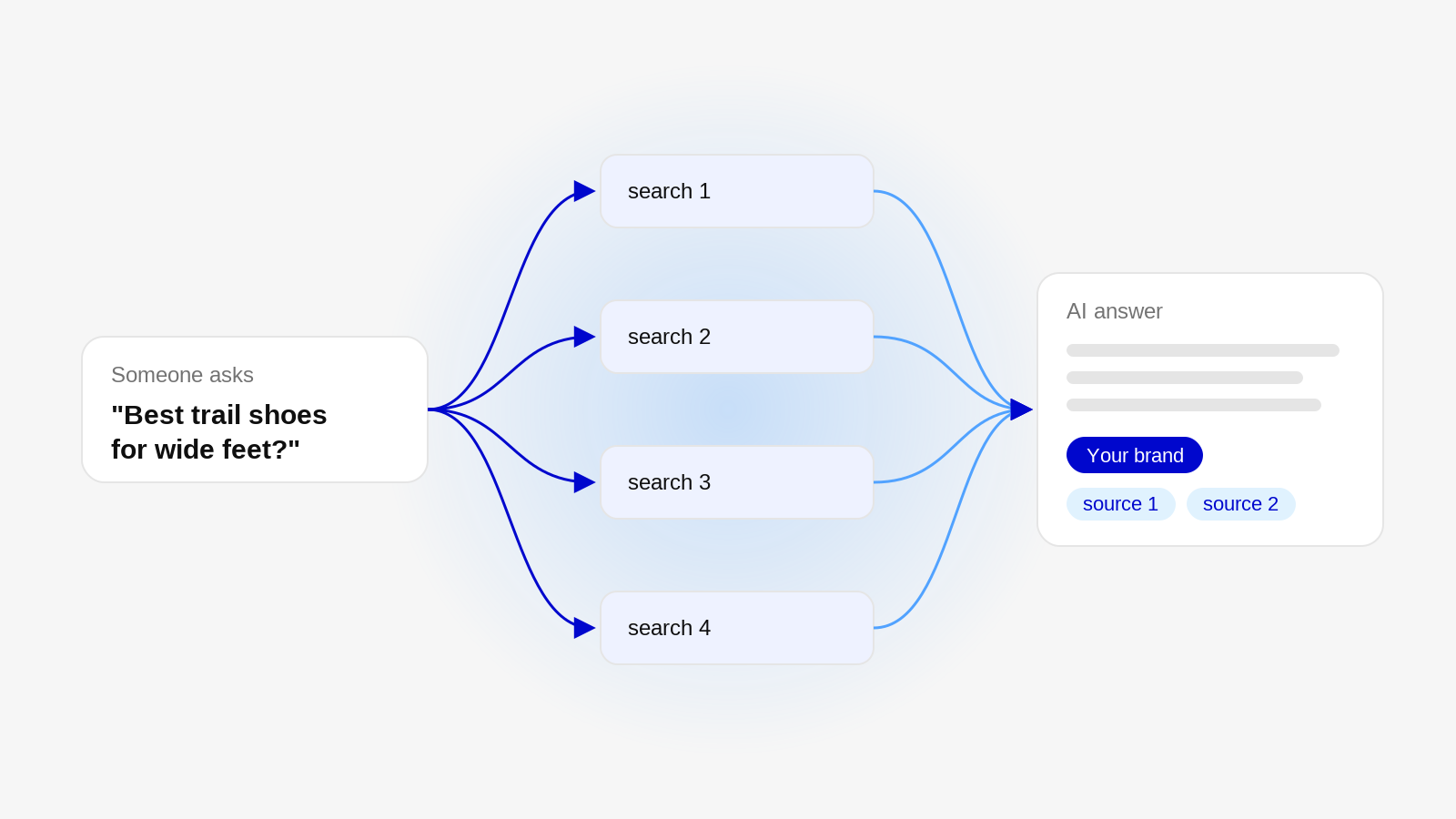
AI search is when an AI assistant runs web searches for you, reads some of the pages it finds and writes one answer, sometimes with links to its sources. It decides which brands a buyer hears about before they ever see a list of results.
Key takeaways
- An AI answer with search follows five steps: read the question, run searches, read pages, write the answer, cite some sources. Your page can drop out at each one.
- Query fan-out splits one question into several searches. Google says AI Overviews and AI Mode may use it, and AI Mode's Deep Search can issue hundreds of searches.
- Google sets no extra requirements for AI Overviews or AI Mode: a page must be indexed and eligible for a snippet, and clicks show in Search Console under Web.
- Blocking OAI-SearchBot keeps a site out of ChatGPT search answers, while GPTBot is OpenAI's training crawler. Check robots.txt before blaming your content.
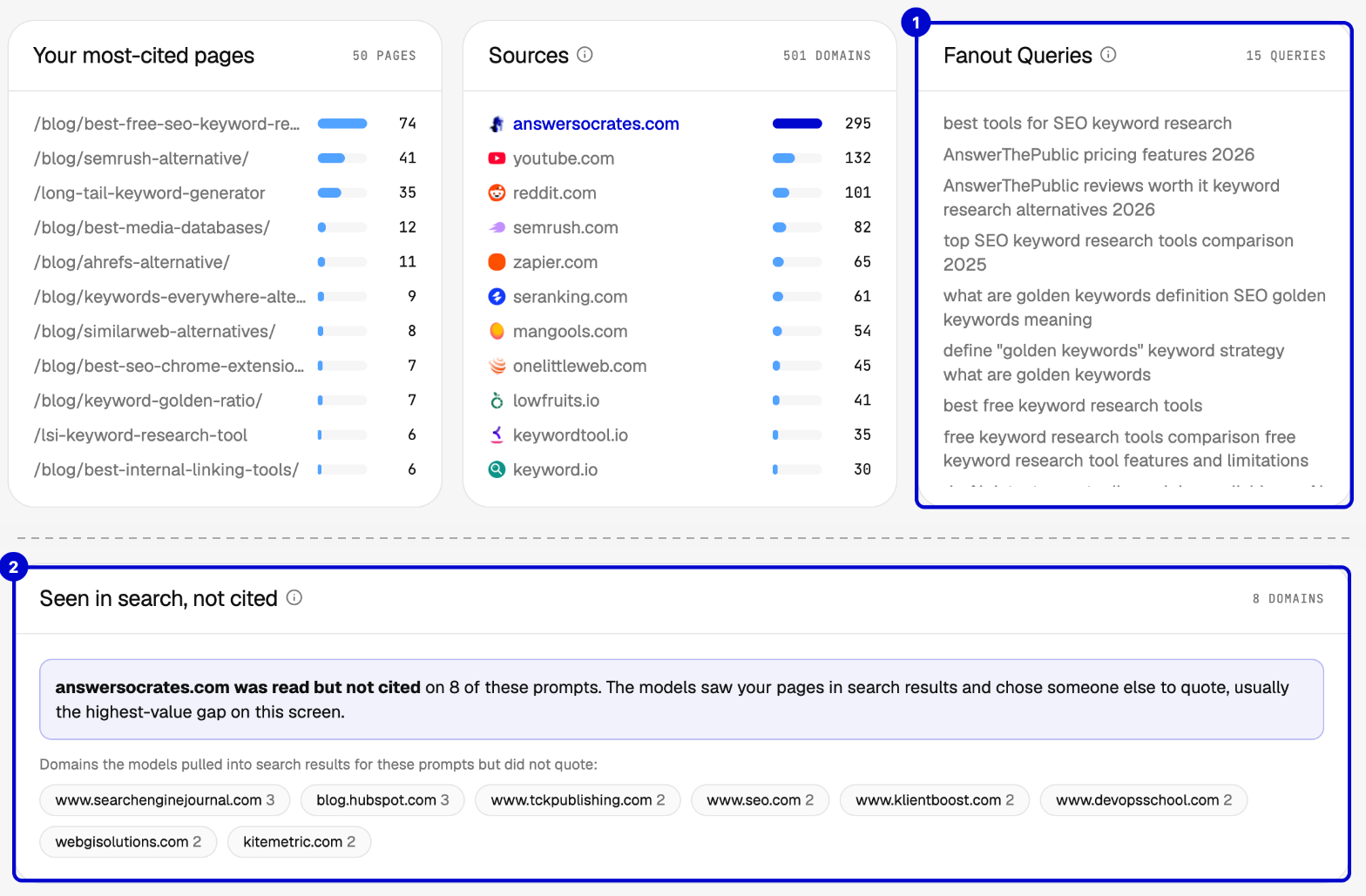
- Being named and being cited are separate wins. The free Radar in the LLM Brand Tracker shows fan-out queries and domains seen in search but not cited.
AI search answers by running searches for you
Think of AI search as a researcher who reads the results for you. You ask a question in plain words. The AI decides whether it needs fresh information, runs one or more web searches, reads some of the pages that come back, and writes an answer in its own words. Sometimes it links the pages it used. Those links are called citations: the numbered or linked sources next to the answer.
That is the key point. An AI answer with search is not magic. It sits on top of ordinary search results, so the pages it can use are the pages a search engine can find.
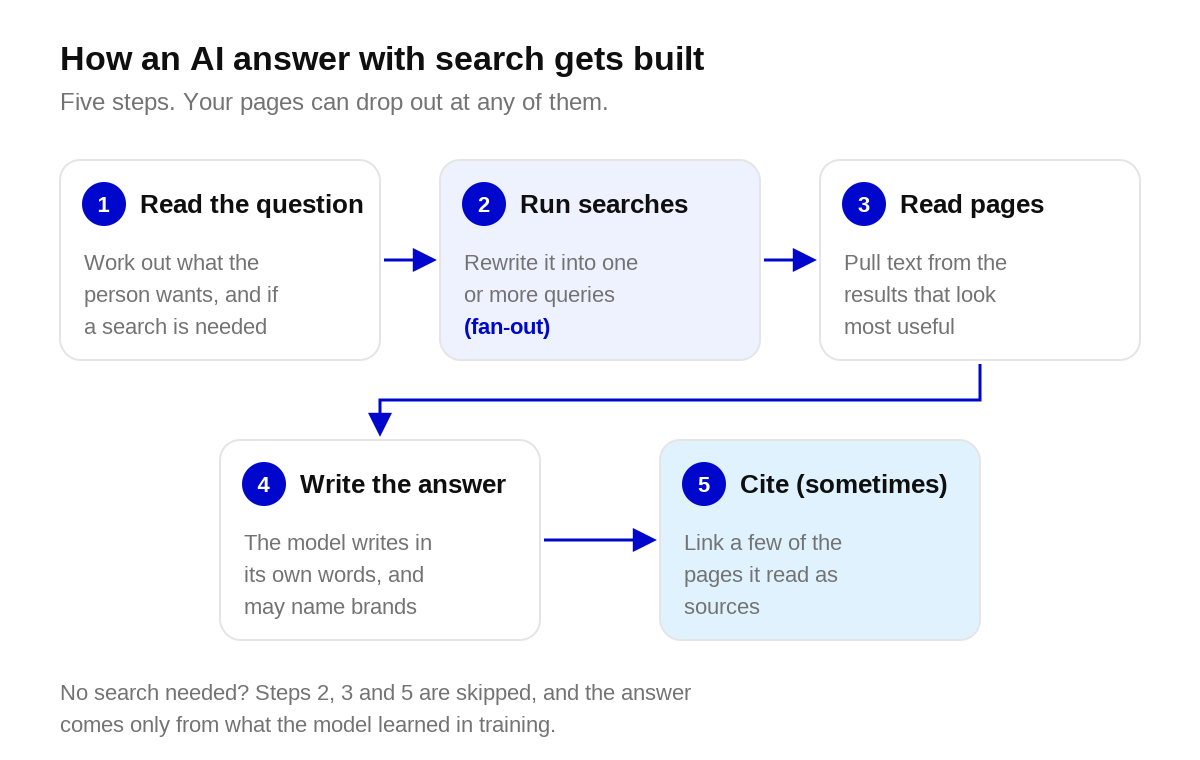
Both big platforms describe this pattern in their own docs. OpenAI says ChatGPT "may search the web automatically when your question would benefit from current information", and that it "typically rewrites your query into one or more targeted queries" that it sends to search providers [5]. Perplexity describes the same loop: it searches the internet, compiles an answer, and "each answer includes numbered citations linking to the original sources" [7].
Each step is a place where your business can drop out:
- Search: if your page does not rank for any of the searches the AI runs, it is never read.
- Read: the AI reads only some of the results, not all of them.
- Write: the AI may name your competitor and not you, even after reading your page.
- Cite: it links a handful of pages at most, and not always the ones it named.
Query fan-out: one question becomes many searches
Query fan-out is when the AI splits your question into smaller questions and runs a separate search for each. Google described it when it introduced AI Mode in March 2025, as "issuing multiple related searches concurrently across subtopics and multiple data sources" and then bringing the results together into one answer [2].
Google's documentation for site owners says both AI Overviews and AI Mode "may use a 'query fan-out' technique" [1]. Its May 2025 update said AI Mode breaks your question into subtopics and issues "a multitude of queries simultaneously", and that Deep Search, a heavier research mode, "can issue hundreds of searches" [3]. ChatGPT does something similar: OpenAI's help page says it can send "additional, more specific queries" after the first results come back [5].
A made-up example: a homeowner asks AI Mode about a leaking water heater.
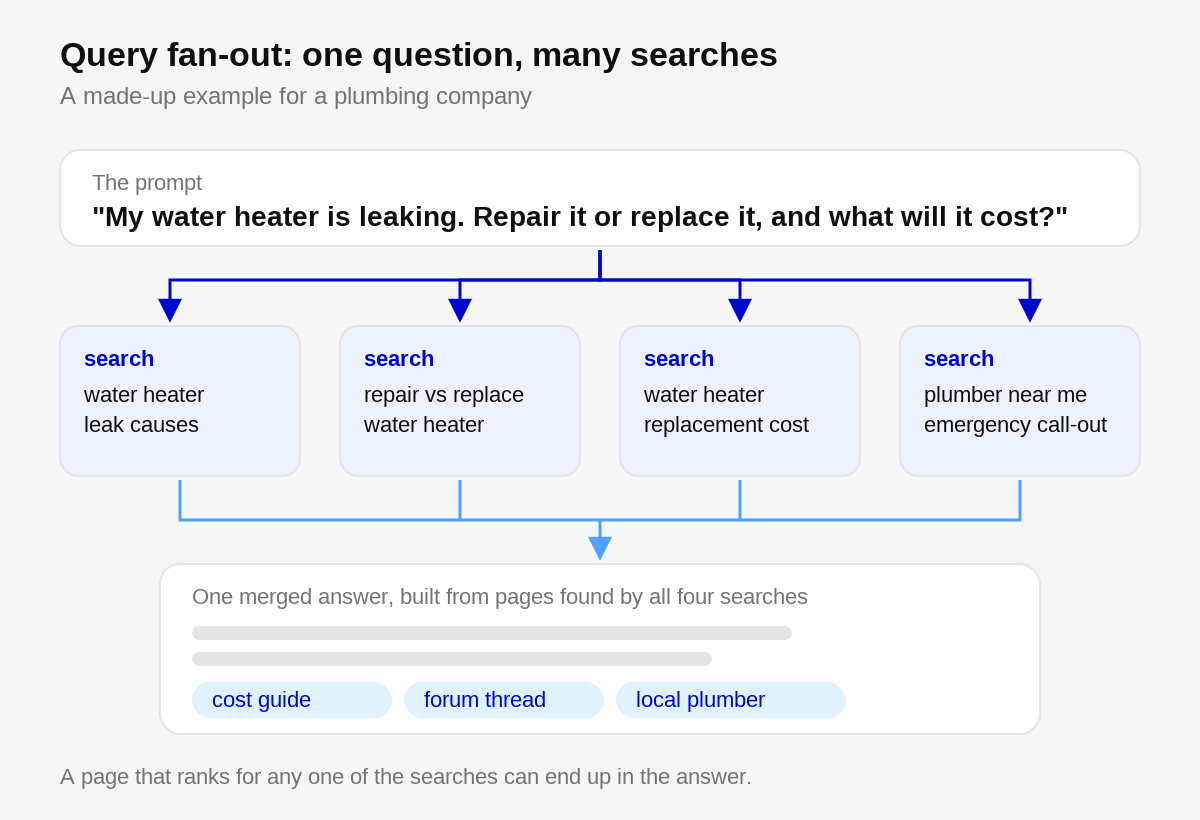
The four searches in that picture are illustrative. Google does not show you the exact fan-out queries it ran. But the shape matters for a business. The plumbing company that only wrote a page for "water heater repair" may miss the answer, while a competitor with a clear repair-or-replace cost guide gets read for two of the four searches.
So fan-out rewards pages that answer the follow-up questions, not just the head term. That is why question research (what people ask around a topic) matters more in AI search, not less.
ChatGPT, AI Overviews, AI Mode and Perplexity compared
These products share the same basic loop but differ in where they show up and how they cite.
ChatGPT search launched in October 2024. ChatGPT chooses to search based on what you ask, or you can turn search on yourself, and a Sources button opens the list of references [4]. OpenAI says it uses third-party search providers plus content from partners [4], and its help page names Microsoft among those providers [5].
Google AI Overviews are the AI summary that appears at the top of some normal Google results pages. Google says it shows them only when it judges they add value beyond the classic results [1].
Google AI Mode is a separate AI search experience in Google, built for questions that need more exploration, reasoning or comparison [1][2]. Google notes that AI Overviews and AI Mode can use different models and techniques, so the same question can get different answers and links in each [1].
Perplexity is an answer engine built around search: every answer comes with numbered citations [7].
| ChatGPT search | AI Overviews | AI Mode | Perplexity | |
|---|---|---|---|---|
| Where it appears | Inside a ChatGPT chat | Top of some normal Google results pages | Its own mode inside Google Search | Perplexity app and site |
| When it searches | When ChatGPT decides, or when you turn search on [5] | Only on searches where Google thinks it helps [1] | Runs related searches across subtopics for its answers [2] | Searches the web to build its answers [7] |
| Fan-out | Rewrites into one or more queries, may add more [5] | May use fan-out [1] | Uses fan-out [2][3] | Not documented |
| Shows sources | Citations plus a Sources button [4] | Links to supporting pages [1] | Links to supporting pages [1] | Numbered citations [7] |
| What gets you in | Not blocking OAI-SearchBot [6] | Normal Google indexing with a snippet [1] | Normal Google indexing with a snippet [1] | Not covered in this lesson |
For Google, there is no separate gate. Google says a page only needs to be indexed and eligible to show with a snippet to appear as a supporting link, and that there are "no additional requirements" or special optimizations for AI Overviews or AI Mode [1]. Clicks from both are counted in the Search Console Performance report, under the Web search type, mixed in with normal results [1].
Being named and being cited are not the same
An AI answer can help you in two separate ways. It can name your brand in the text ("For wide feet, try X or Y"). And it can cite your page as a source. These do not always go together.
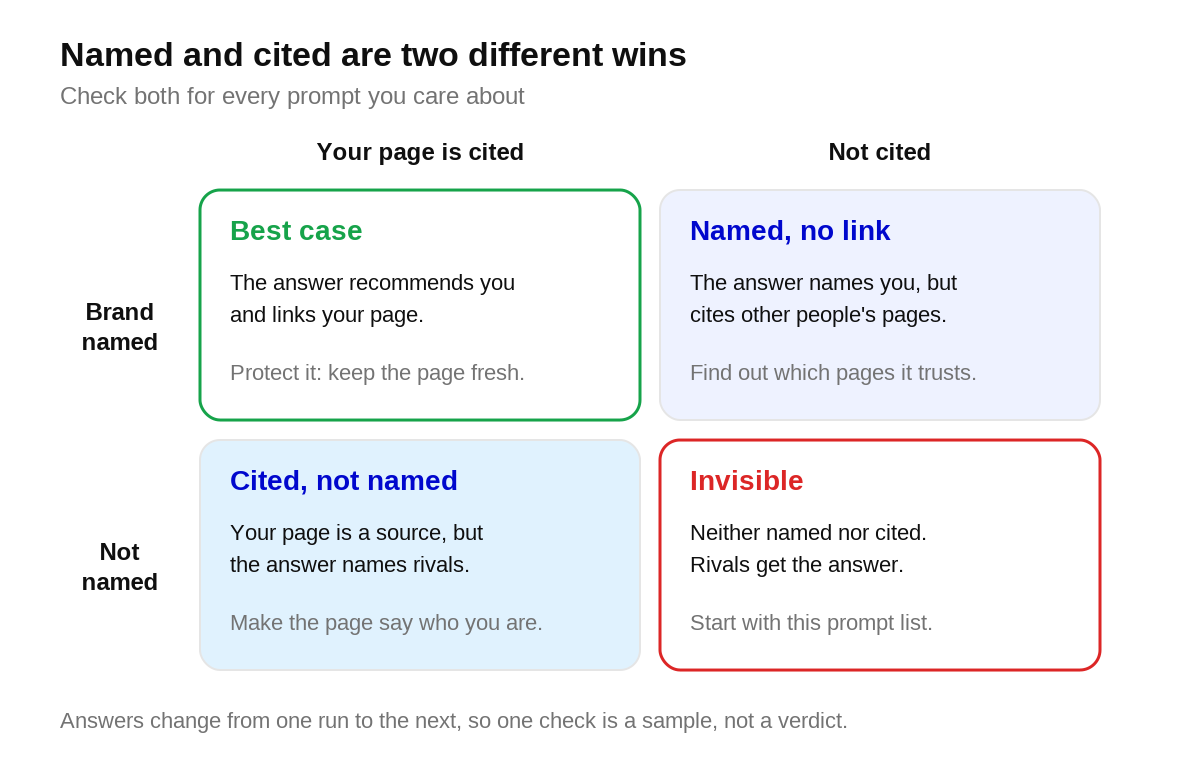
Here is why the gap happens. The AI reads several pages and writes one answer. A review site might be the cited source while the brands it praises are the ones named. Or your own buying guide might be cited, but because it lists five brands, the answer recommends someone else.
There is a third state that most people never see: read but not cited. Your page came up in the AI's searches and was pulled in, but the answer quoted someone else. That is often the closest win, because the AI already found you.
What AI search means for your business
A made-up example: a small coffee roaster sells beans online. Its owner types "best coffee subscription for espresso" into ChatGPT and sees three rivals named, plus a cited roundup article from a food magazine. The roaster's own subscription page is nowhere.
Working backwards through the pipeline tells the owner where to look:
- Is the page findable? It is indexed in Google and OAI-SearchBot is not blocked, so the crawl is fine.
- Does it match the fan-out? The likely sub-searches are things like "espresso coffee subscription", "best beans for espresso" and "coffee subscription review". The roaster has no page that answers the second or third.
- Who is cited? The roundup article is the source. The roaster is not in it, so pitching the magazine, or a similar list, is a real option.
- What does the page say? The subscription page never says the word "espresso", so even if read, it gives the AI nothing to quote.
That list is the whole game in small. The work splits into three jobs:
| Job | Question it answers | What you do |
|---|---|---|
| Prompt research | What do buyers actually ask AI about my topic? | Find real questions and turn them into prompts |
| Tracking | Am I named or cited for those prompts, and is it changing? | Run the prompts on each engine, repeat on a schedule |
| Fixing | Why is a rival named and not me? | Read the cited pages, close the gaps, get onto the lists AI trusts |
The rest of this section teaches each job. The good news: most of it is SEO you already know. A page that ranks for the follow-up questions is a page AI search can read.
How to do it in Answer Socrates
Answer Socrates covers the first two jobs: finding the prompts and checking the answers. Here is the path for a first look.
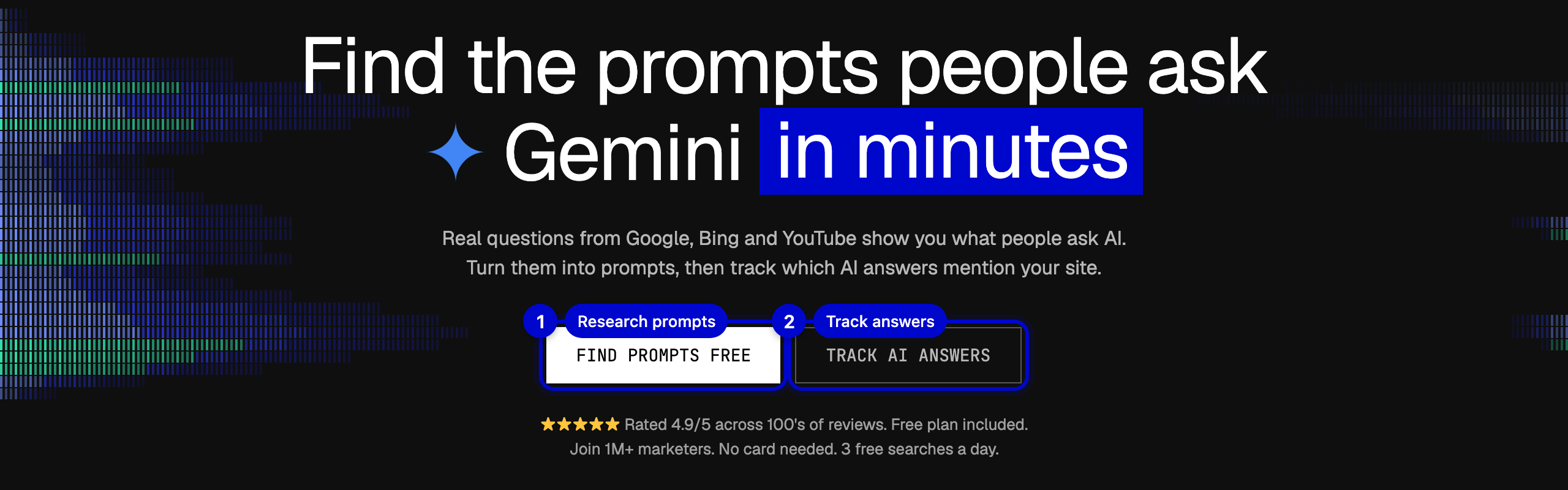
Step 1. Start from the homepage. The two buttons map to the two jobs: research prompts, then track answers.
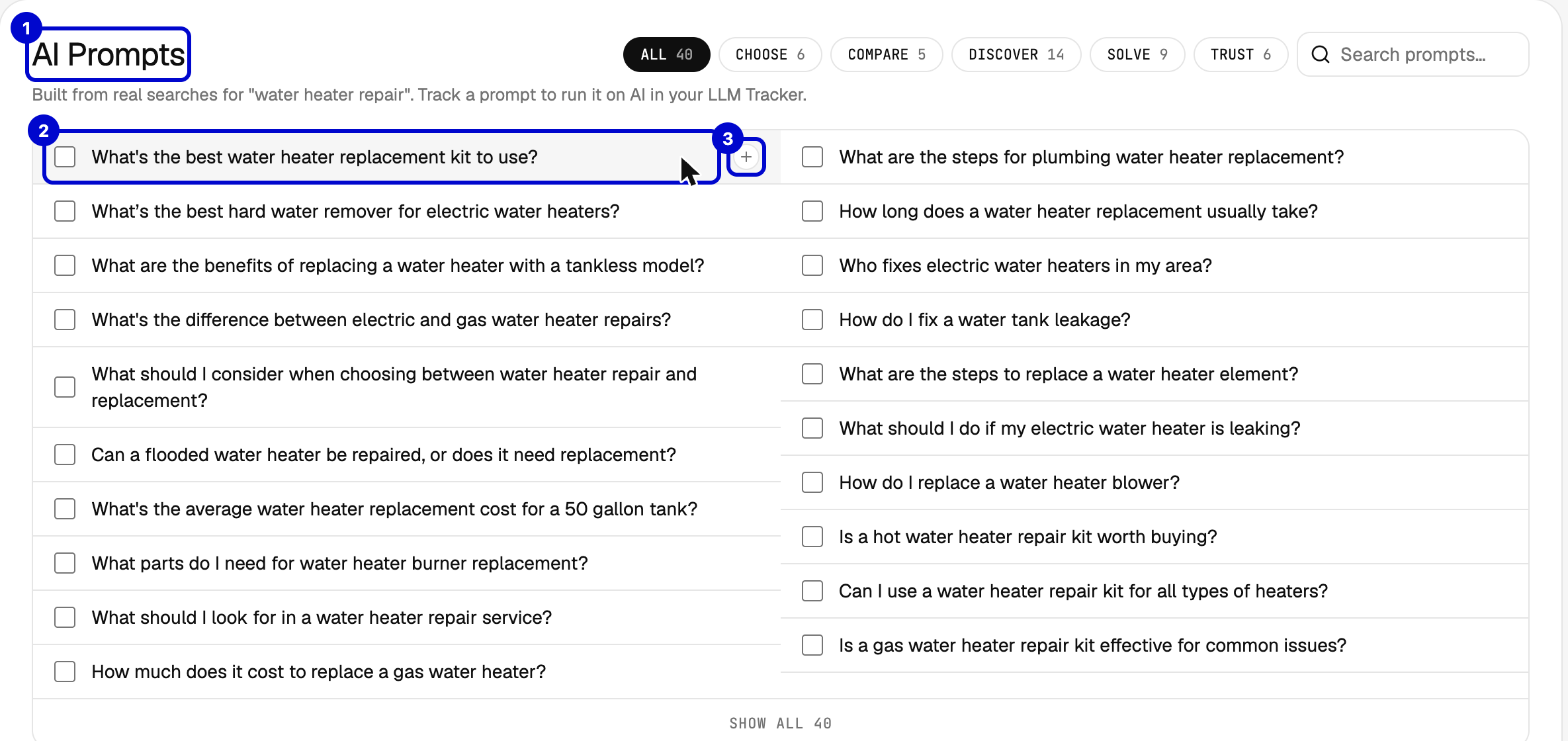
Step 2. Search your topic and open the AI Prompts section. Type a topic, such as "water heater repair". Next to the classic question groups, the results include an AI Prompts section: how people ask AI assistants about the term, written from real searches, and the brands the AI names back. Click the + on a prompt and choose Track in AI to run it through the models you pick in your LLM Tracker; each prompt on each model uses 1 credit.
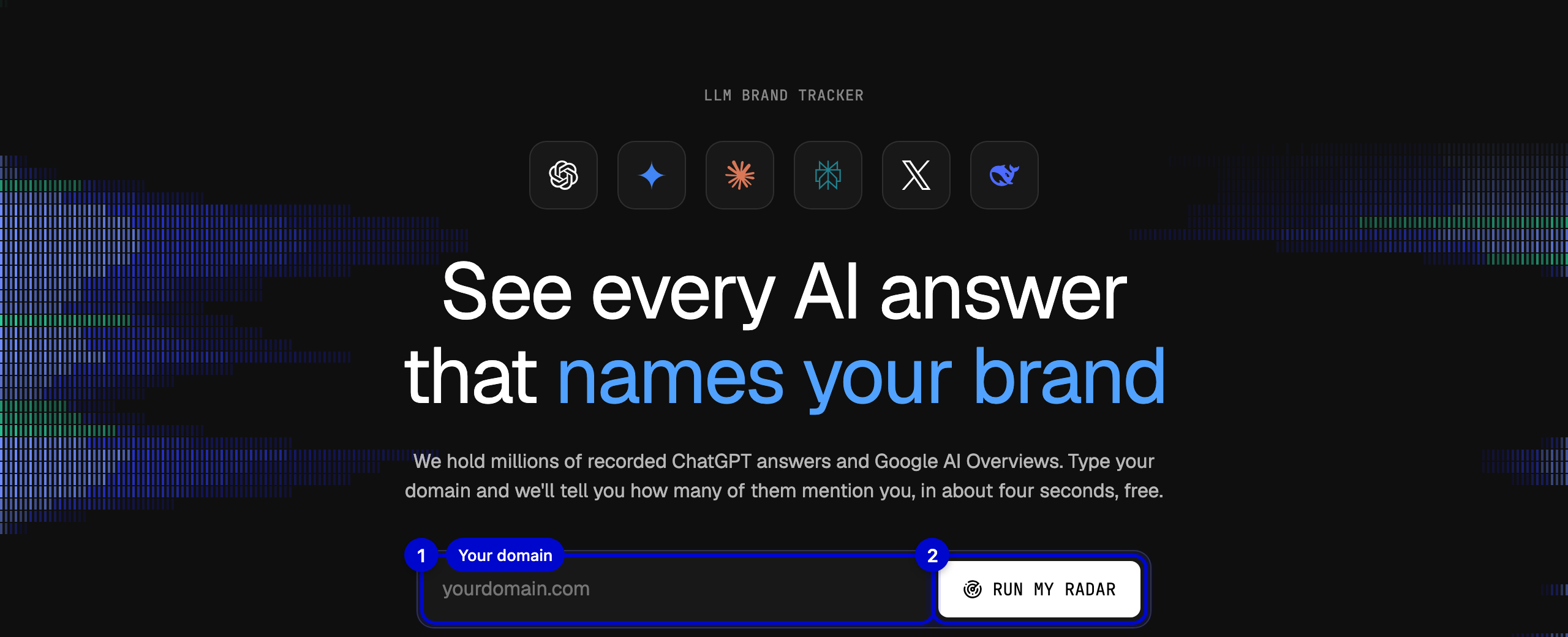
Step 3. Run the free Radar on your domain. Open the LLM Brand Tracker and type your domain. Radar checks millions of recorded ChatGPT answers and Google AI Overviews for your site, and gives you the count in about four seconds. It is free with an account.
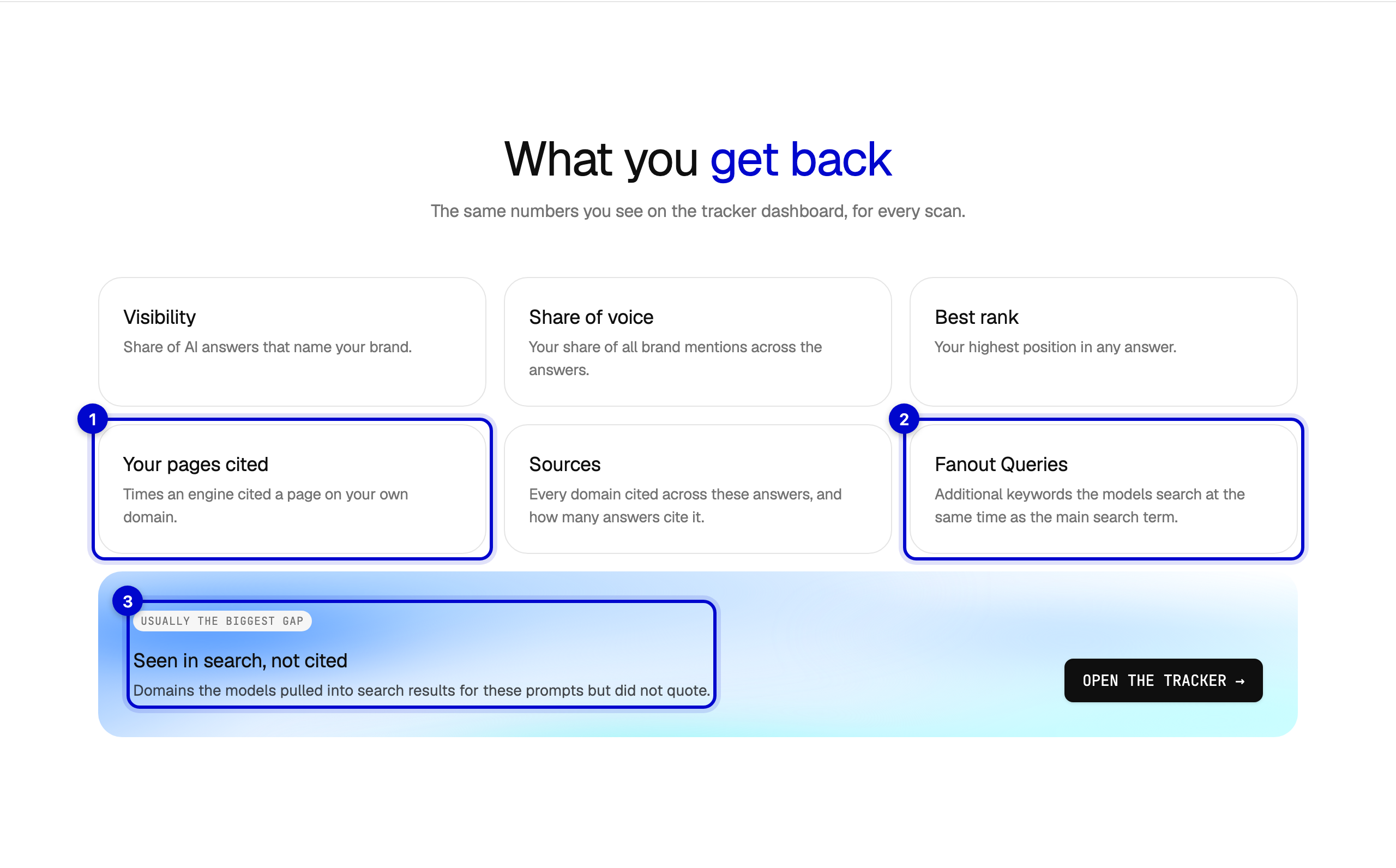
Step 4. Read the fan-out queries and the read-but-not-cited list. Radar results include the answers that mention you, the pages cited, the Fanout Queries the models searched alongside the main term, and Seen in search, not cited: domains the models pulled into search results but did not quote.
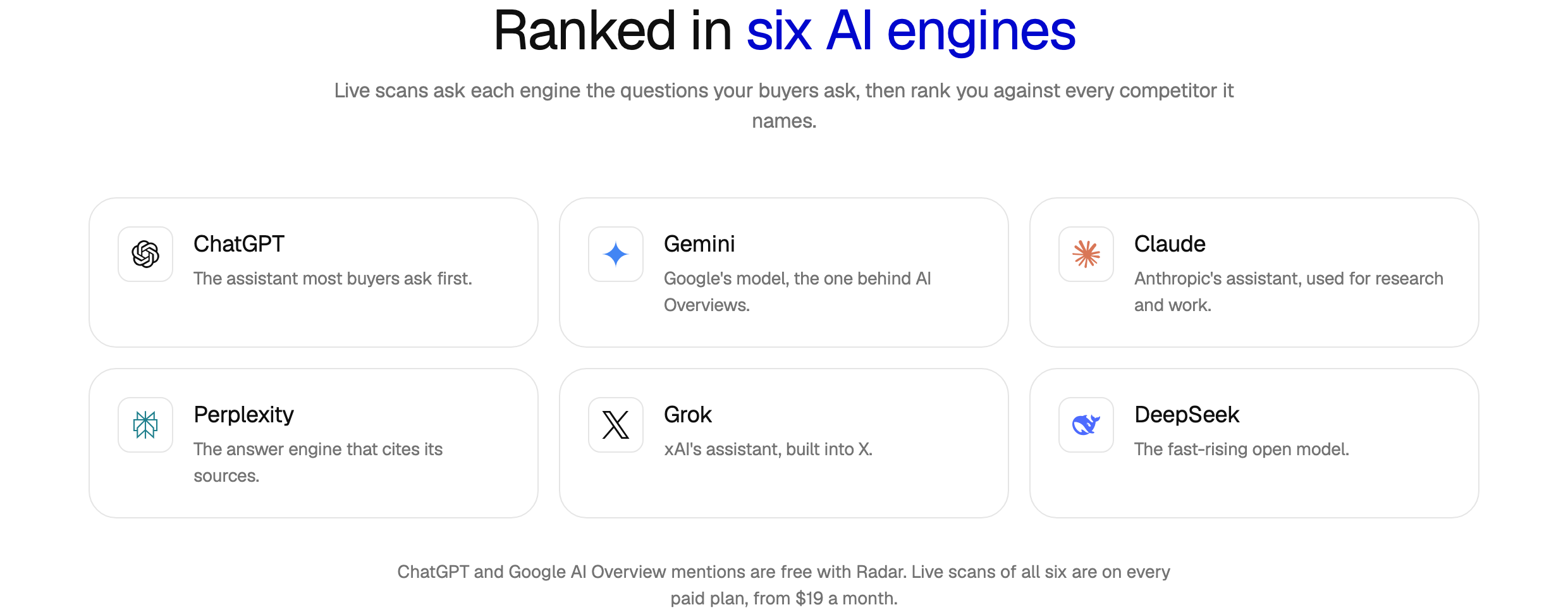
Step 5. Run live scans across more engines. For live checks of your own prompts, the tracker asks ChatGPT, Gemini, Claude, Perplexity, Grok and DeepSeek, marks each answer as mentioned or not, and records your rank, the sources cited and the full response. Live scans are on paid plans.
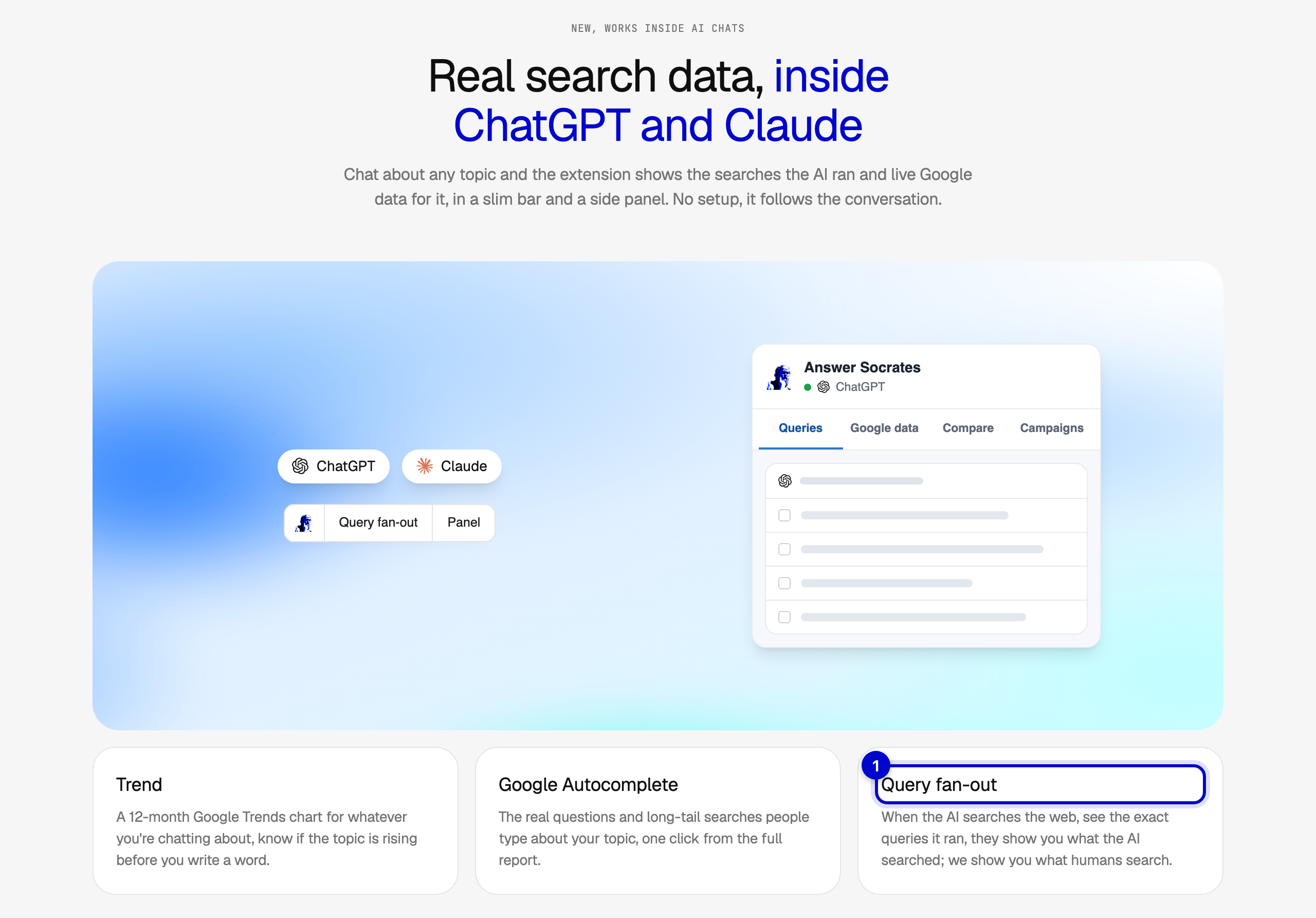
The free Chrome extension adds one more view: when you chat in ChatGPT or Claude and the AI searches the web, it shows the exact queries it ran beside the chat.
The same thing in Ask Socrates
Ask Socrates, the chat, runs the same steps from one conversation. Type something like:
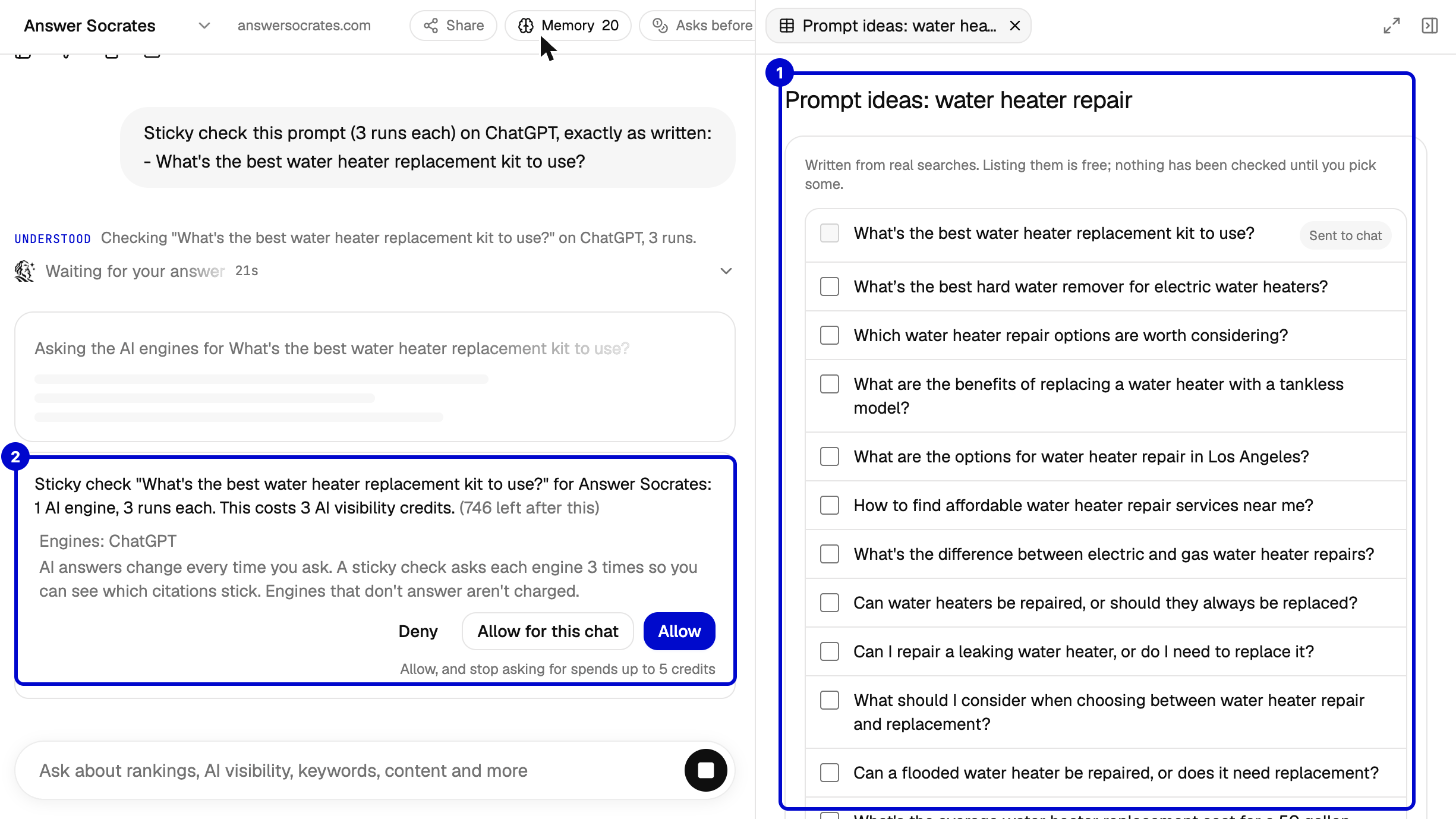
Ask Socrates pulls prompt ideas from real searches about the topic (Suggest, People Also Ask, Shopping and social) for free, and opens them in a panel where you pick which to check. It also lists any prompts your project has already checked, so you never pay twice.
When you ask it to check a prompt, it runs ChatGPT unless you name other engines, and the engines can include Google AI Overviews and AI Mode on any paid plan. Each engine costs 1 AI visibility credit, and by default the chat shows the exact amount on a card and waits for you to approve it. Because answers change between runs, the first check of a prompt asks each engine 3 times by default and shows which citations stuck. You can then ask it to track the prompts daily, weekly or monthly.
Where to go next
| If you want to... | Read |
|---|---|
| See what carries over from SEO and what is new | SEO vs AI search: what changes and what does not |
| Research the questions people ask AI | AI prompts: the new keywords |
| Build a prompt list from your buyers' searches | Finding the prompts your buyers type |
| Check whether AI names your brand today | Is AI mentioning your brand? How to check |
| Learn what cited pages have in common | Why AI cites some pages and not others |
Sources
- AI features and your website, Google Search Central, 2025
- Expanding AI Overviews and introducing AI Mode, Google, 2025
- AI in Search: Going beyond information to intelligence, Google, 2025
- Introducing ChatGPT search, OpenAI, 2024
- Searching the web with ChatGPT, OpenAI Help Center, 2025
- Overview of OpenAI Crawlers, OpenAI, 2025
- How does Perplexity work?, Perplexity Help Center, 2025
