Finding the prompts your buyers type
Buyer prompts are the questions people ask an AI assistant right before they choose a product, and your prompt list is the 20 to 30 of them you check and track. Build it from what buyers really say and search, not from guesses, because the list decides what your AI visibility numbers mean.
Key takeaways
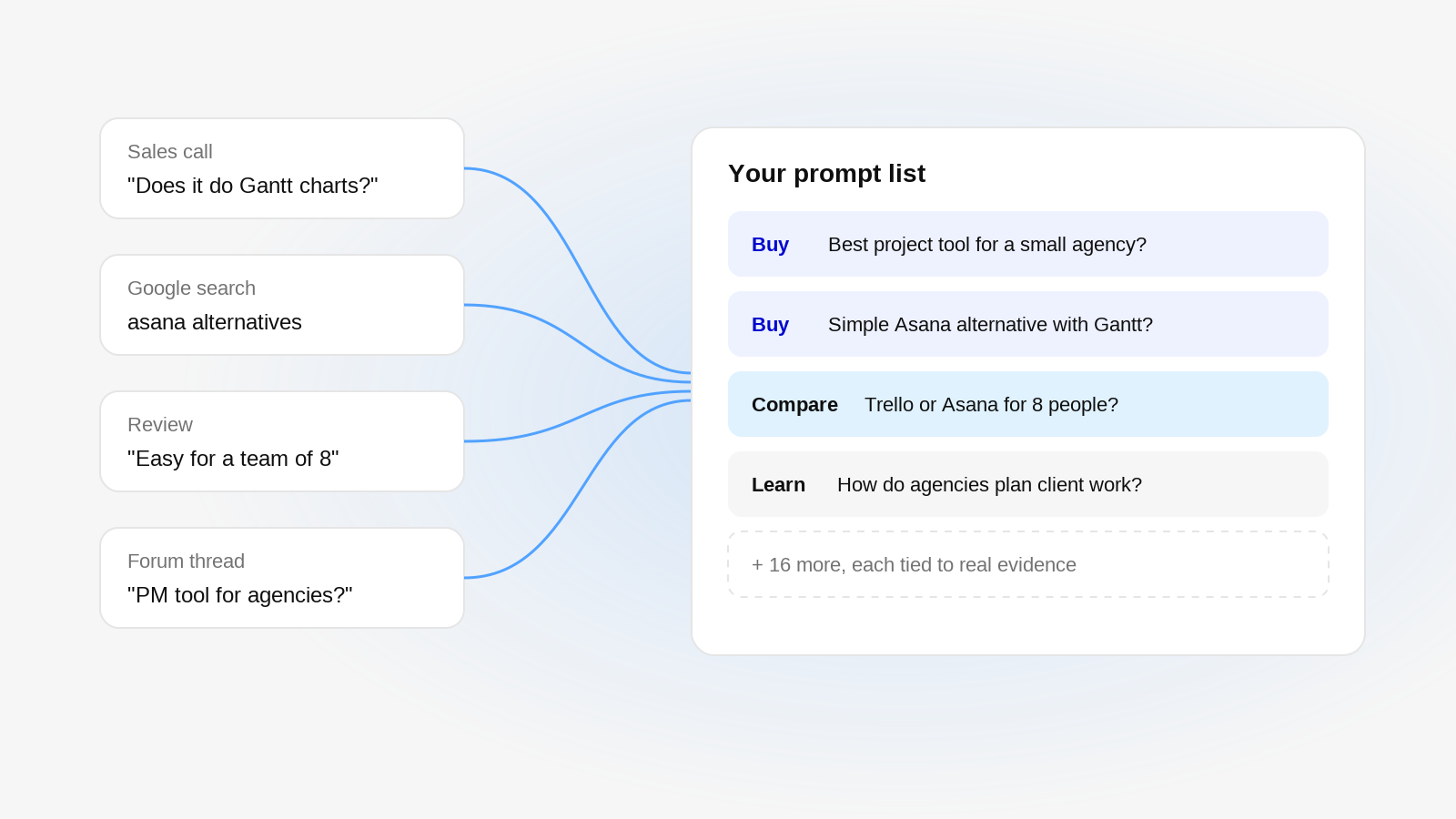
- Build the list from evidence: your customers' own questions, Google searches, reviews and forums, rivals' comparison pages and questions AI already answered about you.
- In SparkToro's study, 142 human prompts were barely alike, yet the same four headphone brands appeared in 55% to 77% of answers, so cover each need once.
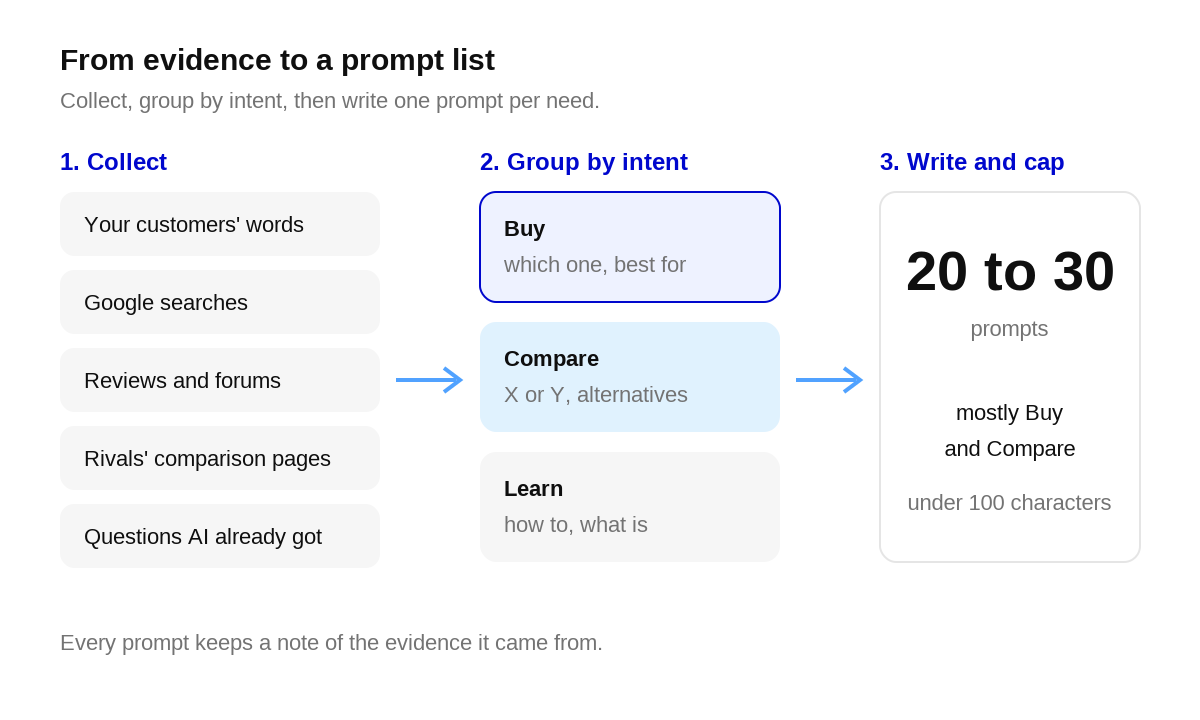
- Keep 20 to 30 prompts, mostly Buy and Compare, about three non-branded for every branded one, each under 100 characters.
- The tracker's Prompt ideas page writes prompts from real Google searches for free, tags each Branded or Non-branded and shows the search it came from.
- Radar lists real questions that already named your site, sorted by AI search volume; pulling the questions costs credits shown on a confirm screen first.
A buyer prompt is the question asked right before choosing
A buyer prompt is a request someone types into an AI assistant when they are close to picking a product or a supplier, such as "What's the best project management tool for a small agency?" It is the AI version of a buying keyword, and it is the kind of prompt where the answer names brands.
The lesson on AI prompts explains where prompts come from and how we write them from real searches. This lesson is the next step: turning that raw material into one fixed list for your own business, the list you will check and track for months.
Why a fixed list? Because tracking only works if you ask the same questions every time. If you change the wording every week, you cannot tell whether a better result came from the engines or from you.
Start from what buyers already say
Nobody outside the AI companies can see what people type into ChatGPT. So build the list from evidence you can see, and keep a note of where each prompt came from. These five sources cover most businesses:
| Source | What it gives you | Example for a project management app |
|---|---|---|
| Your own customers | The exact words buyers use, and the deal-breakers | Sales call: "Does it do Gantt charts?" |
| Google searches | Real demand, the questions and comparisons people search | "asana alternatives for small teams" |
| Reviews and forums | The situations and complaints behind a choice | Forum thread: "PM tool for an agency of 8?" |
| Rivals' comparison pages | The head-to-heads your market already argues about | A rival's "Us vs Trello" page |
| Questions AI already got | Real prompts that produced answers naming your site | A recorded ChatGPT question that cited your blog |
Your own customers are the best source and the one most teams skip. Read ten sales call notes or support emails and copy down every question that starts with "Can it", "Does it" or "Is it better than". Those are buyer prompts already written for you.
Google searches give you scale. If many people search "asana alternatives for small teams", it is a fair bet that people ask an assistant the same thing in a longer form. Forums and reviews give you the situation: team size, budget, industry, the reason the last tool failed.
Cover each need once, not every wording
Here is the part that saves the most time. You do not need every way of asking a question. You need every need.
SparkToro asked volunteers to write their own prompts for the same buying task. The prompts barely overlapped: across 142 human-written prompts, the average similarity score was just 0.081, and the author says "barely two prompts" looked alike [1]. Yet for the headphone prompts, the same four brands (Bose, Sony, Sennheiser and Apple) appeared in 55% to 77% of 994 answers [1]. The AI answered the intent behind the words, not the words.
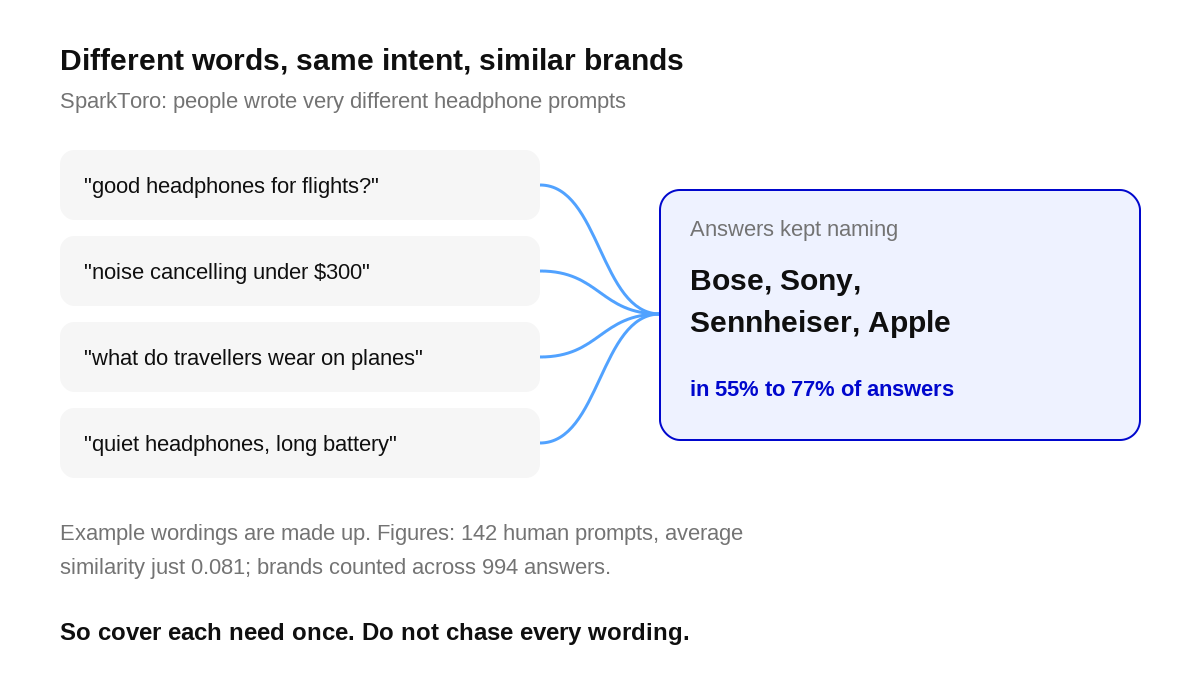
So group your evidence by need first, then write one prompt per need. "Asana alternative for a small team", "something simpler than Asana" and "Asana too complicated, what else" are one need. Pick the clearest wording and move on.
Use three groups, which match the intents in the AI prompts lesson:
- Buy: "which one", "best for", "recommend". This is where answers name brands, so most of your list goes here.
- Compare: "X or Y", "alternatives to", "is it worth it". Answers often name you alongside a rival, or instead of one.
- Learn: "how to", "what is". Fewer brand names, but these are the pages an AI may cite, so keep a few.
Write prompts the way buyers type them
Once you know the needs, the wording matters a little. Write like the buyer, not like your marketing team.
| Do | Do not | Example (good) |
|---|---|---|
| Keep the buyer's situation | Strip it down to a keyword | "Best PM tool for an agency with 8 people?" |
| Keep the constraint they gave | Add details nobody asked for | "Simple Asana alternative with Gantt charts?" |
| Use their words | Use your feature names | "Can clients see project progress?" not "Client Portal 2.0" |
| Leave your brand out of non-branded prompts | Slip your name into every prompt | "Trello or Asana for a small team?" |
| Keep it under 100 characters | Write a paragraph | "Which project tool is easiest to set up?" |
The 100-character limit is practical, not a style rule. The LLM Brand Tracker accepts prompts of up to 100 characters, so a longer one is refused when the scan starts. Short prompts are also closer to what people type on a phone.
Mix non-branded and branded prompts
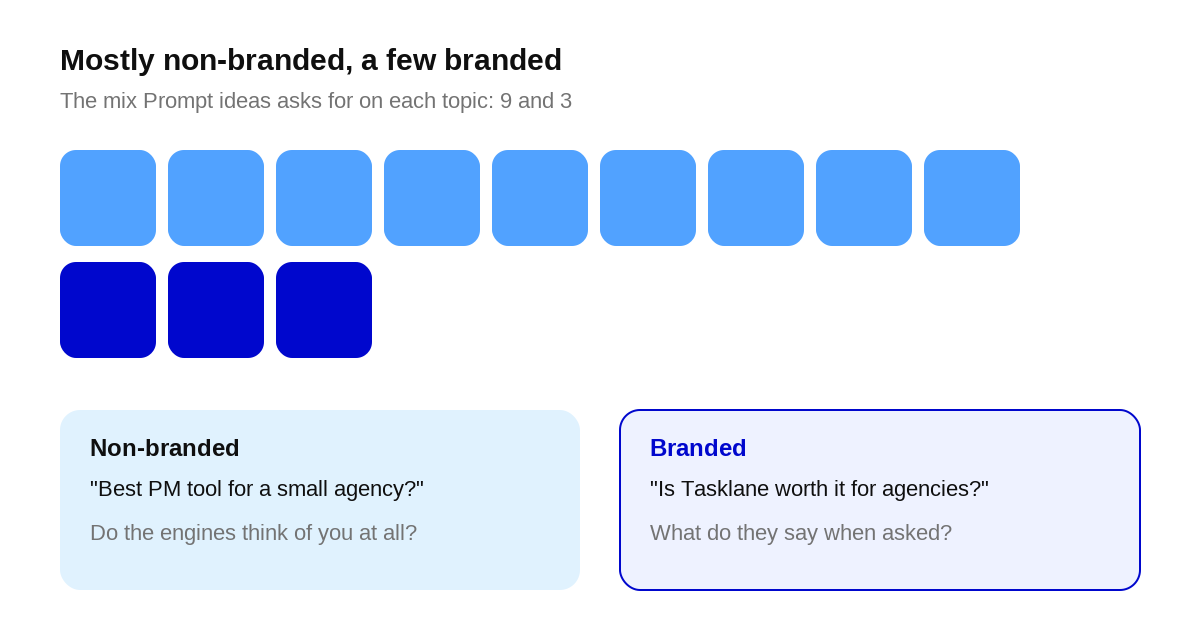
Most of your list should not mention your brand. A non-branded prompt ("best PM tool for a small agency") tests whether the engines think of you at all. A branded prompt ("Is Tasklane worth it for agencies?") tests what they say when someone already knows your name, which matters when a buyer checks you out before signing.
A sensible split is about three non-branded prompts to every branded one. That is the mix our Prompt ideas page asks its writer for on each topic: 9 non-branded and 3 branded.
A worked example: a project management app
A made-up example: Tasklane, a project management app for small agencies. The team spends an afternoon collecting evidence: twenty sales call notes, a Google search for "project management software for agencies", two agency forum threads and the comparison pages of three rivals. Here are 10 of the 24 prompts they keep:
| Intent | Prompt | Evidence |
|---|---|---|
| Buy | Best project management tool for a small agency? | Google search, forum thread |
| Buy | Which project tool lets clients see progress? | 6 sales calls asked this |
| Buy | Easiest project management app to set up for 8 people? | Review: "set up in a day" |
| Buy | Project management software with time tracking for agencies? | Google search |
| Compare | Simple Asana alternative with Gantt charts? | Google search, 4 sales calls |
| Compare | Trello or Asana for a small creative team? | Rival comparison page |
| Compare | Is Monday.com too expensive for a 5 person agency? | Forum thread |
| Learn | How do agencies plan client work across projects? | Support emails |
| Branded | Is Tasklane good for agencies? | Branded search |
| Branded | Tasklane vs Asana for small teams? | Sales calls |
Notice what the list leaves out. There is no "best project management software" with no situation: Tasklane cannot win that against tools with a hundred times its budget, and checking it would only confirm that. Every prompt names a need Tasklane actually serves.
How to do it in Answer Socrates
The LLM Brand Tracker has a Prompt ideas page built for this job. It writes prompts for your project from real Google searches, and suggesting them is free. Here are the steps.
Step 1. Set your project's brand in the tracker. The tracker matches every scan against one brand, and Prompt ideas reads that brand's website for topics, so set it first.
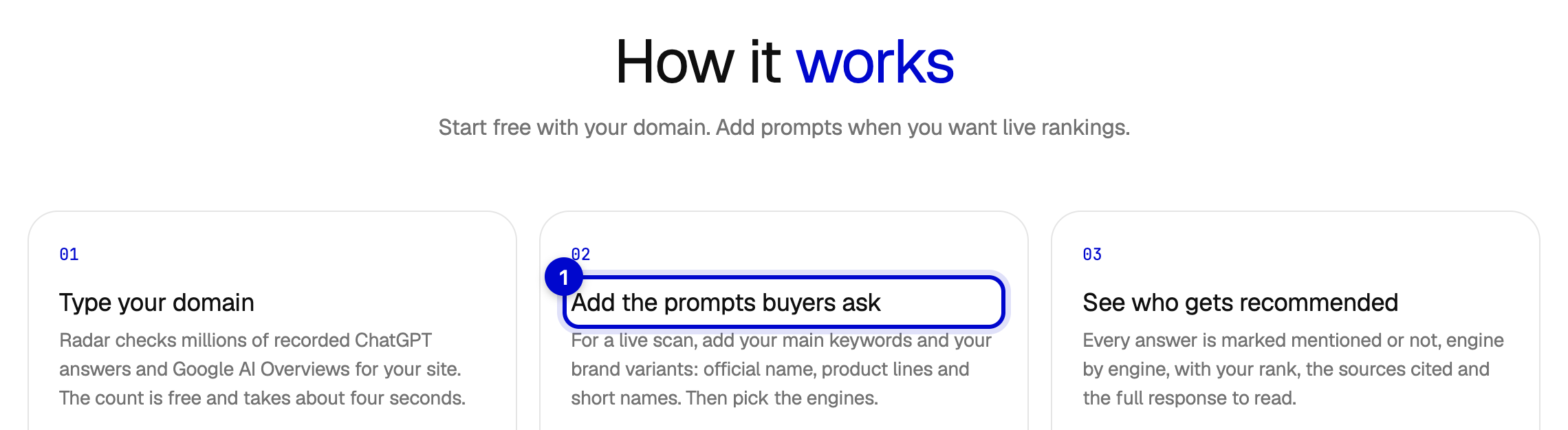
In the tracker's Dashboard, the first visit asks "What brand do you want to track?". Enter your website, check the brand name and website it found, and press Start tracking.
Step 2. Open Prompt ideas and pick a topic. In the tracker's sidebar, open Prompt ideas. It reads your site and offers 2 to 4 topics, the category phrases a customer would type into Google, never your brand name. Pick one, or type your own in Add a topic, choose the Country, and press Suggest.
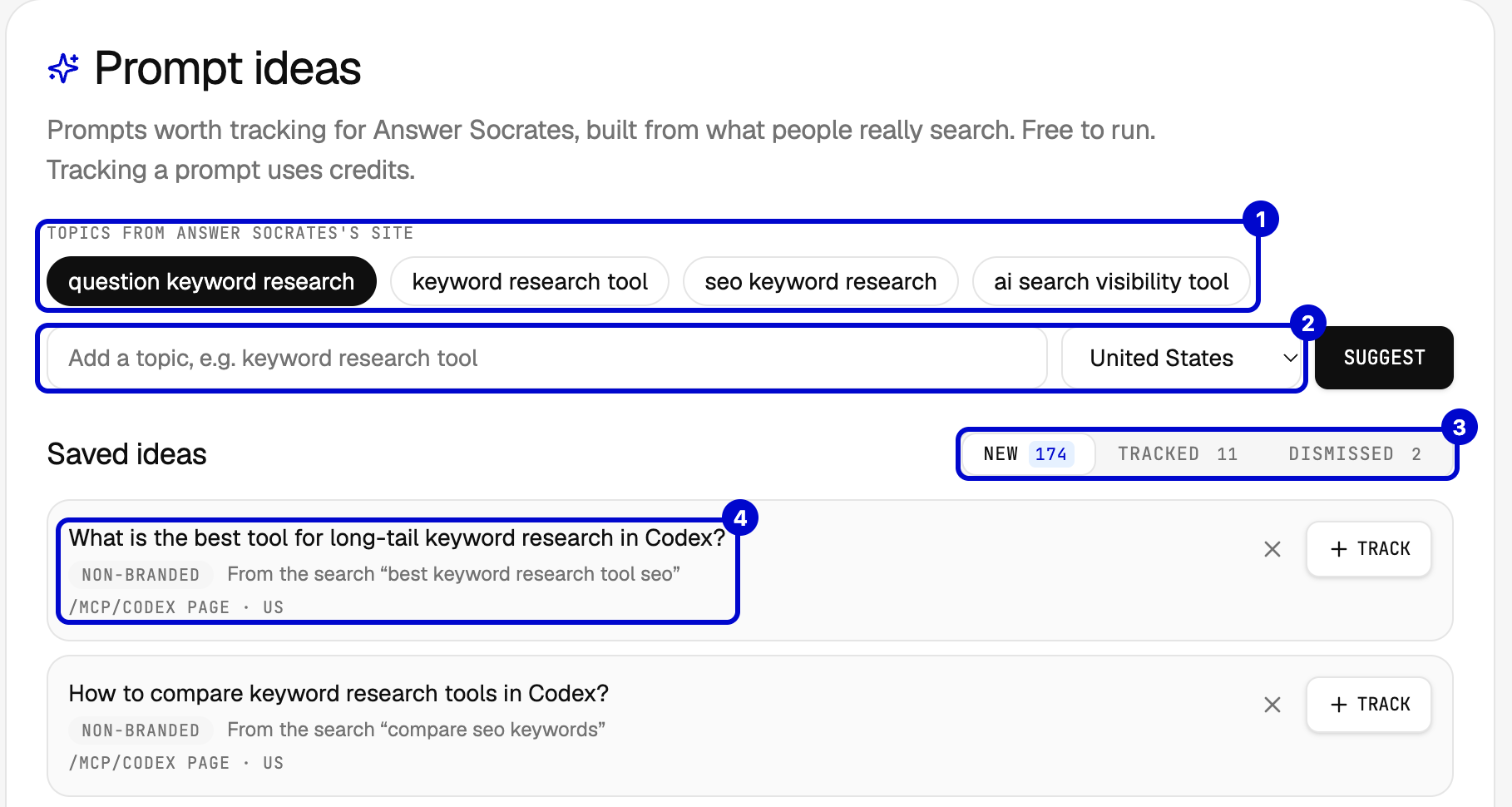
Step 3. Keep, dismiss or rewrite each idea. Each idea shows a Branded or Non-branded tag, the Google search it came from, and one line on why it matters. The writer is asked for up to a dozen per topic and keeps only those that copy a real search exactly. Ideas are saved under New, Tracked and Dismissed, so press the cross on any idea that does not fit your business and it moves out of the way.
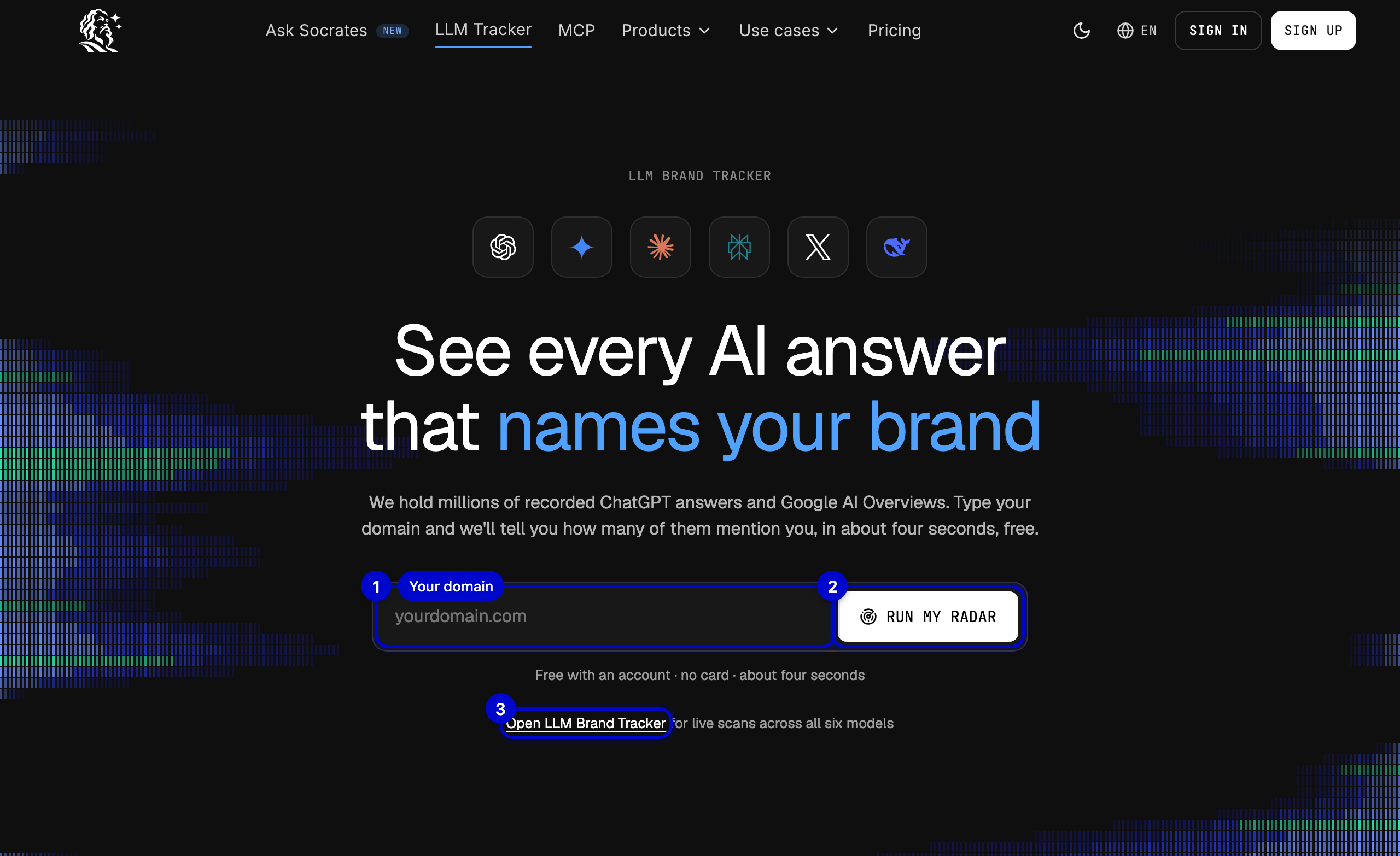
Step 4. Add the questions AI already answered about you. Back on the tracker's landing page, type your domain and press Run my Radar. Radar looks your site up in recorded ChatGPT answers and Google AI Overviews. The count is free; pulling the actual questions costs credits, and a confirm screen shows the estimate first. Those questions are real prompts that already produced an answer naming your site, sorted by AI search volume.
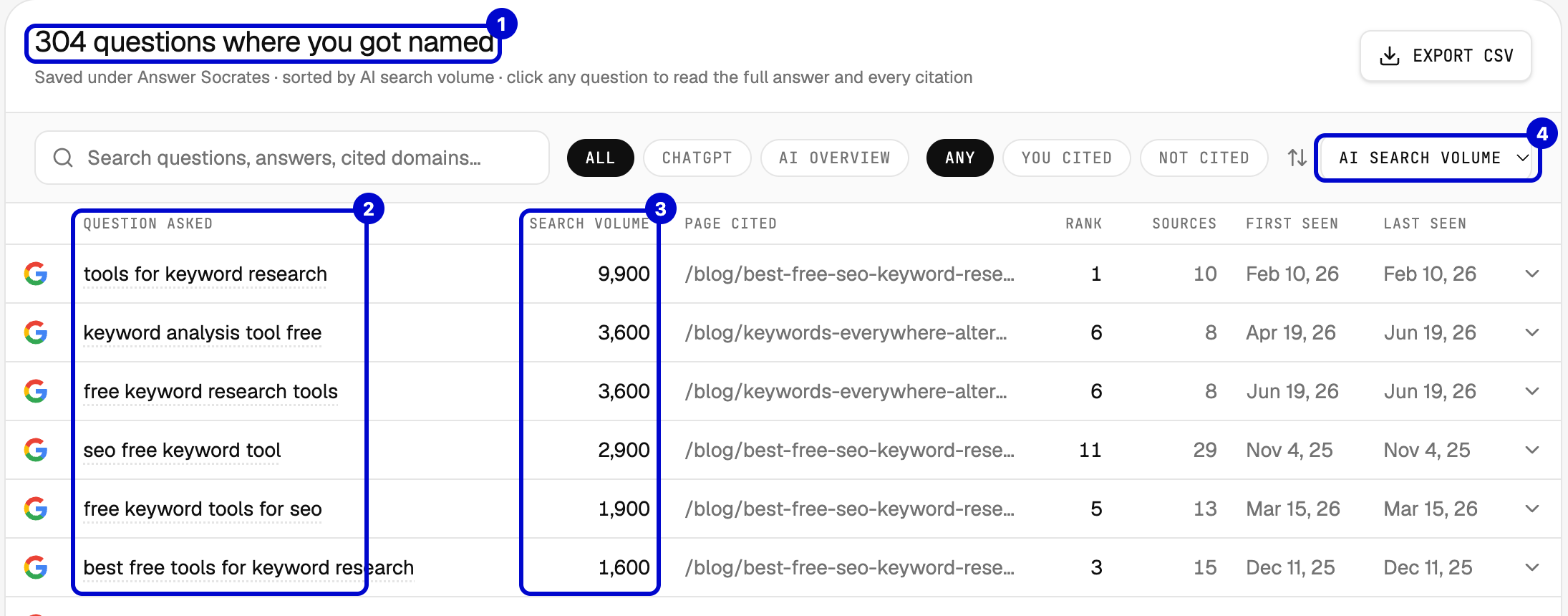
Step 5. Track the keepers. Press Track on an idea. It opens New Scan with the prompt filled in, where you pick engines and see the cost before Run Scan: 1 credit per engine. Shorten any idea over 100 characters first, or the scan is refused. Once an idea is tracked, a tick box offers Re-check weekly on ChatGPT (1 credit a week).
The same thing in Ask Socrates
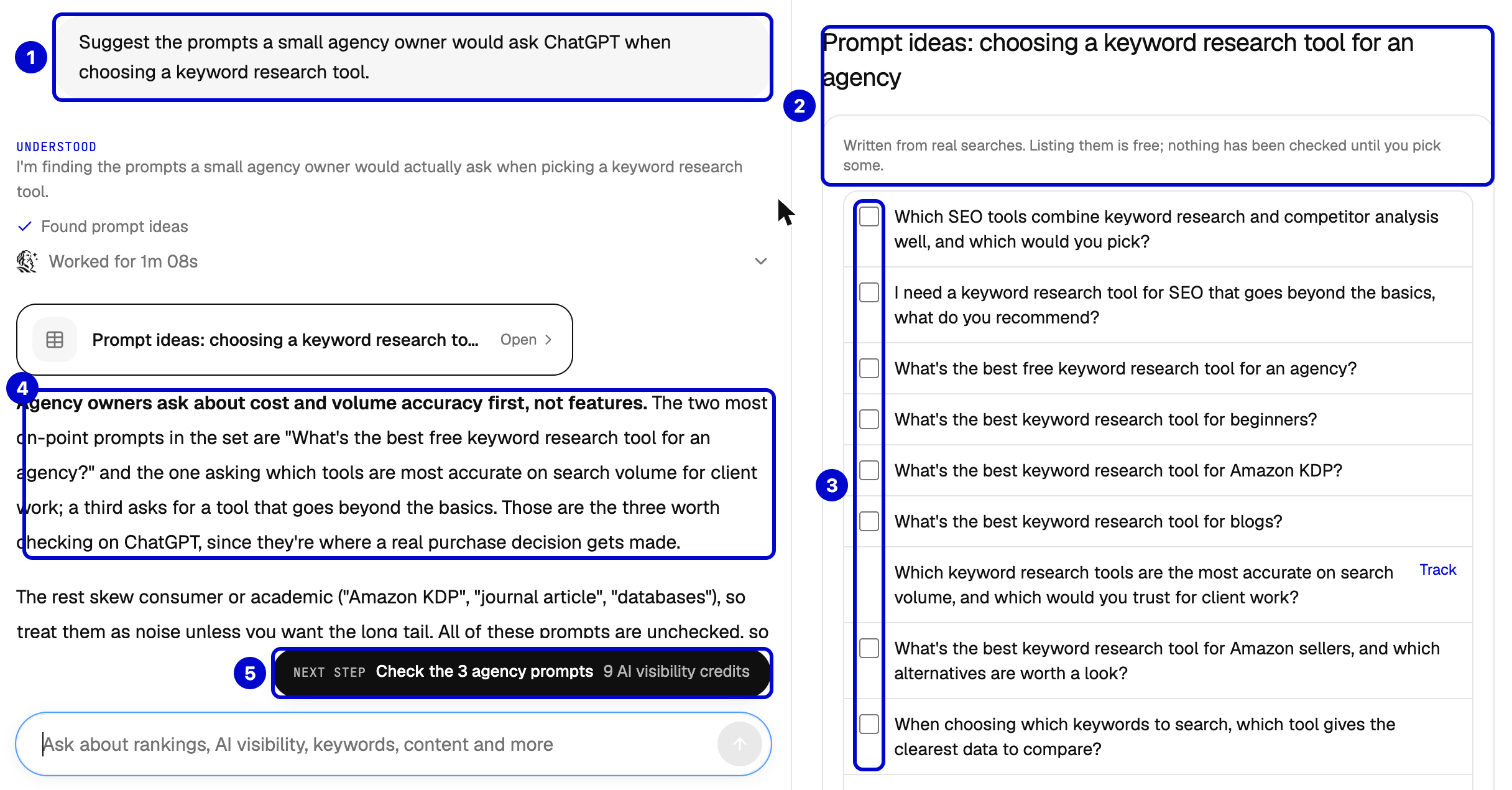
Ask Socrates, our chat, writes prompts from the same kind of real searches and opens them in a panel. Open a project with your website saved and type:
Suggesting prompts is free. If you leave the topic out, the chat uses the categories it read from your site. Tick the prompts you want to check in the panel; checking runs them through the AI engines, costs AI visibility credits and, by default, shows the cost on a card first.
Then ask:
This reads your saved checks for free, one row per prompt, so you do not pay twice for a prompt the project has already run.
Here is the same request run for real on our own project, with our own category swapped in: "choosing a keyword research tool".
Where to go next
| If you want to... | Read |
|---|---|
| See where prompts come from and how intent works | AI prompts: the new keywords |
| Run your list through AI engines | Is AI mentioning your brand? How to check |
| Watch the list week by week | Tracking AI visibility over time |
| Find out who gets named instead of you | Competitors in AI answers: who gets named instead of you |
| Find the searches behind the prompts | How to do keyword research: find what people actually ask |
