Internal links: connecting your pages
An internal link is a link from one page on your site to another page on the same site, and Google says every page you care about should have at least one. Good internal links help Google find your pages, tell it what each page is about, and walk readers to the next useful page.
Key takeaways
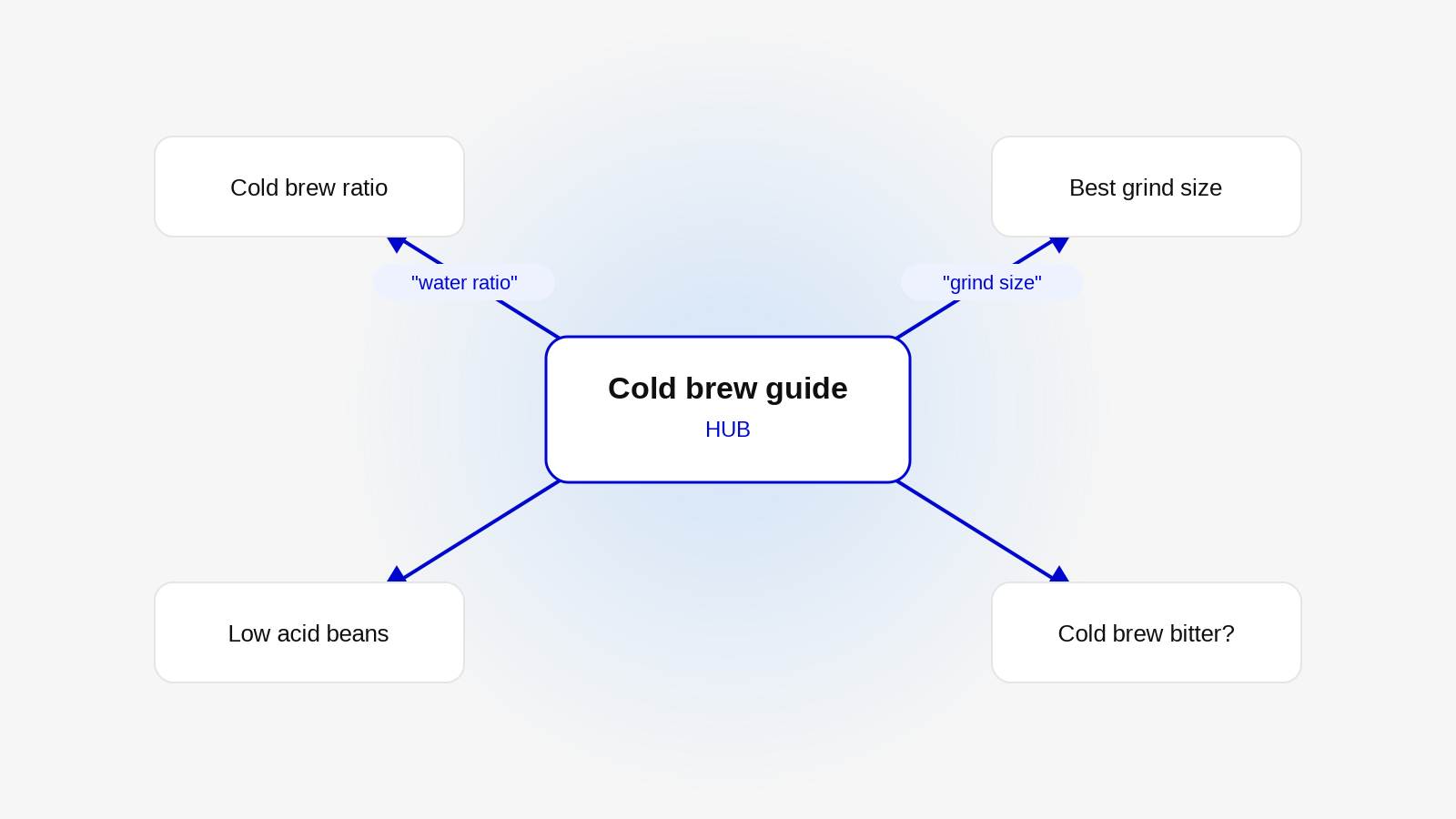
- Use your keyword clusters as the plan: the hub links down to every spoke, every spoke links back up, and spokes link sideways only when one leads to the other.
- Write anchor text that names the target page, like "cold brew water ratio"; Google calls "click here" and "read more" too generic.
- Every new page needs links in from two or three older pages on the same topic, including its hub, or it risks becoming an orphan page.
- Content Studio adds up to 5 internal links per article (3 by default), each on a phrase already in the text, and drops any anchor it cannot find in the body.
- Content Studio only adds links out from the new article, so after publishing you add the links in from older pages by hand.
An internal link joins two pages on your own site
An internal link is a link from one page on your site to another page on the same site. A link from your cold brew guide to your grind size guide is internal. A link from your guide to a coffee magazine is external.
Internal links do three jobs at once:
- They help Google find pages. Google says it "primarily finds pages through links from other pages it already crawled" [1]. A page nothing links to is harder to find.
- They tell Google and readers what the target page is about. The clickable words, called anchor text, describe the page they point to [1].
- They move readers to the next useful page. Someone who just learned the cold brew ratio may want the grind size next.
Google's own rule is short: "Every page you care about should have a link from at least one other page on your site" [2]. Everything in this lesson is a way to do that well, not just do it.
Hub and spoke: let your clusters draw the map
The easiest way to decide which pages link to which is to start from your keyword clusters. A hub (also called a pillar page) is a broad page on one topic, like "cold brew coffee". The spokes are narrower pages on parts of that topic, like the cold brew ratio, grind size or low acid beans.
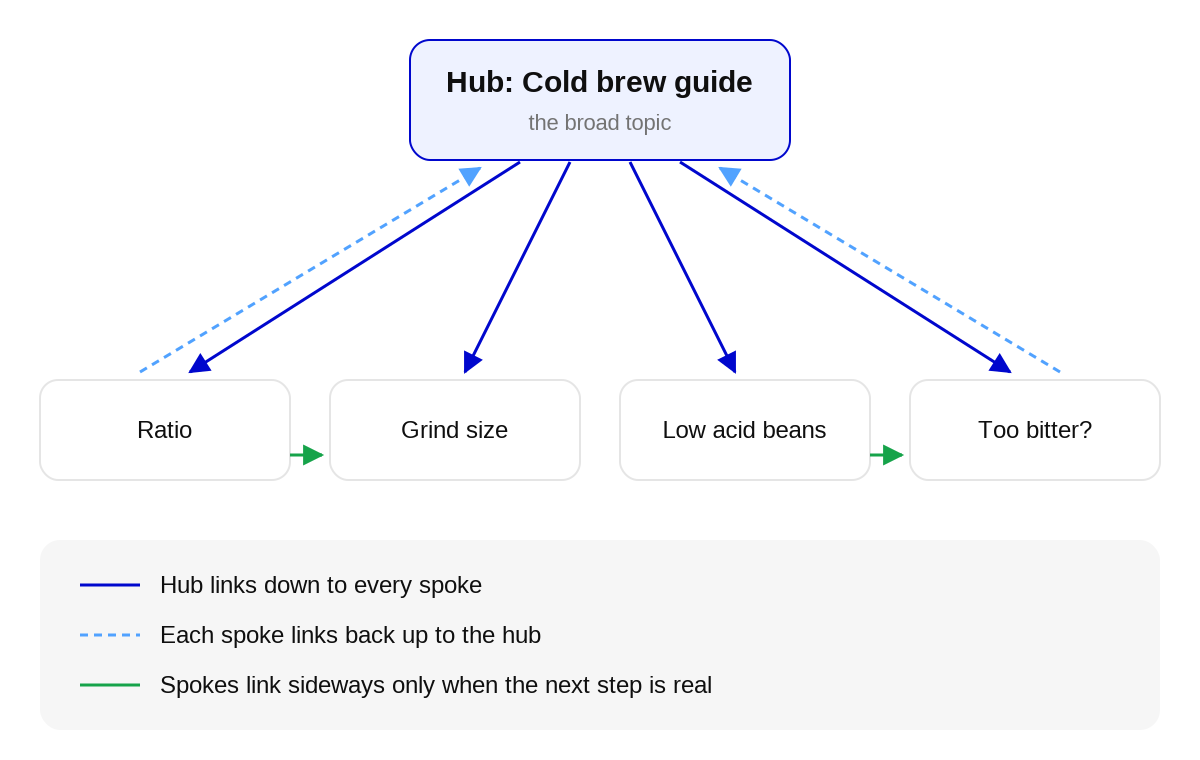
The pattern gives you three rules:
- The hub links down to every spoke. The hub is the table of contents for the topic.
- Every spoke links back up to the hub. A reader who lands on a narrow page can find the whole topic.
- Spokes link sideways only when one leads to the other. Ratio to grind size makes sense, because you set both when you brew. Ratio to low acid beans is a stretch.
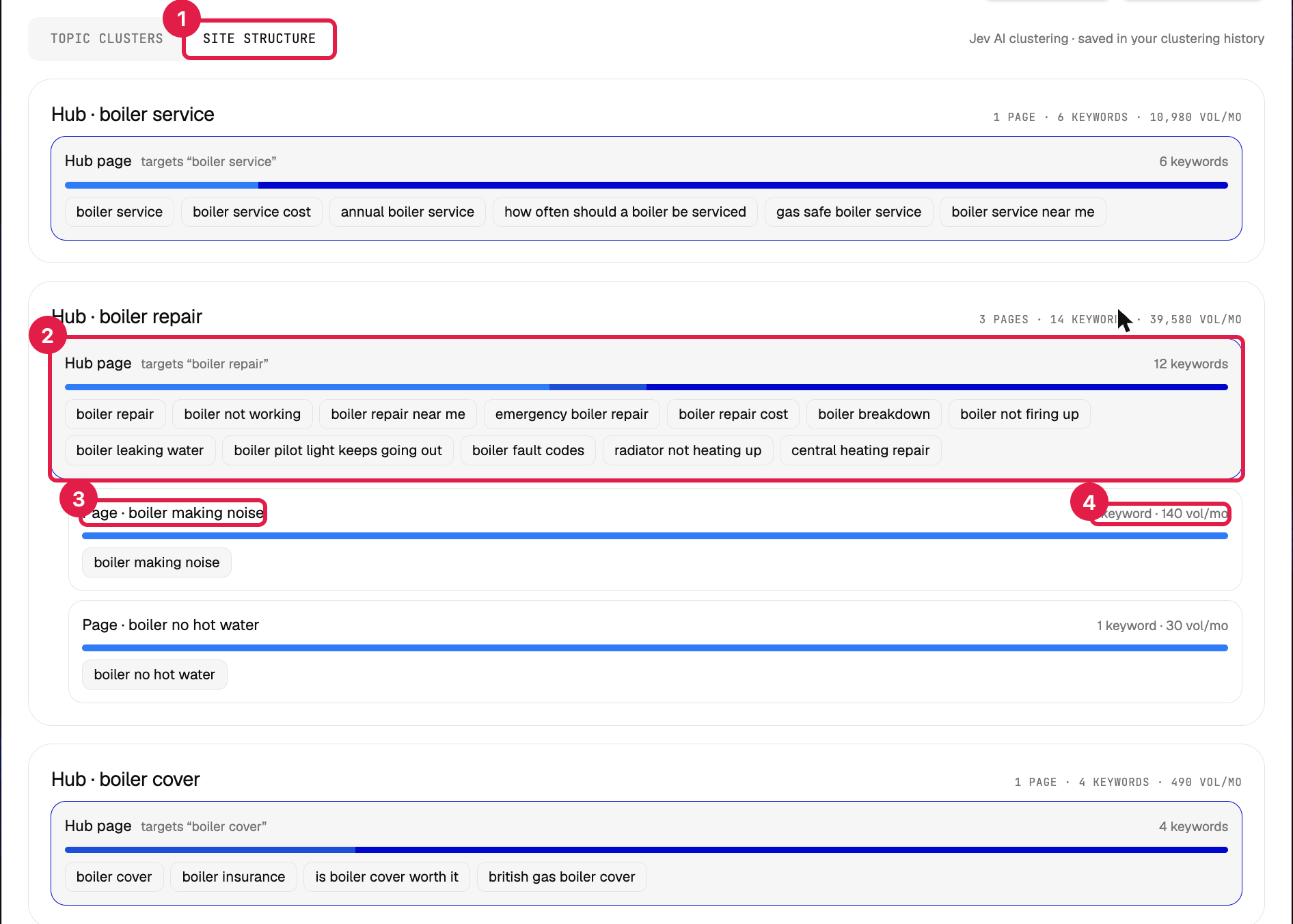
You do not have to invent the hubs and spokes. The keyword clustering tools in Answer Socrates group a keyword list into topics. The Jev AI engine goes further with a Site structure tab: each topic becomes a hub page, with the keywords that deserve their own page listed under it as page cards.
Anchor text should say what the page is
Anchor text is the words a reader clicks. Google says good anchor text is "descriptive, reasonably concise, and relevant" [2], and lists "Click here" and "Read more" as too generic [2]. Its test is simple: read only the anchor text, out of context, and check that it makes sense on its own [2].
| Anchor text | Rating | Why |
|---|---|---|
| click here | Bad | Says nothing about the page |
| this article | Bad | Could be any page on the site |
| cold brew | Weak | Too broad for a page about one part of cold brew |
| cold brew water ratio | Good | Names exactly what the target page covers |
| how to fix bitter cold brew | Good | Matches the problem the target page solves |
| best cold brew ratio for strong coffee from our shop | Too long | Says too much; trim it to the part that names the page |
Two habits keep anchors honest:
- Vary the words. If ten pages link to your ratio guide, they do not all need "cold brew ratio". "How much coffee to water", "the ratio for a stronger brew" and "our 1:8 ratio" all describe the same page, and they read more naturally.
- Use the words already in your sentence. If you have to rewrite a sentence just to fit a keyword into it, the link is probably in the wrong place.
Every new page needs links in, not just links out
When you publish a new article, two kinds of link matter. Links out go from the new article to your older pages. Links in go from your older pages to the new article. Most tools, and most writers, only do the first.
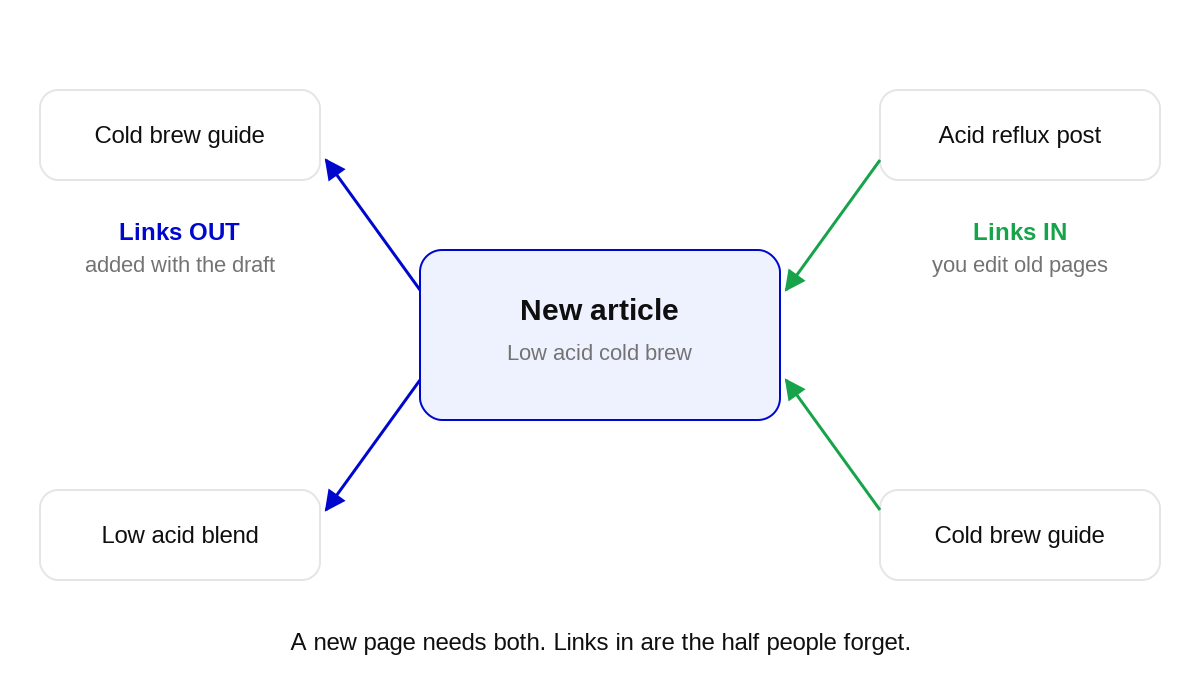
Links in matter more for a new page. Your older pages are already known to Google and may already get visits. A link from one of them is how Google and readers find the new page quickly.
If a page has no links in at all, it is an orphan page. It is live and may be in your sitemap, but nothing on your site points to it. Google can still find pages through a sitemap, but it says that when your pages are properly linked, "Google can usually discover most of your site" [3]. Linking is the main road; a sitemap is the back door.
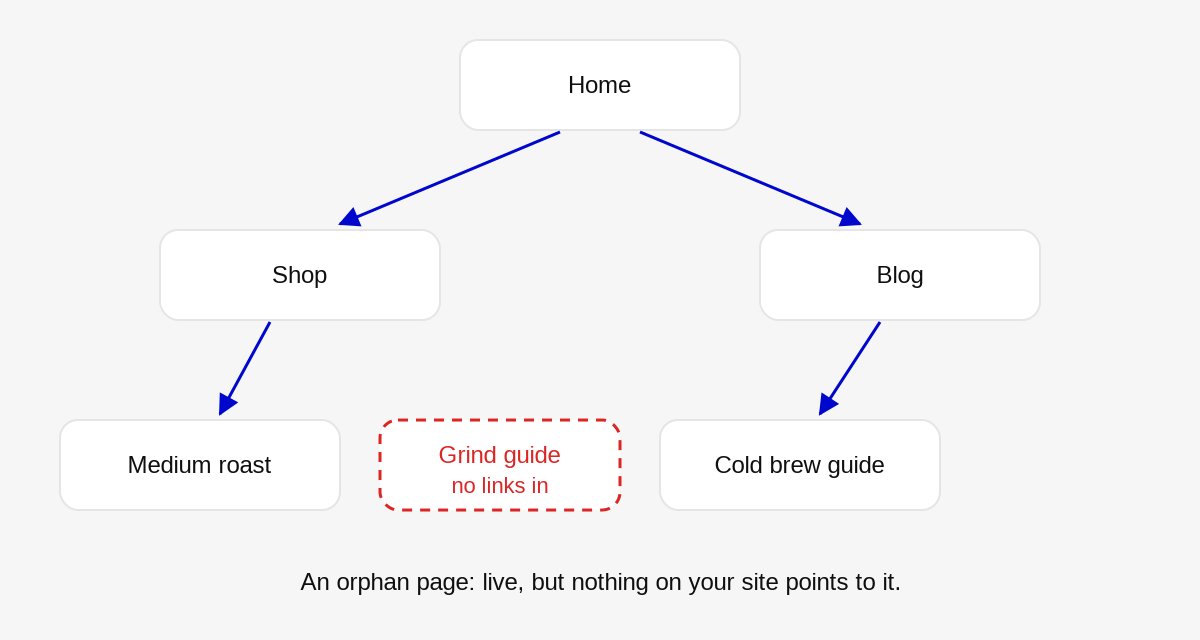
So for every new page, find two or three older pages on the same topic and add a link from each. The hub of its cluster should always be one of them.
How to do it in Answer Socrates
Content Studio adds the links-out half for you. It reads your site's pages from your sitemap and places links to them inside the new article, each on a phrase that is already in the text.
1. Add your sitemap and pick how many links
In Content Studio settings, Internal links per article sets how many links to your own pages each new article gets: None, or 1 to 5. The default is 3. Below it, Sitemaps for internal linking is where you add your sitemap, so new articles can link to pages you already have.
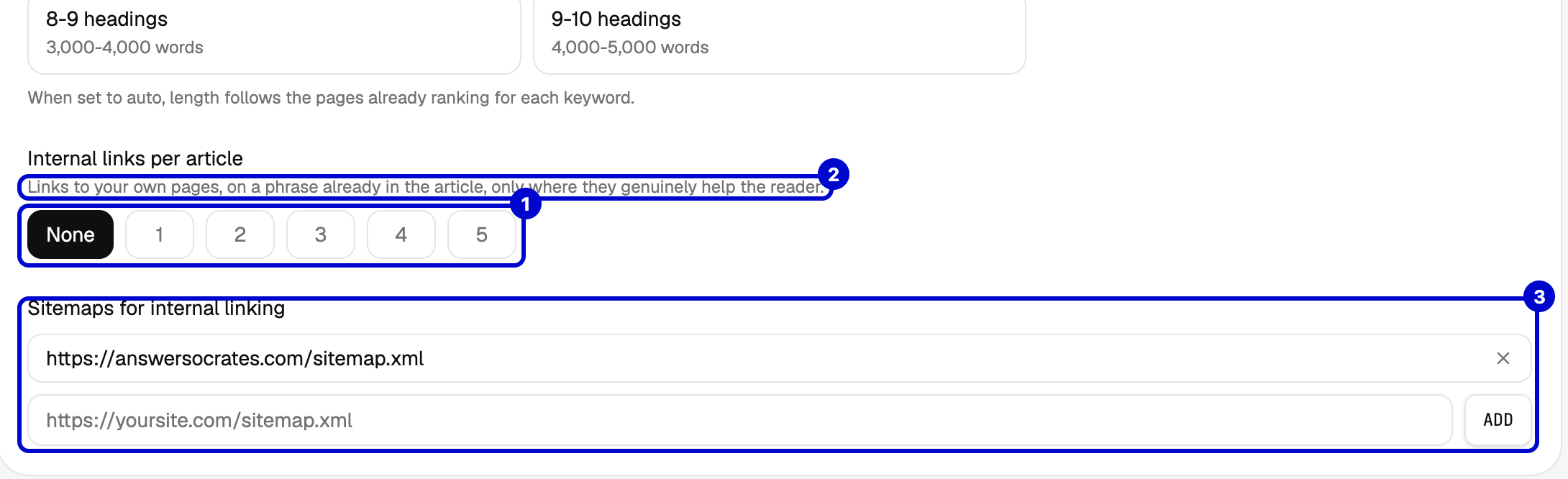
The number is a maximum, not a quota. The writer is told to skip a page rather than force a weak link, so an article on a topic your site barely covers may get fewer.
2. Let the writer place the links
After the draft is written, Content Studio ranks your pages by how many words their titles share with the article. An AI model then picks the ones a reader would want next, each with an anchor of 2 to 6 words copied from the body. Every anchor is checked in code: if the phrase is not really in the article, the link is dropped.
3. Review them in the Internal Links card
Open the article. The Internal Links card lists every link to your own pages with its anchor. Links you have not reviewed show a line such as "3 links to review: keep or remove". Press Keep or Remove on each one.
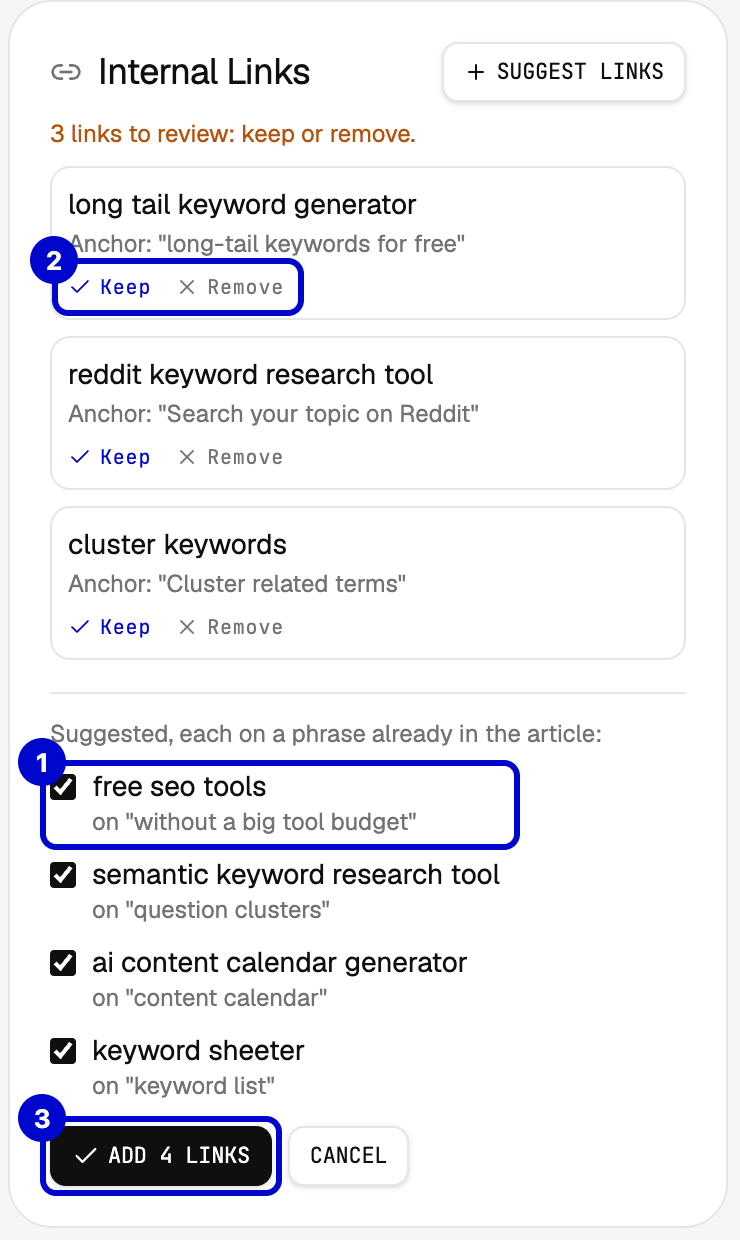
Suggest links finds up to five more, each on a phrase already in the article, which you tick and add. Suggesting links does not use article credits. Removed links stay listed under Removed, so you can add one back. If you have since edited out its words, the card says the link has nowhere to go and to use Suggest links for another phrase.
4. Check the Internal count
The article sidebar shows an Internal count: links to other pages on your site, with the hint "Aim for" your chosen number. It shows "Good" once you reach that number and "Could improve" below it.
5. Add the links in by hand
Content Studio edits the new article, not your old pages. After you publish, open the hub of the cluster and two or three related older pages, and add a link to the new article from each. This is the step most people skip, and the one the tool cannot do for you.
A made-up example: a coffee roaster's cold brew hub
A made-up example: Hillside Roasters has six coffee articles and a shop. Traffic is flat. The owner clusters her keyword list, and the Site structure tab gives her one hub, "cold brew coffee", with four page cards: ratio, grind size, low acid beans and bitter cold brew.
Here is her linking plan, page by page:
| Page | Links to | Anchor text | Why |
|---|---|---|---|
| Cold brew guide (hub) | All four spokes | water ratio, grind size, low acid beans, fix bitter cold brew | The hub is the topic's table of contents |
| Ratio | Hub, Grind size | our cold brew guide, coarse grind | You set ratio and grind together |
| Grind size | Hub, Ratio | cold brew basics, 1:8 ratio | Same brewing step |
| Low acid beans | Hub, Low acid blend (shop) | cold brew guide, our low acid blend | The reader is close to buying |
| Bitter cold brew | Hub, Grind size | full cold brew guide, grind too fine | Fine grind is the usual cause |
| Old "acid reflux" post | Low acid beans | low acid coffee for cold brew | A link in from an older page that already gets visits |
Two things she did not do: link every spoke to every other spoke, and use "cold brew" as the anchor for five different pages. The plan has 14 links, each one a click a real reader might make.
When she writes the low acid beans page in Content Studio, the writer adds links out to the hub and her blend. She then opens the hub and the old acid reflux post and adds the links in herself.
The same thing in Ask Socrates
Ask Socrates is the Answer Socrates chat. Its Page audit skill reads one page and checks it against its topic, internal links included. It is free. Type the command with the page address:
The chat reads that one page (title, headings, word count, internal links and more) and answers with a one-line summary, a ranked fix list and what it did not check. You can then ask a follow-up in plain words, such as "which of these links point to my cold brew spokes, and which spokes are missing?".
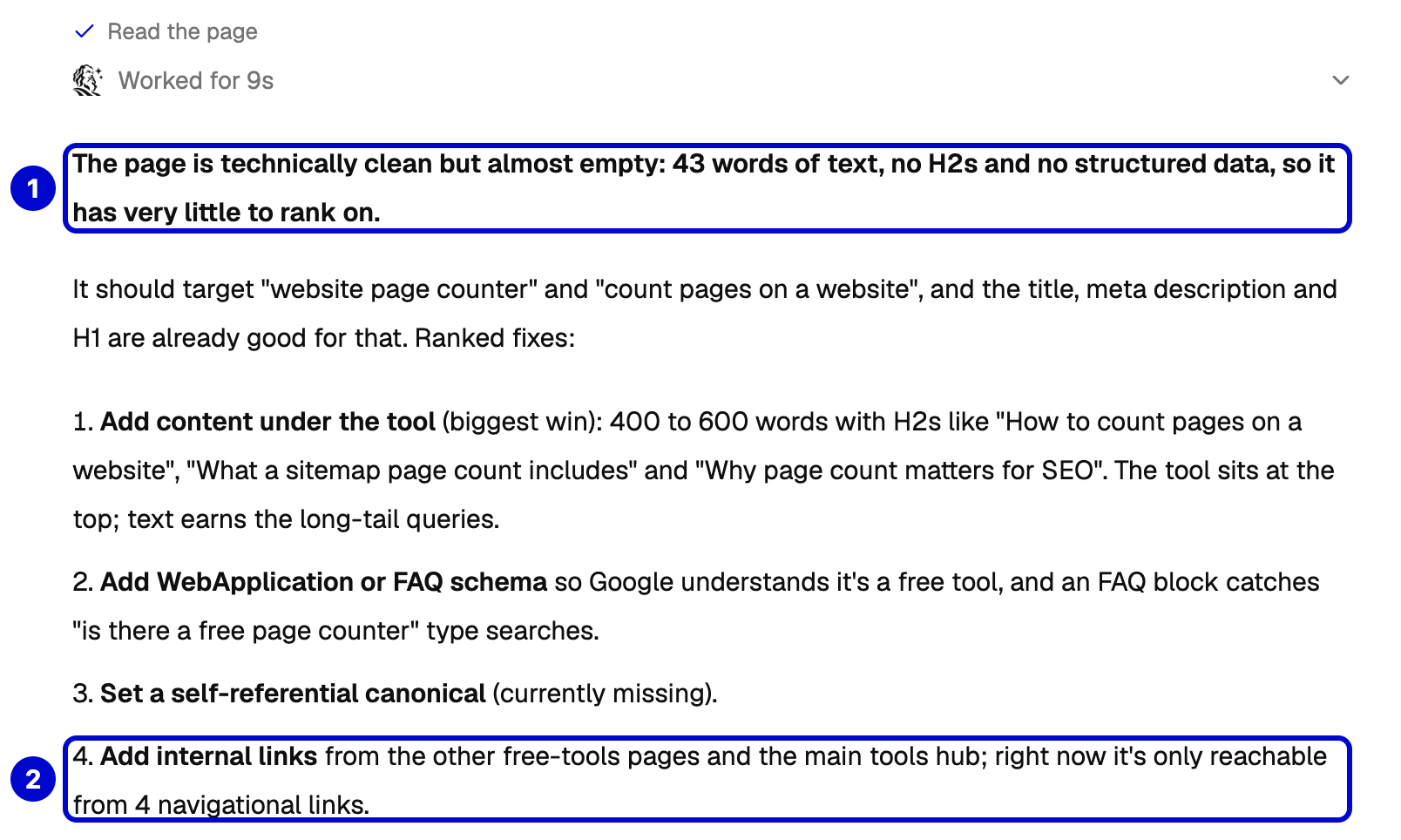
Know the limit: the chat reads the page you name, not your whole site. It can tell you what a page links to, but not which pages link to it. For links in, you still work from your cluster plan.
Where to go next
| If you want to... | Read |
|---|---|
| Build the clusters that become hubs and spokes | Keyword clustering: turning a list into topics |
| Decide which keywords get their own spoke page | One page or many? Reading a keyword cluster |
| Order the hub and spoke pages you will write | From cluster to content plan: what to write first |
| See every Content Studio step, links included | Writing with Content Studio, step by step |
| Fix or merge weak pages that blur a topic | Content pruning: fixing or cutting weak pages |
| Earn links from other sites as well | What backlinks are and why they still matter |
Sources
- SEO Starter Guide: The Basics, Google Search Central, n.d.
- Link best practices for Google, Google Search Central, n.d.
- What is a sitemap?, Google Search Central, n.d.
