Broken link building
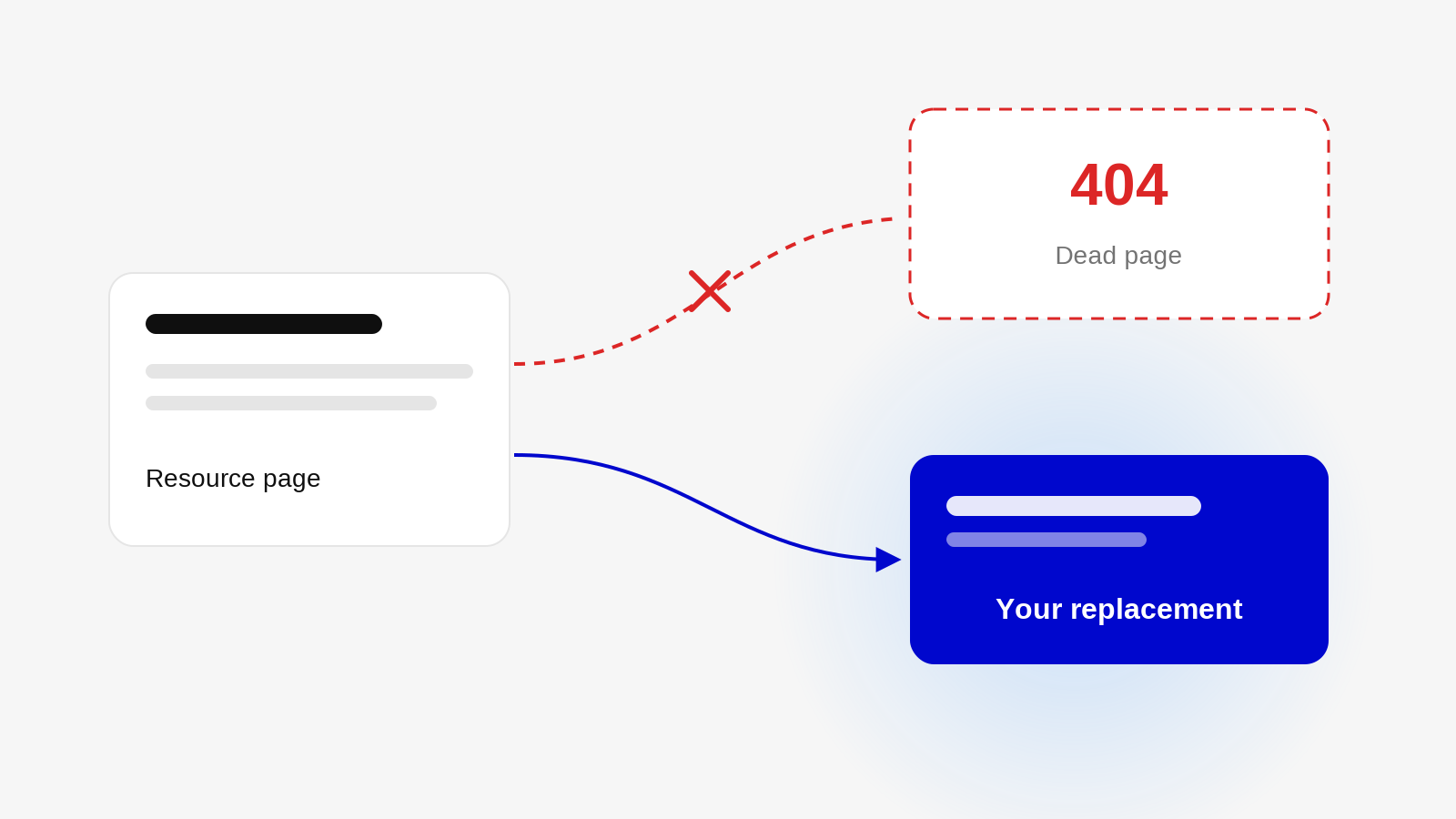
Broken link building means finding links to pages that no longer work and offering the site owner your page as the replacement. You fix a problem on their site first, which gets more replies than a plain request for a link.
Key takeaways
- Dead pages come from four places: your own site (redirect them), competitors' sites, resource pages in your niche, and brands that closed or moved.
- A 404 or 410 means the page is gone, and a "soft 404" is an error page that still returns success; a server error or a block is not proof and should be rechecked.
- Your replacement must do the dead page's job: check old copies in the Wayback Machine and match the format, so a dead calculator gets a working calculator.
- Answer Socrates Broken links checks up to 40 outbound links on each resource page live, at 1 credit per keyword for up to 5 keywords.
- Dead pages finds competitor pages with three or more linking sites, and Find linking sites (1 credit) confirms which sites still link to each one.
Broken link building in one picture
Broken link building means finding links that point to pages that no longer work, then offering the site owner a working page of yours to link to instead. It works because you start by fixing their problem, not by asking for a favour.
Every broken link has the same four steps behind it.
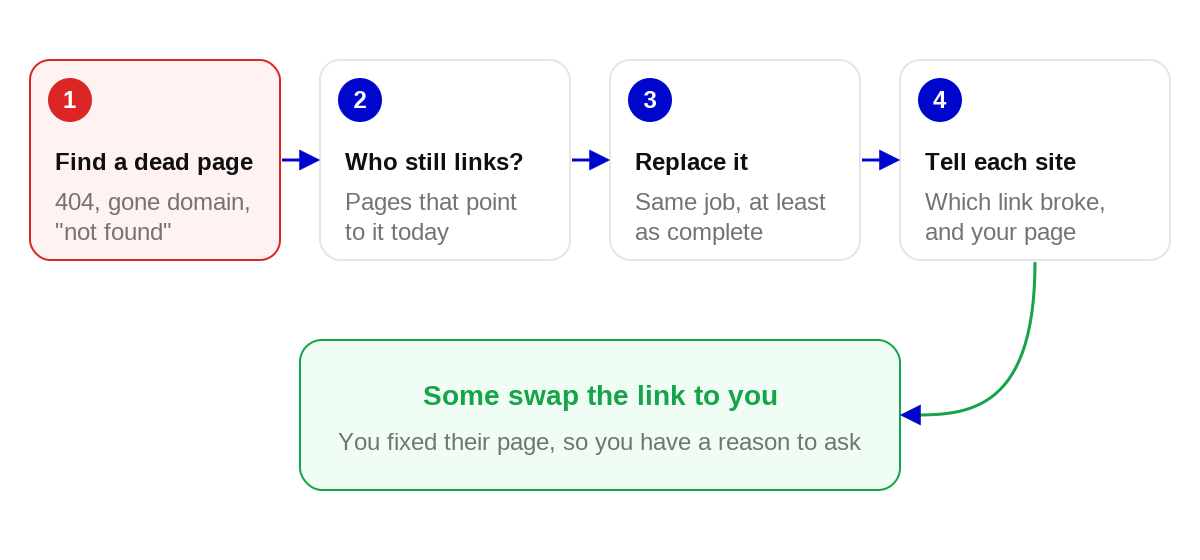
A dead link hurts the site that has it. Readers click and land on an error, and the page looks neglected. Most owners would rather fix it, and if your page does the same job, swapping the address is the easiest fix they have.
Three places to find dead pages
There are three sources of dead pages worth your time, plus one variation for whole brands that closed.
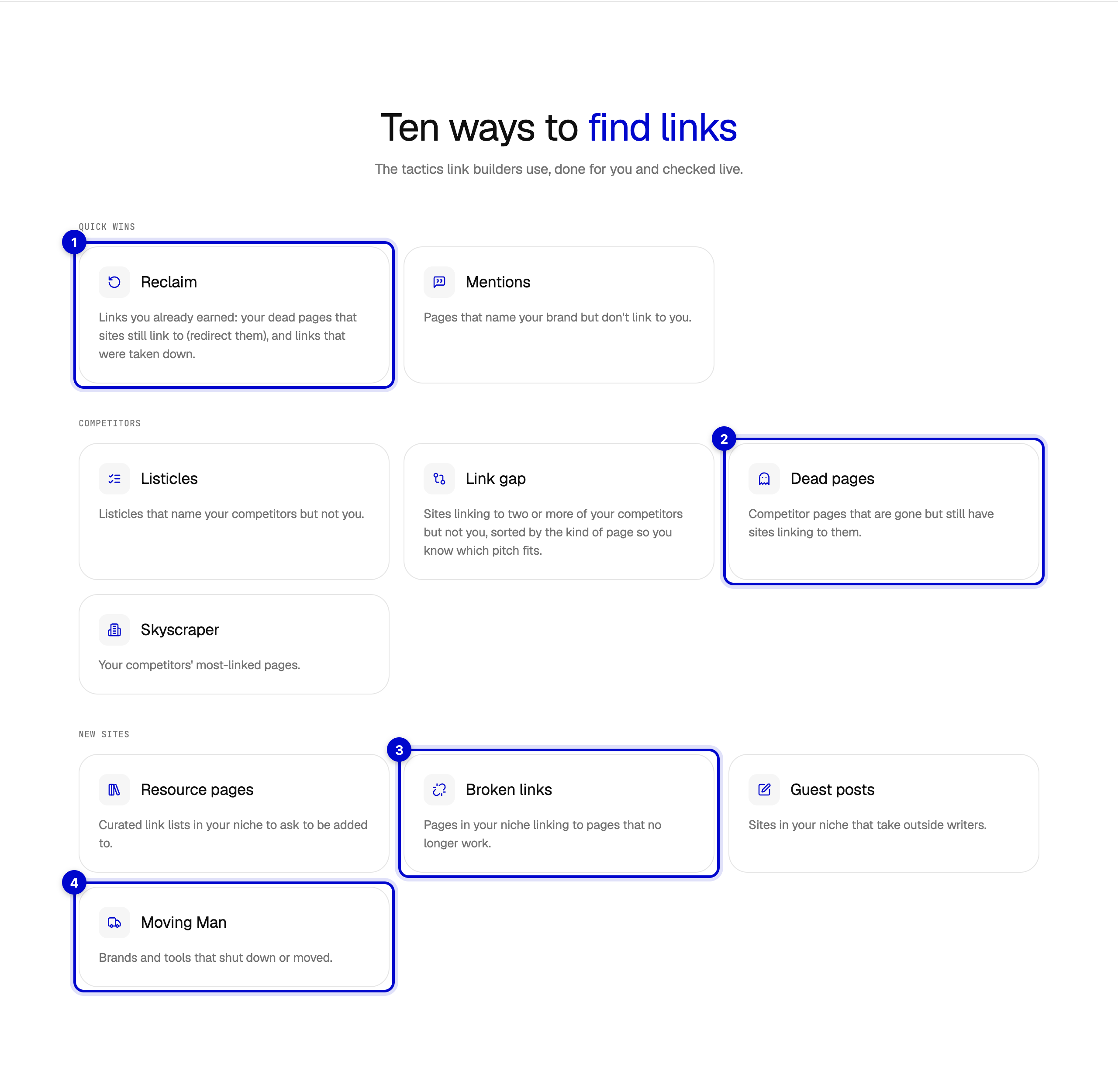
| Where the dead page is | What you do | Who you email | Tactic in Answer Socrates |
|---|---|---|---|
| Your own site | Redirect it to your closest live page | Nobody | Reclaim |
| A competitor's site | Write a replacement, pitch everyone still linking to it | Each linking site | Dead pages |
| Any page in your niche | Offer your page in place of the dead link | The page owner | Broken links |
| A brand that closed or moved | Offer yours to the pages still listing it | Each listing page | Moving Man |
Your own dead pages come first because they need no outreach. Competitors' dead pages are the richest source: if a rival's free tool or guide had dozens of sites linking to it and then vanished, every one of those sites now has a broken link on the same topic. Niche pages (resource lists, "further reading" sections, tool roundups) are where single dead links pile up, because their owners rarely check them.
Make sure the page is really dead
A link that fails once is not always broken. Servers go down, sites block automated checks, and some pages redirect for good reasons. Pitching a site about a link that works is the fastest way to lose the reply.
Google's own rules help here. A 404 (not found) or 410 (gone) status means the page does not exist, and Google treats all 4xx errors except 429 the same way [1]. Google also describes "soft 404s": pages that return a success code but show an error message or an empty page [1]. Those are dead too, even though the server says otherwise.
The Answer Socrates link checker sorts every link into three groups, and only one of them is used for pitches.
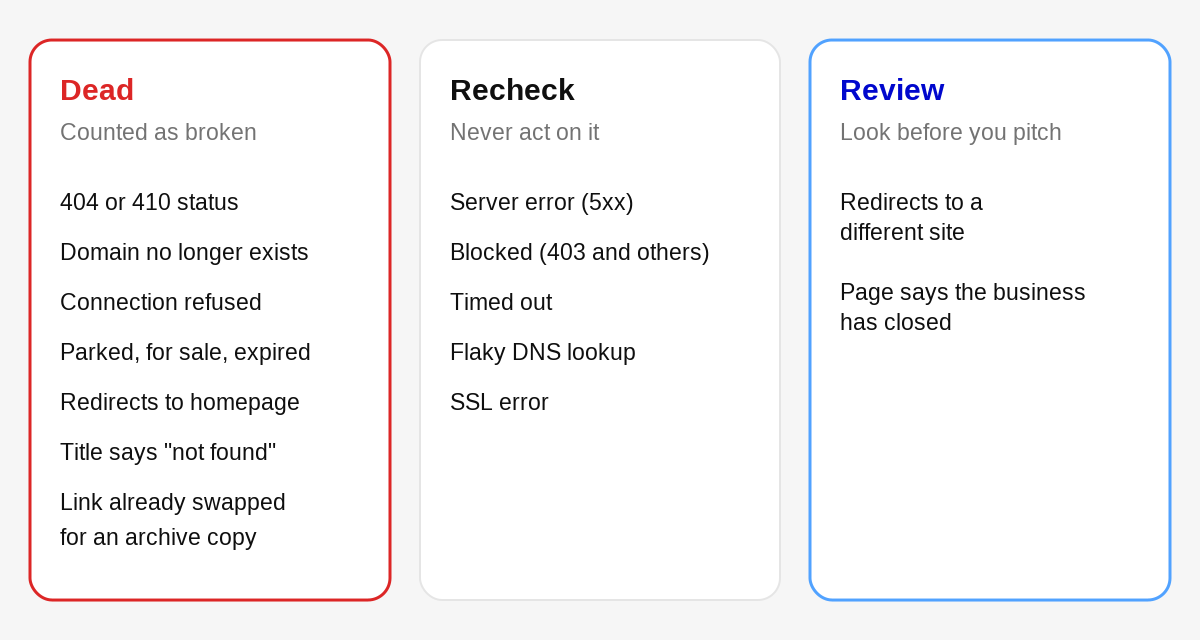
Three of these are worth knowing even if you check by hand:
- A redirect to the homepage is a dead page. If an old article now sends readers to the front page, the content is gone.
- A domain that no longer resolves is checked twice before it counts, because one failed lookup can be a blip.
- A redirect to a different site goes to review, not to the dead pile. It may be a company that moved to a new name, which is a Moving Man case, or a plain takeover.
Build a replacement worth linking to
This is the step most broken link builders skip, and why most of their emails fail. Your page has to do the job the dead page did. If the dead page was a free calculator, a blog post about calculators is not a replacement.
Before you write anything:
- See what the dead page was. Paste its address into the Wayback Machine (web.archive.org) to read old copies.
- Read how sites linked to it. The anchor text and the sentence around each link tell you what readers expected to find.
- Match the format, then beat it. Same purpose, at least as complete, and up to date.
A made-up example: Stride Lab, a running shoe store, finds that a popular marathon pace calculator on a rival's site has died. Eleven running blogs still link to it from their training guides. Stride Lab already has a pace chart page, but it is a static image. They build a working calculator on the same page, then email the eleven blogs. A static chart would have been a weaker swap, and a "10 tips for marathon pacing" post would not have been a swap at all.
Start with your own dead pages
Before you look at anyone else's site, check your own. Pages get deleted in redesigns, renamed in migrations or merged into others, and the links to them keep pointing at nothing.
The fix is a permanent redirect from the old address to your closest live page. Google says to use permanent redirects "when you're sure that the redirect won't be reverted", and it treats a permanent redirect as a signal that the new page should be the one shown in search [2]. No email, no waiting, no one to convince.

Redirect to the page that matches, not to your homepage. A redirect to the homepage is exactly what checkers, including ours, count as a dead page.
How to do it in Answer Socrates
All four dead-link tactics live in the Link Building section. Set up your project first: your site, two or three competitors and your main keywords.
Step 1: Run Reclaim. It pulls your own backlink data, checks which of your linked pages are dead, and lists each with how many sites still link to it. Redirect each one to your closest live page.
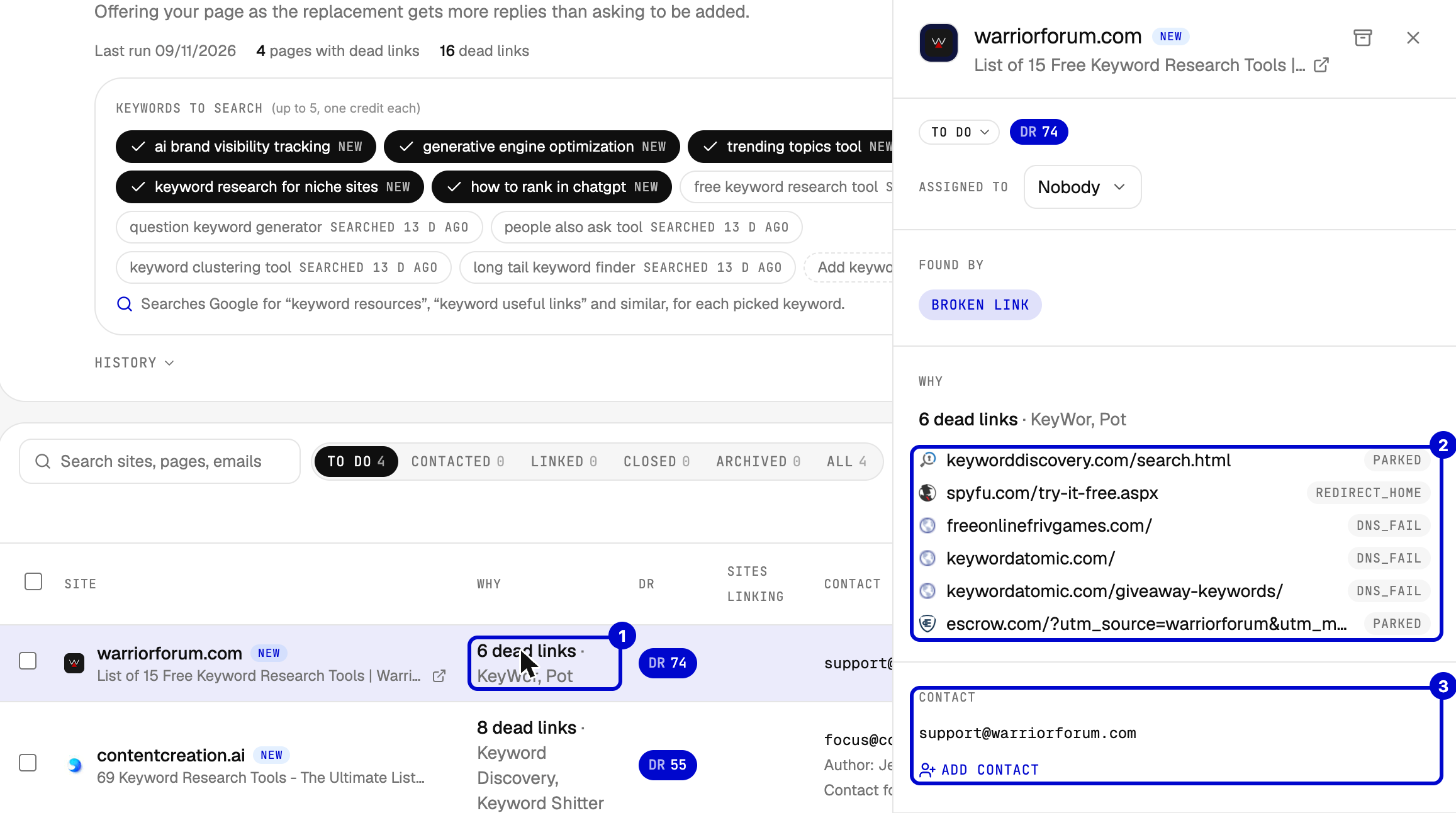
Step 2: Run Broken links for your keywords. It searches Google for resource pages in your niche with footprints like "[keyword] useful links" and "[keyword] further reading", keeps pages that link out to at least 10 sites, and checks up to 40 of each page's outbound links live. Pages with dead links land in Broken links; the rest go to Resource pages. It uses 1 credit per keyword, up to 5 keywords, and takes a few minutes.
Step 3: Open a row and read the dead links. The row says how many dead links the page has. The panel lists each one with a tag for the reason it failed, such as PARKED, REDIRECT_HOME, DNS_FAIL or HTTP_404.
Step 4: Run Dead pages and find who links to each one. Dead pages searches up to 5 competitors (1 credit each) for pages that are gone but still have three or more sites linking to them, then checks each is really dead. On a row, Find linking sites (1 credit) pulls the sites linking to that dead page and checks live which of them still link to it. Only followed links from sites that are not spam are kept. The confirmed pages become rows of their own, ready to pitch.
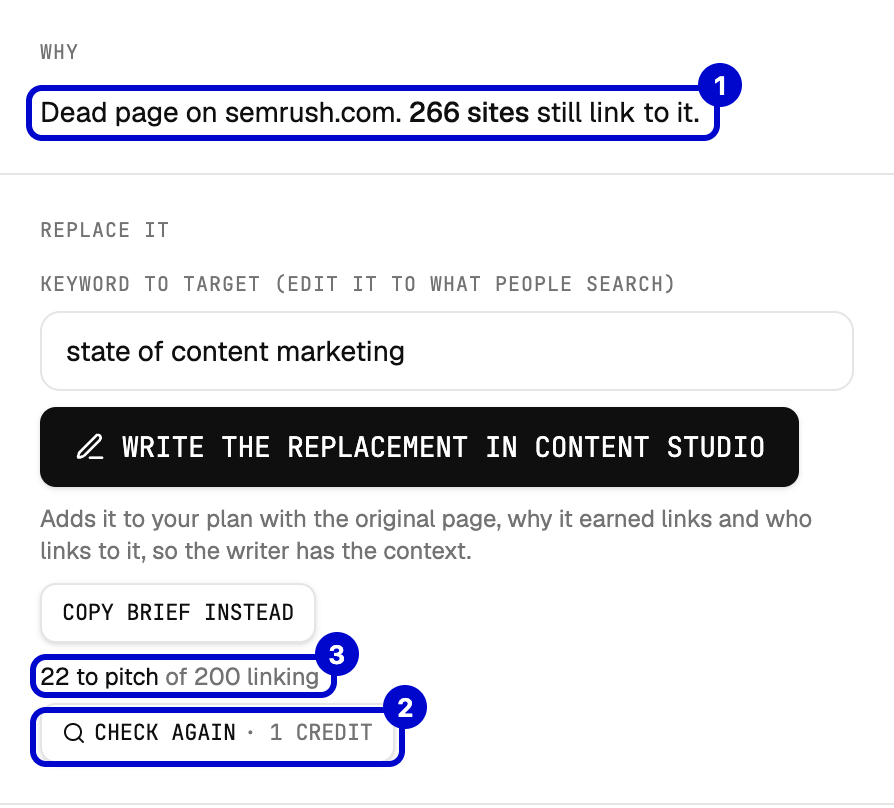
Step 5: Send the replacement. Dead competitor pages can go straight to Content Studio as an article, with the original page and who links to it as notes for the writer. The brief asks for a page with the same topic and purpose, at least as complete, and up to date: the same test as the section above.
Once your page is live, open each row. The email finder reads only addresses the site publishes (the page, its author page, and its contact and about pages) and lists named people before role inboxes like editor@ or press@, with legal and privacy inboxes last. The draft names the dead link and leaves a [replacement URL] for you to fill in, and lists up to three other broken links from the same page.
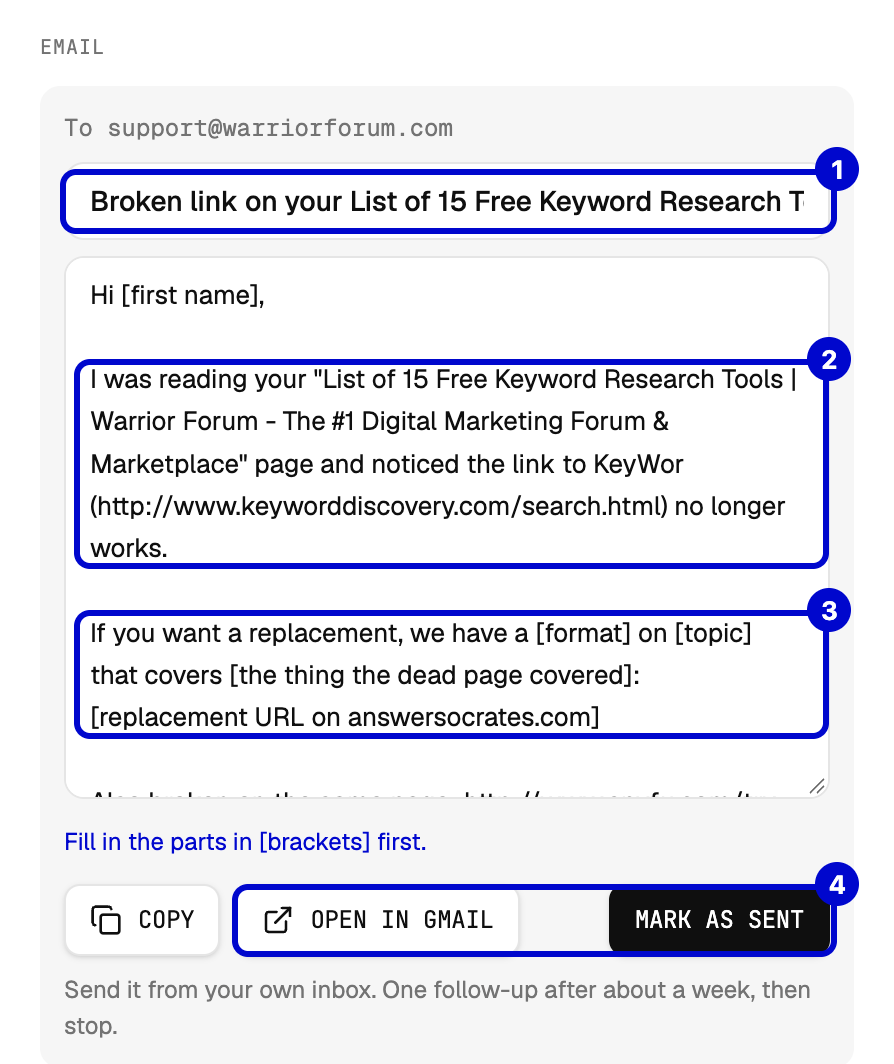
Nothing is sent for you. You send from your own inbox and set the row to Contacted, then Linked when the link changes.
The same thing in Ask Socrates
Ask Socrates, the chat in Answer Socrates, runs the same tactics. In your project, type:
Find broken links I can replace for running shoes and marathon training, and any competitor pages that died but still have links.
It runs the resource pages and broken links tactic for those keywords and Dead pages for your competitors. A card shows the credit cost first, and whether it asks before spending depends on your spending setting. When the runs finish, it names the best few pages and the dead link on each. Follow up with "Which broken link prospects have an email?" to read the saved list for free.
Where to go next
| If you want to... | Read |
|---|---|
| See every way to find links | Finding link opportunities |
| Know which links are worth winning | What backlinks are and why they still matter |
| Write the email well | Writing outreach emails that get replies |
| Run it from chat | Link building with Ask Socrates |
| Turn mentions into links next | Turning unlinked brand mentions into links |
Sources
- How HTTP status codes, and network and DNS errors affect Google Search, Google Search Central, 2025
- Redirects and Google Search, Google Search Central, 2025
