Recursive search: going deeper on one question
A recursive search takes the questions a keyword search found and runs each one back through Google to find the questions people ask next. It is how you get from a list of topics to the follow-ups a full page needs to answer.
Key takeaways
- The Generate Recursive Questions button goes exactly one level deeper: it starts from your Questions section plus the seed, not from the whole search.
- Each question is sent to Google as the previous search, followed by an opener such as "How long" or "Can I", with at most 1,400 lookups per run.
- An AI filter keeps only the suggestions that fit your seed; it may only choose from Google's list, so every result is a real search, but expect some to drift.
- Recursive searches have their own allowance: one on a free account, then 30, 100, 500 or 2,000 a month on Socrates Lite, Seneca, Aurelius and Senate.
- Past level two, go deeper by hand: run your strongest follow-up as a new seed in a normal keyword search or in Ask Socrates, for one search credit.
Recursive search means searching your results again
A recursive search takes the questions a keyword search found and runs them back through Google to find the questions that come next. "Recursive" just means the output of one step becomes the input of the next. Your seed finds questions; those questions find more questions.
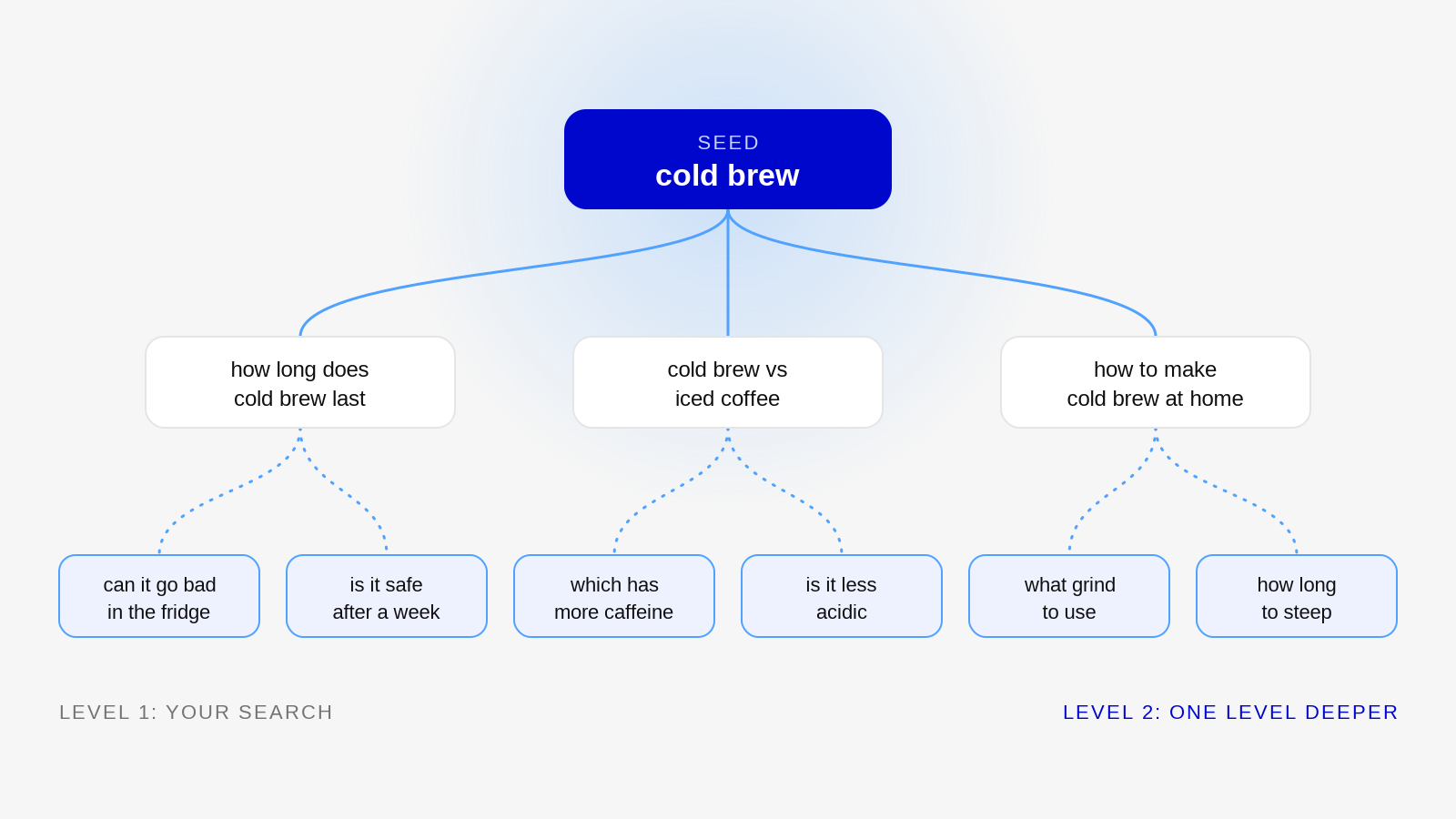
Think of it as a tree. The seed is the trunk. A normal keyword search grows the first branches: "does cold brew go bad", "cold brew ratio", "cold brew vs iced coffee". A recursive search grows the twigs on each branch: "can you freeze cold brew", "how to tell if it has gone off".
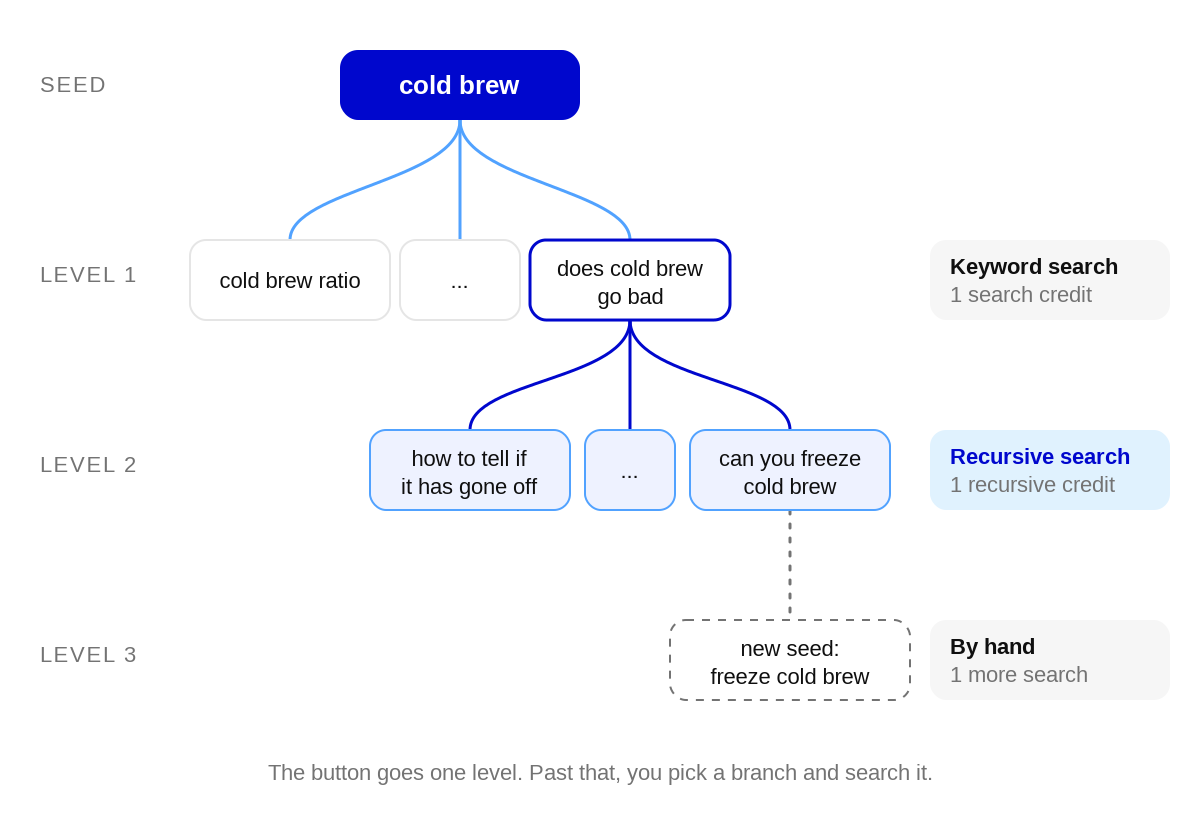
The twigs are where the detail lives. A page about "does cold brew go bad" that also answers whether you can freeze it, and how to tell when it has turned, is a better page than one that stops at the first question.
Why level two finds keywords level one cannot
Google autocomplete does not only look at what you have typed so far. Google lists "your past searches" among the things that shape its predictions, alongside the language and location of the search [1]. In other words, what you searched a moment ago changes what it suggests now.
A recursive search uses exactly that. For each of your questions, we tell Google that question was the previous search, then start a fresh one with a short opener like "How long" or "Can I". The topic is no longer in the search box, but Google keeps suggesting around it.
That is how you reach what the app calls hidden last-click searches: the follow-up a person types after their first question, often the last one before they find their answer. A normal search cannot see these, because nobody types "can I freeze it" with the word "cold brew" in front.
People search in chains. Someone who asks "does cold brew go bad" often asks about storage next. Feeding Google the first question as context lets the second one surface.
What happens when you click the button
You do not need to know the mechanics to use recursive search, but they explain what you get back and why it varies.
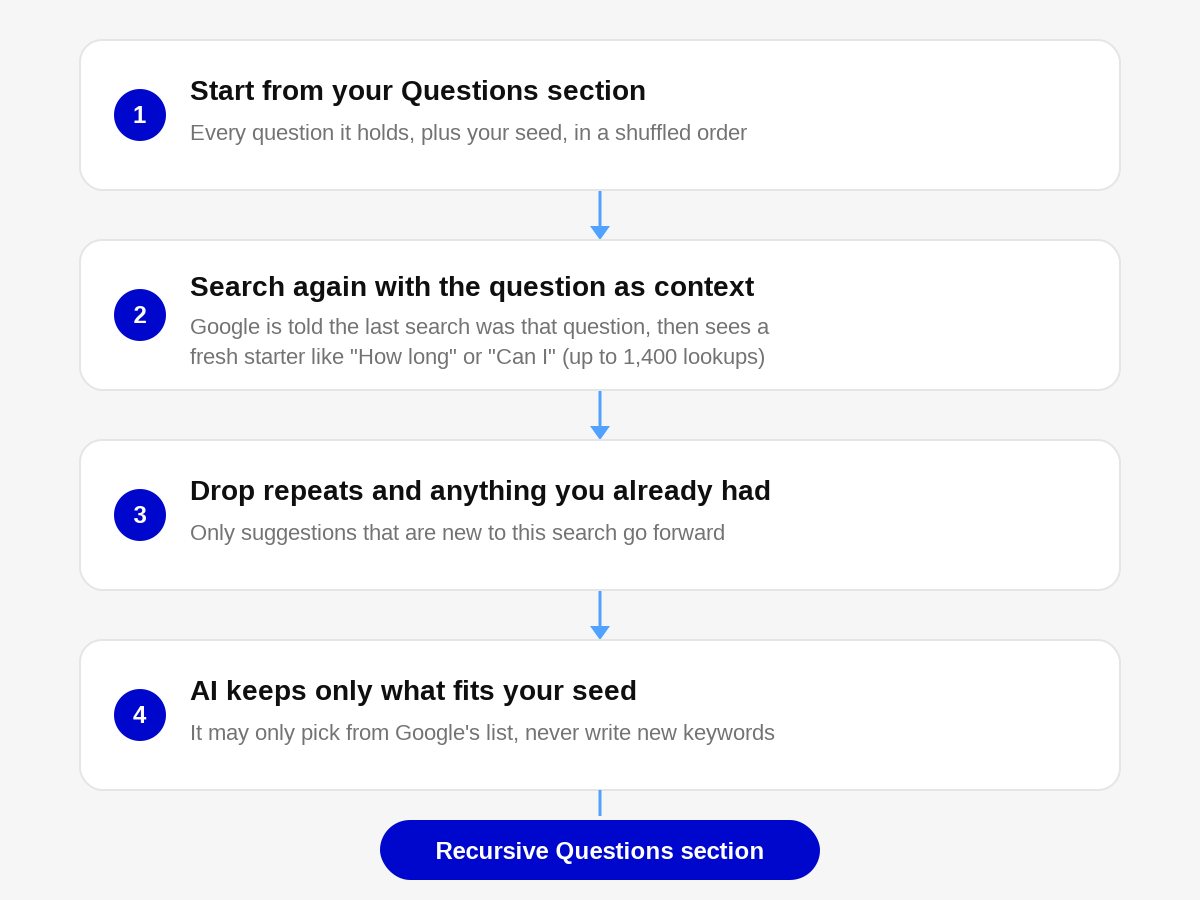
- The input is your Questions section. Every keyword in the Questions section of your search, plus the seed itself, goes in. Prepositions, comparisons, letters and the social and shopping groups are not used.
- Each question is paired with openers. We have a list of more than 100 openers: question words ("What is", "How often", "Can I use"), comparison words ("vs", "alternatives to"), buying words ("where to buy", "price of"), problem words ("how to fix") and place words ("near me"). Each opener is sent to Google autocomplete with one of your questions as the previous search, for the same country and language as your search.
- A run has a ceiling. One run makes at most 1,400 of these lookups. A Questions section with 200 questions would make far more pairs than that, so a big search is sampled, not searched in full.
- Repeats go. Duplicates, and anything already in your Questions section, are removed.
- An AI filter checks relevance. The rest go to an AI model in batches of 20, with your seed. It is told to return only keywords from the list it was given, never new ones, and to keep only those that fit the seed and the searcher's journey. A spending cap on this step means a very large run can stop filtering early and return fewer results.
Nothing is made up along the way. Every keyword in the Recursive Questions section is a real Google suggestion; the AI only decides which ones to keep.
How to run it in Answer Socrates
Recursive search lives on the results page of the classic keyword search. It works on Google searches only; on a search made from another source it is hidden.
Step 1. Run a normal keyword search. Use a short seed, pick the country and language, and search. The method is in How to do keyword research: find what people actually ask.
Step 2. Check the Questions section has something to work with. The recursive search starts from it, so a seed with only a handful of questions gives it little to go on.
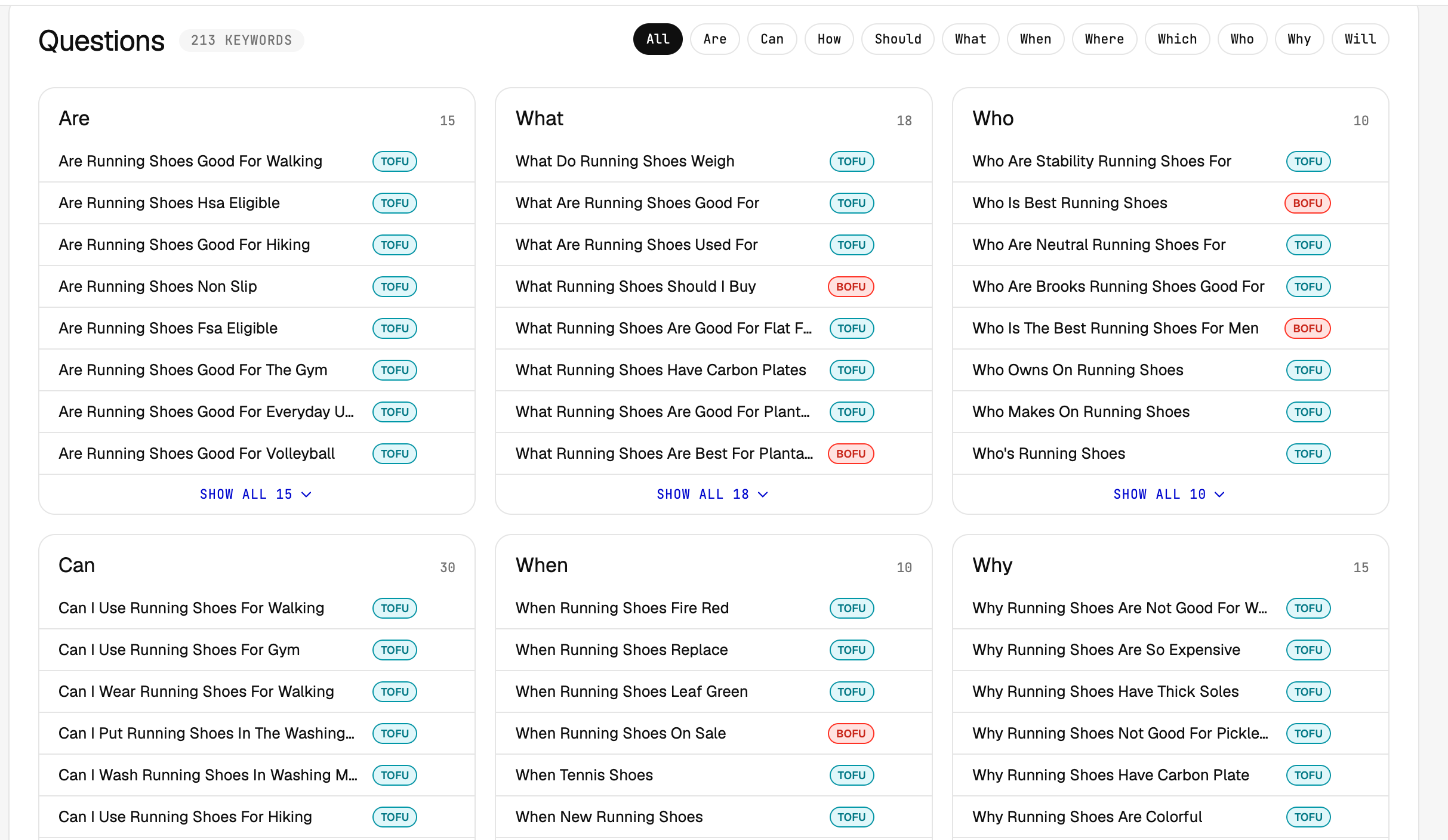
Step 3. Find the Go a level deeper bar. It sits under the Questions section. The text under the title tells you what the click will cost before you make it.

Step 4. Click Generate Recursive Questions. You must be signed in; if you are not, the click opens the sign-in window instead. A loading state shows while the lookups run. With up to 1,400 of them plus the AI filter, this takes longer than a normal search, so give it time.
Step 5. Read the new section. The results appear as a Recursive Questions section straight after Questions. They are also saved with the search, so they are there when you reopen it from your history.
Reading the Recursive Questions section
The section looks different from the others. Questions is split into cards by question word; Recursive Questions is one list, split across plain cards with no question-word headings, because every result came from the same step.
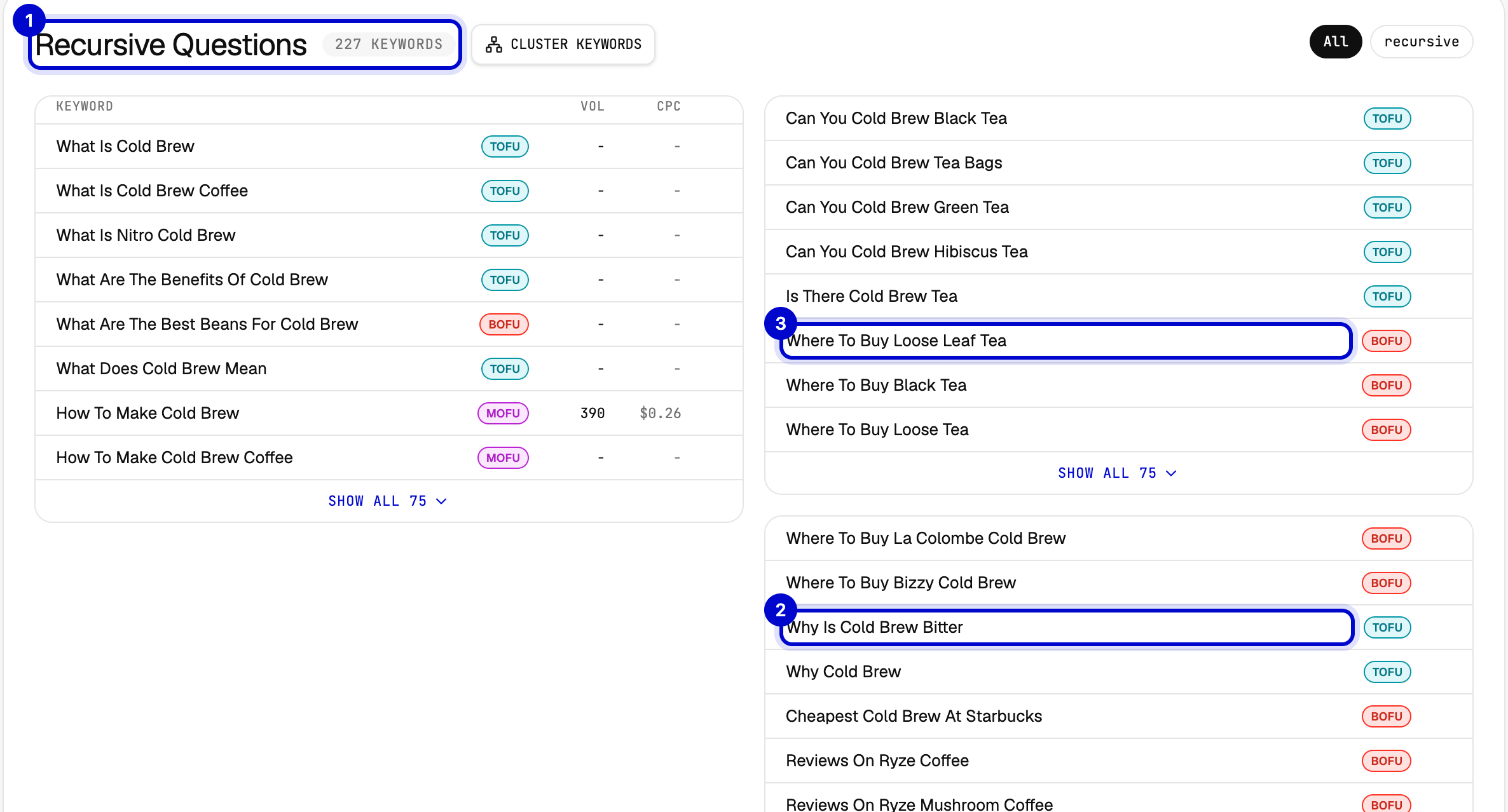
Read it with three questions in mind:
- Which first question does this follow? "Can you freeze cold brew" belongs with "does cold brew go bad". Match each follow-up to its parent; that tells you which page it belongs on.
- Is this a new page or a new section? Most follow-ups are an H2 or an FAQ answer inside an existing page. A few, often the ones with buying words, deserve their own.
- Did it drift? Openers like "near me" and "price of" can pull in suggestions about something next door to your topic. Skip those.
You can add numbers to the list too. Check Metrics includes recursive results if you run it after the recursive search, and the cards then sort by search volume. Download CSV includes them as well, with "Recursive Keywords" in the Type column.
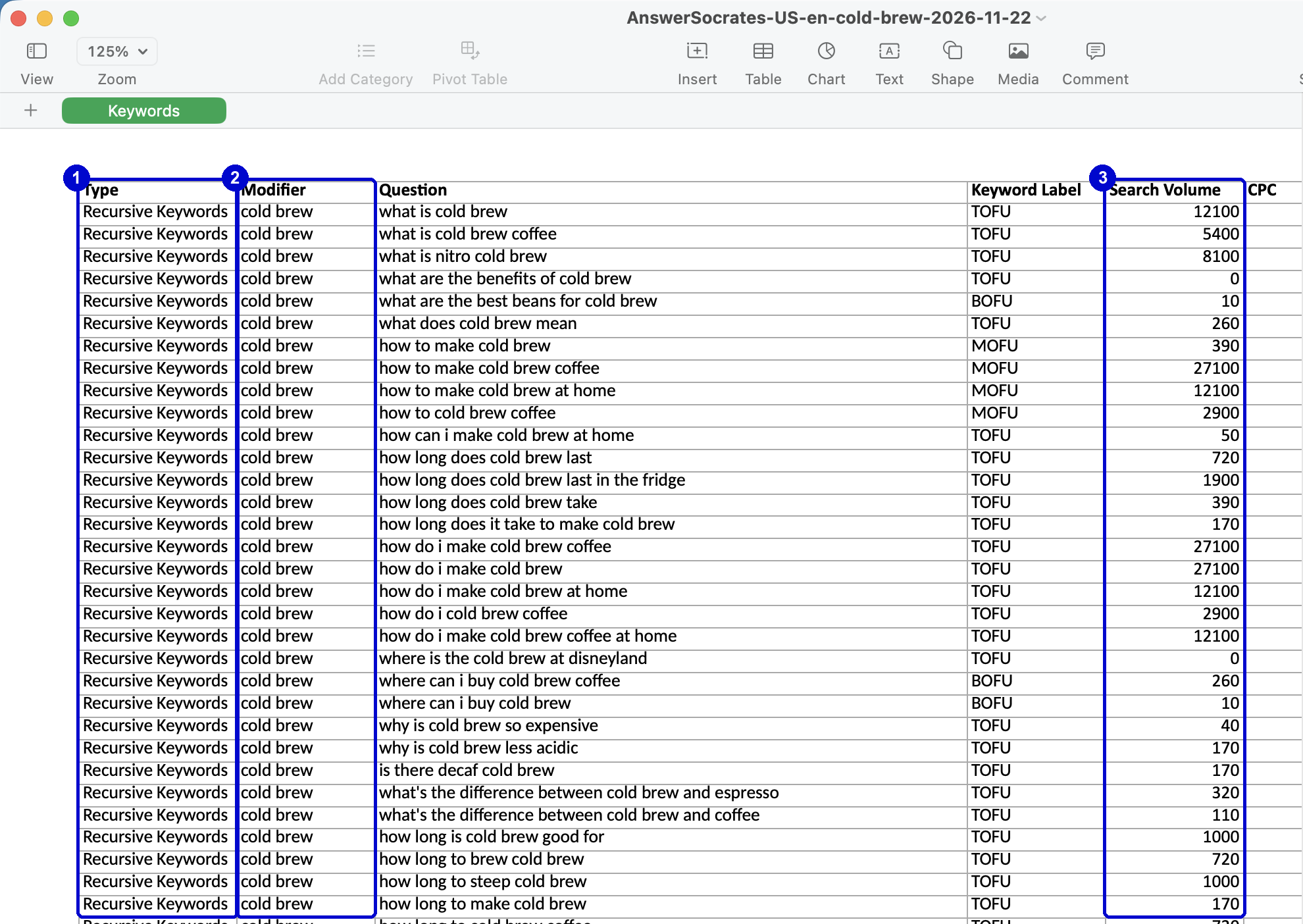
Check Metrics covers up to 999 keywords per search, and recursive results join the end of that list. On a search with thousands of keywords, some recursive results can miss out on numbers. Download the list and check the rows that matter by hand.
What a recursive search costs
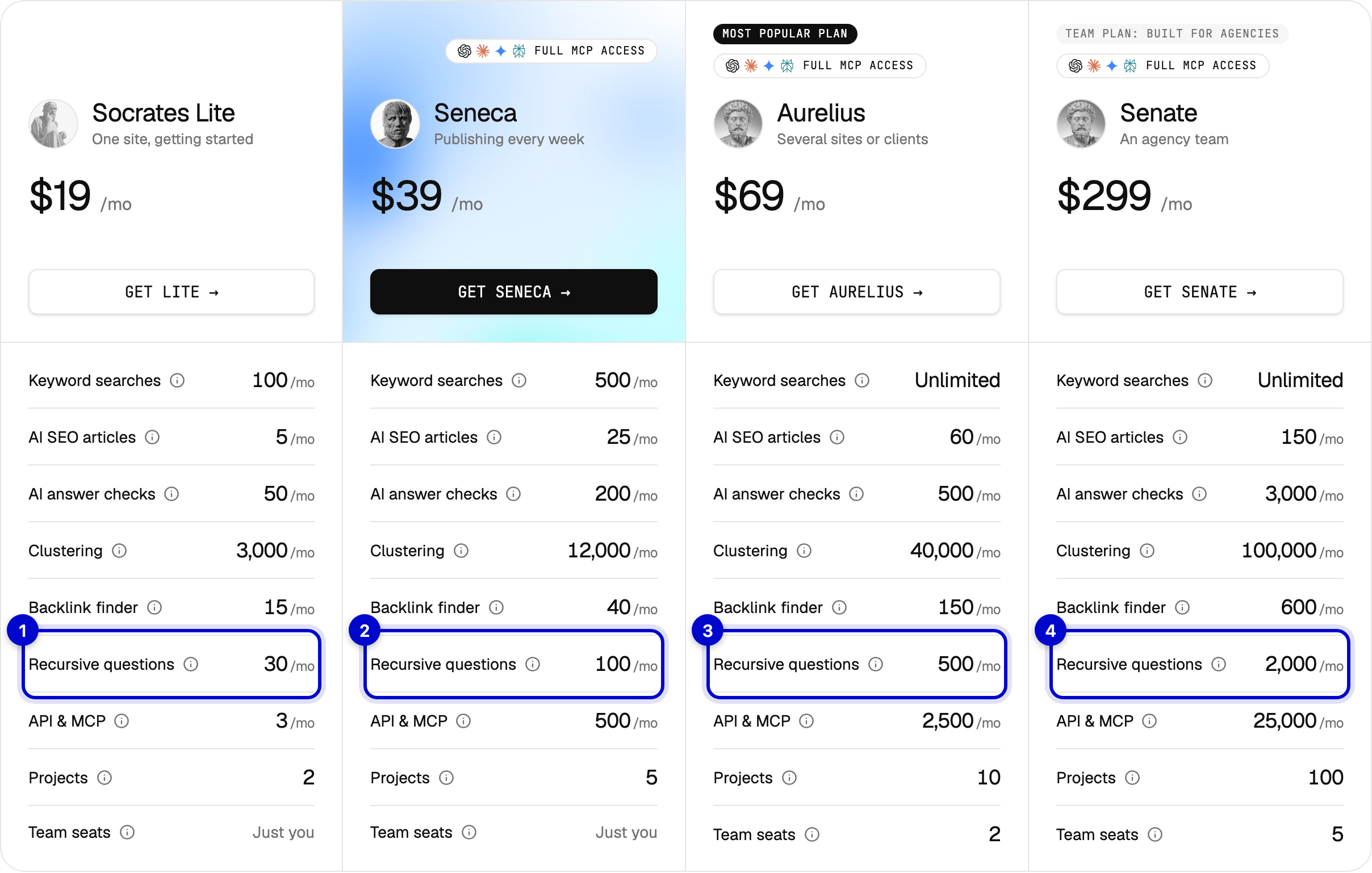
Recursive searches have their own allowance, separate from keyword searches. Running one does not use a search credit, and running out of searches does not stop you running one.
| Account | Recursive searches |
|---|---|
| Free | 1, and the bar tells you when you are using it |
| Socrates Lite | 30 a month |
| Seneca | 100 a month |
| Aurelius | 500 a month |
| Senate | 2,000 a month |
On a team, members draw from the team owner's allowance, the same way they do for searches.
When to use it, and when to dig by hand
There are two ways to go deeper. The button runs every question at once, one level down. Digging by hand means taking one result and running it as a new seed in a normal keyword search, which gives you a full pull on that one branch.
| Situation | Use | Why |
|---|---|---|
| You are planning a full guide on one topic | The button | One click covers every question you found |
| You want the follow-ups for FAQs and H2s | The button | Follow-ups are exactly what it finds |
| One question is clearly worth its own page | A new search by hand | You get every section for that question: comparisons, letters, shopping |
| Your Questions section is small | A new search by hand on a broader seed | The button has little input to work from |
| You already ran the button on this seed this month | A new search by hand | A repeat returns the same saved list |
A good order is: search, then the button, then pick the two or three strongest branches and search each one by hand. Each step narrows the topic, and each one costs a little more of your attention, so stop when the new results stop changing your plan.
A made-up example: a coffee roaster
A made-up example: Ridgeline Roasters sells whole beans online and has a blog with one post about cold brew. The owner wants to turn it into the best cold brew guide she can.
She searches "cold brew" in the United States. The Questions section gives her the first branches: how to make it, the ratio, how long it lasts, cold brew vs iced coffee. Then she clicks Generate Recursive Questions.
The Recursive Questions section gives her the twigs. She sorts what she finds into four piles:
| Follow-up found | Parent question | Her call |
|---|---|---|
| can you freeze cold brew | does cold brew go bad | An H2 in a storage section |
| how to tell if it has gone off | does cold brew go bad | An H2 in the same section |
| what grind for cold brew | how to make cold brew | A short section, and a link to her coarse grind beans |
| cold brew vs espresso caffeine | cold brew vs iced coffee | Its own comparison post |
| cold brew near me | how to make cold brew | Skip: she has no café |
Five follow-ups, four actions. The guide grows from one thin post into a page with a storage section, a grind section and a link to a separate comparison. The caffeine question looked big enough for its own page, so she searches "cold brew caffeine" as a new seed by hand and plans that post from its own results.
The same thing in Ask Socrates
Ask Socrates, the Answer Socrates chat, does not run recursive searches. The Generate Recursive Questions button is only on the classic keyword search results page.
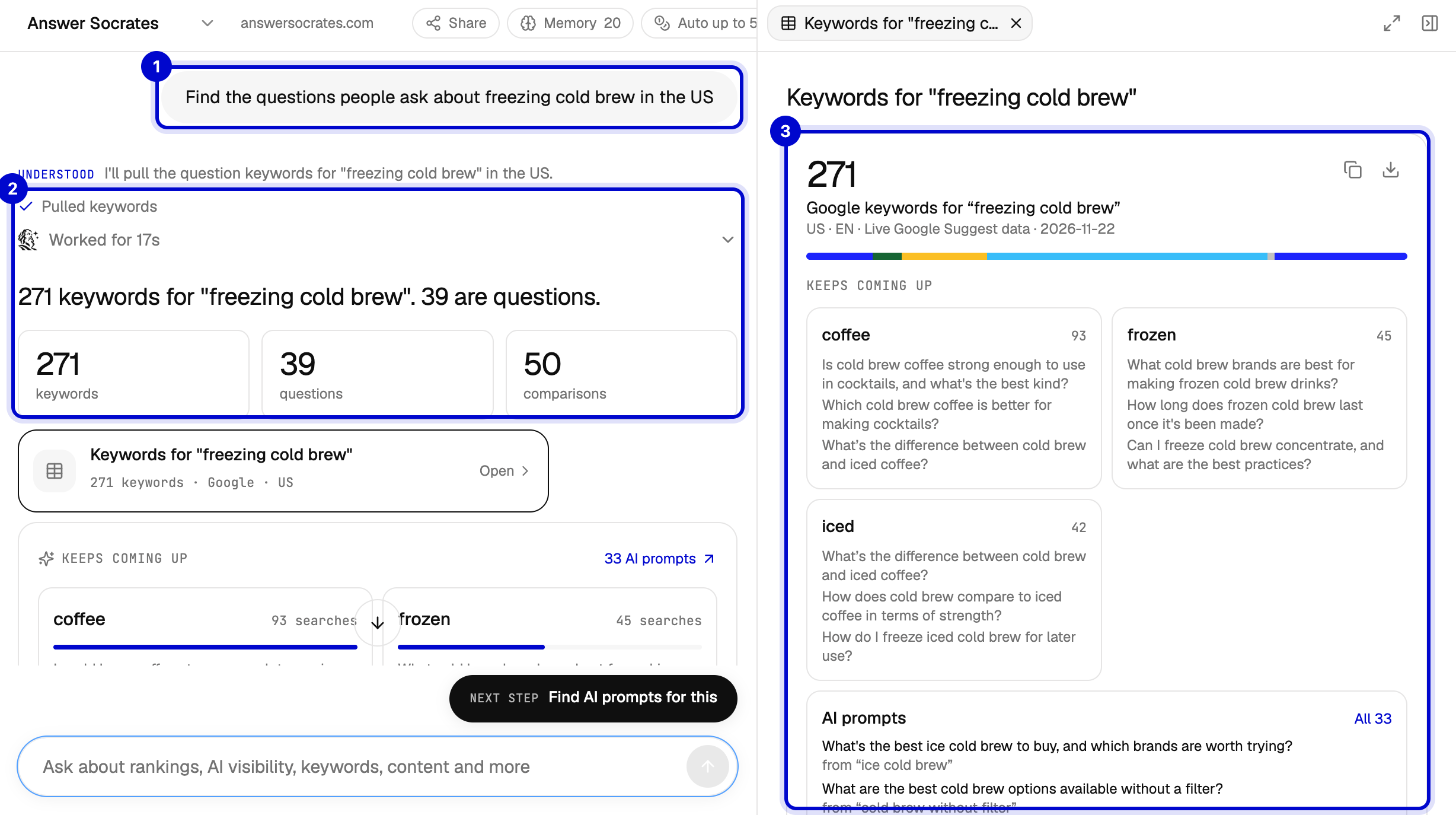
What the chat does well is the by-hand route. Give it the branch you want to explore as a new seed:
A full keyword pull costs one search credit, the same as on the search page. Whether the chat asks first depends on your spending setting at the top of the chat: with approval on you get a card to allow, and with Auto up to 5 it runs straight away. The results open in a panel beside the chat, and you can then ask it to sort them, for example "which of these are about storage?".
| Use the button when | Use Ask Socrates when |
|---|---|
| You want every question's follow-ups at once | You want one branch searched in full |
| You are already on the results page | You want to talk through the results after |
| You have recursive credits to spare | You would rather spend a search credit |
Where to go next
| If you want to... | Read |
|---|---|
| Run the first search well | How to do keyword research: find what people actually ask |
| See the questions Google shows in its answer boxes | People Also Ask: pulling the questions Google shows |
| Decide which small searches are worth a page | Long-tail keywords: finding the easy wins |
| Group your follow-ups into topics | Keyword clustering: turning a list into topics |
| Choose one page or several for a cluster | One page or many? Reading a keyword cluster |
| Do the by-hand route from one conversation | Keyword research in one chat with Ask Socrates |
Sources
- How Google autocomplete predictions work, Google Search Help, 2026
