Writing outreach emails that get replies
An outreach email that gets a reply is short, about the reader's own page, and asks one question they can answer in a line. Get it right and your link requests read like help; get it wrong and your domain's emails start landing in spam.
Key takeaways
- Write to the person who can change the page; the Link Building email finder uses only published addresses, tags people, and ranks editorial and press inboxes above info@ and legal ones.
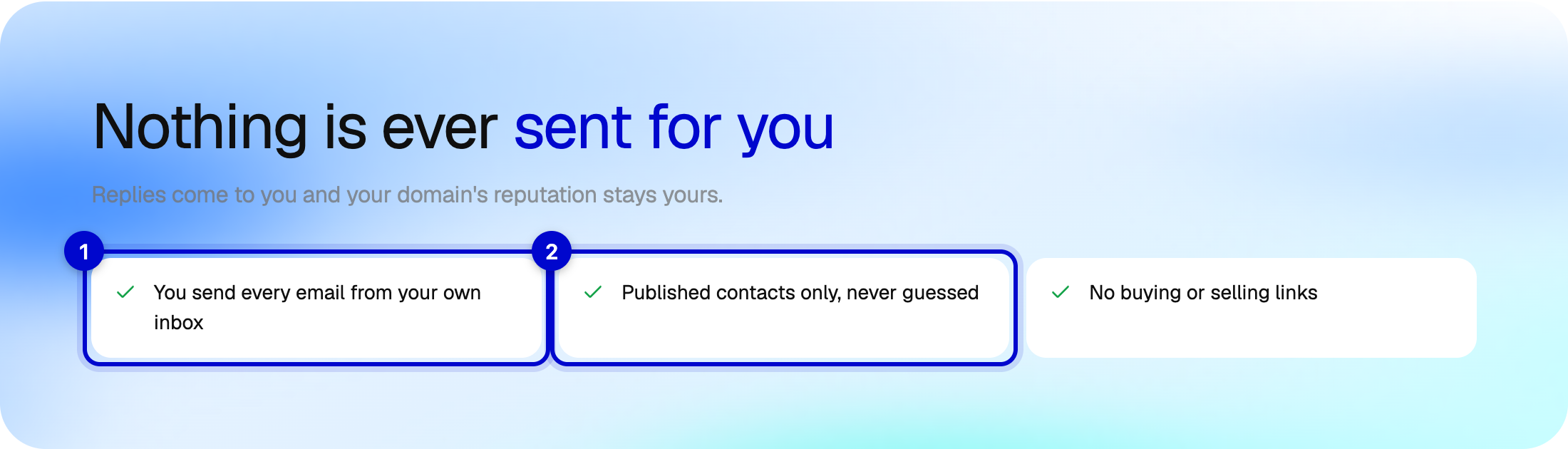
- The subject line must say what the email is about: Google says no fake Re: or Fwd:, and CAN-SPAM requires a subject that matches the content.
- Open with their page, offer one thing, and ask one question; 69% of journalists in Muck Rack's 2026 survey prefer pitches under 200 words.
- Follow up once, 3 to 7 days later, in the same thread, then stop: 46% of journalists delete pitches sent repeatedly without a response.
- Protect your domain: SPF or DKIM for all senders, a spam rate under 0.10% in Postmaster Tools, a steady sending pace and never a bought list.
A reply starts with an email about them
An outreach email is a short, cold message asking a site owner, editor or writer to do one thing for you: fix a broken link, add your product to a list, link a mention of your brand, or cover your story. The reader owes you nothing. They read it on a phone, between other things, and decide in a few seconds whether it is worth answering.
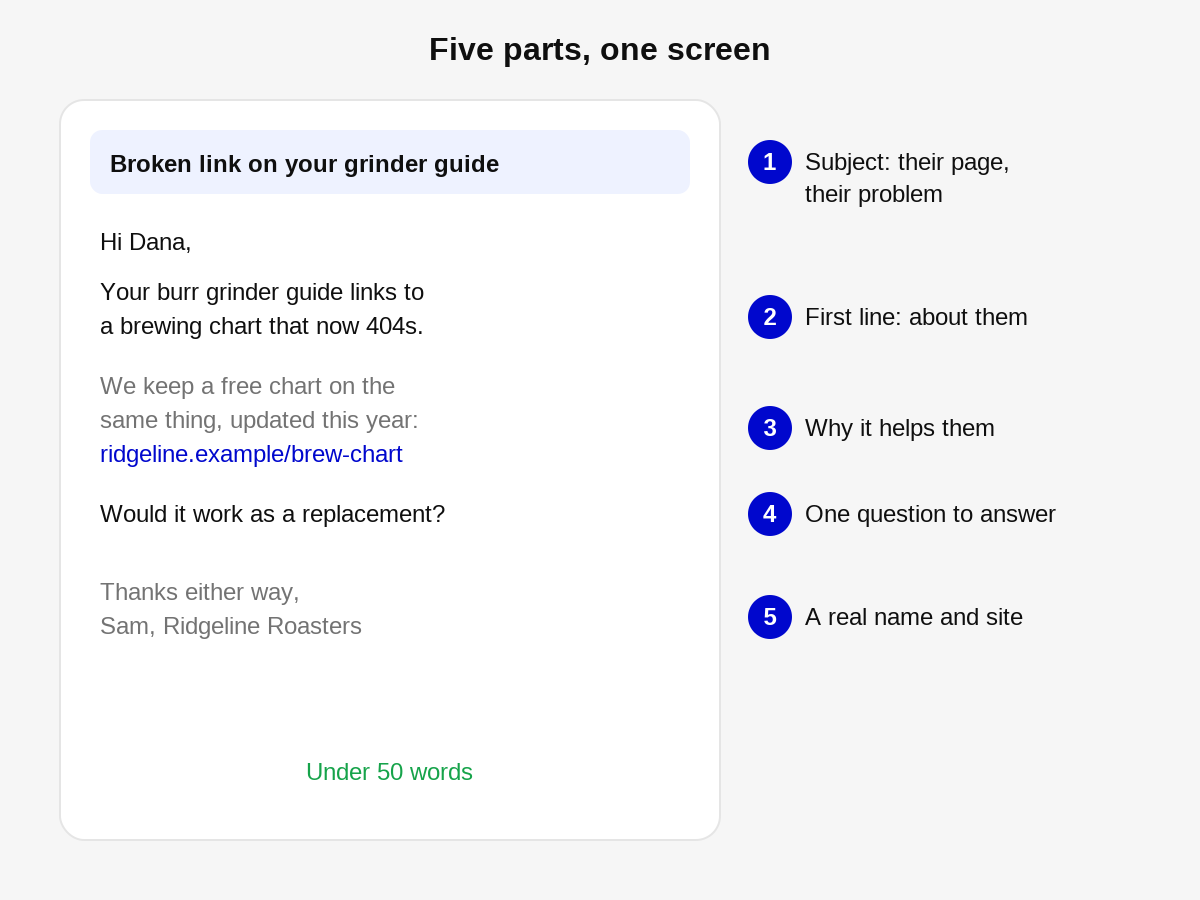
So the email that gets a reply is about them, not you. It names their page, points to a problem or a gap they care about, offers one specific thing, and asks one question they can answer in a line.
Most cold emails fail for the same reasons. Muck Rack's 2026 survey of 1,044 journalists found that 88% immediately disregard pitches that do not match what they cover, 71% delete ones that feel overly promotional, and 50% are put off by emails that look like a mass send [1]. Journalists are the toughest audience, but blog editors and site owners react the same way.
Find the right person and the right address
The best email to the wrong inbox gets nothing. Aim for the person who can change the page: the author of the article, or the editor of the section. A general inbox (info@, hello@) works for small sites where one person reads everything; on a big site it often goes nowhere.
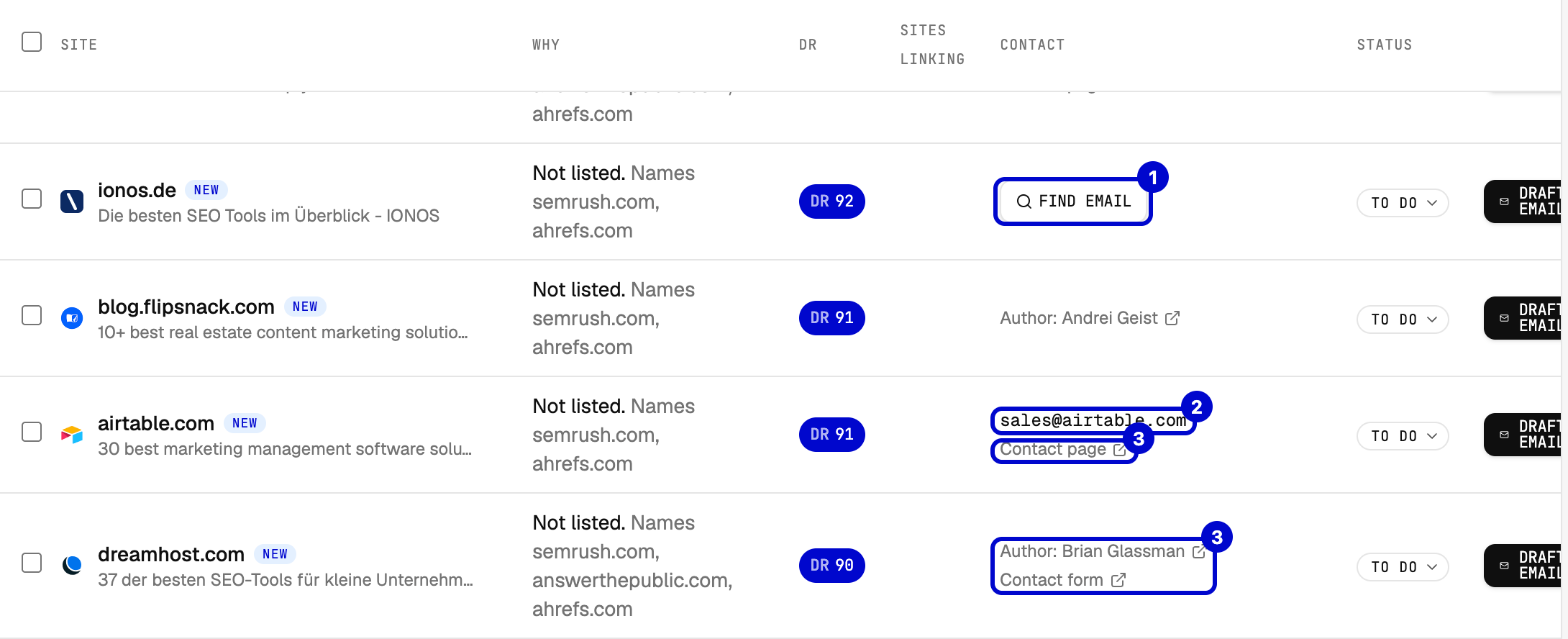
The Link Building section of Answer Socrates finds contacts for every prospect, for free. Open a row and click Find email. The finder reads only what the site publishes: the prospect page itself, its author page, and the site's contact and about pages. It never guesses an address from a name pattern and never buys one.
What comes back is sorted for you:
- People first. An address that is not a function inbox gets a small person tag. A role address is an inbox for a job, not a person: info@, press@, editor@, sales@, or their equivalents in other languages such as redaktion@ or prensa@.
- Then the best role inbox. Editorial inboxes (editor@, newsroom@, tips@) rank first, then press and media, then marketing and partnerships, then general ones like hello@, contact@ and info@. Legal, privacy, billing and jobs inboxes go last, because nobody there edits articles.
- Same site first. Addresses on the site's own domain come before addresses elsewhere.
- Everything else on the row. The author's name or author page when the page names one, the contact page (marked Contact form when it has a form), and a Mentions sponsored posts flag when the page talks about paid posts.
Addresses with junk glued on (escaped characters from page code, or a sentence's next word read as a domain ending) are cleaned or dropped, so what you see is something you can send to.
Subject lines: say what it is about
The subject line has one job: tell the reader what the email is about, in words that matter to them. Clever subjects look like marketing. Vague ones look like spam. Misleading ones break the rules: Google's sender guidelines say not to start a subject with "Re:" or "Fwd:" unless the email really is a reply or a forward [2], and US law requires the subject to "accurately reflect the content of the message" [3].
| Instead of | Write | Why |
|---|---|---|
| Quick question | Broken link on your grinder guide | Names their page and the reason |
| Partnership opportunity | Ridgeline for your "best coffee subscriptions" list | Says exactly what you want |
| Re: your article | Thanks for mentioning Ridgeline Roasters | No fake reply; still personal |
| Exciting new study!!! | Florida tops moving searches (study) | The finding, plus what it is |
| Collaboration? | Guest post idea: [the best title] | Gives them something to judge |
Keep it short enough to read on a phone, and put the most specific word first. If you are writing to a local paper, the place name goes in the subject.
The first line and the one ask
The first line shows in the inbox preview next to the subject, so do not spend it on "I hope this finds you well". Start with their page: what you read, what you noticed, what is broken or missing.
Then three short paragraphs at most:
- Their page and the reason you are writing. "Your 2025 guide to burr grinders links to a brewing chart that now returns an error."
- What you offer and why it helps their readers. One sentence and a link. Not your company history.
- One ask, as a question. "Would it work as a replacement?" A question invites a reply; a list of three requests invites none.
Length matters more than polish. In the same Muck Rack survey, 69% of journalists said they prefer pitches under 200 words, and 40% delete pitches that are too long or unclear [1]. For a link request, 60 to 120 words is plenty.
Personalise with facts, not flattery. "Loved your article!" says nothing. "Your section on grind size is the clearest I have read" shows you read it, but only if it is true and specific. If you cannot write one honest specific line about their page, it is probably the wrong page to pitch.
Templates by tactic, with drafts you finish
Each link tactic has its own reason for writing, so each needs its own first line and ask. Here is how they differ:
| Tactic | First line | The ask |
|---|---|---|
| Lost link | Their page used to link to yours, and the link is gone | Would they add it back if it was removed by accident |
| Unlinked mention | Thanks for naming your brand in their article | Would they link the mention to your page |
| Broken link | A link on their page no longer works | Would your page work as a replacement |
| "Best X" list | You read their list and noticed how they review | Would they consider you for the next update |
| Resource page | You found their list while looking for this topic | Would your page fit in one named section |
| Guest post | You read their guidelines and a recent post | Here are three ideas; would any fit |
In Answer Socrates, each Link Building row has a Draft email button that opens a draft written for that row's tactic, with the page title, the dead link or the competitor names already filled in. The parts only you can write sit in [brackets], such as [first name] or [one specific thing about how they review], and a note says "Fill in the parts in [brackets] first." The draft is addressed to the best address from the finder: a person if there is one, otherwise the best role inbox.
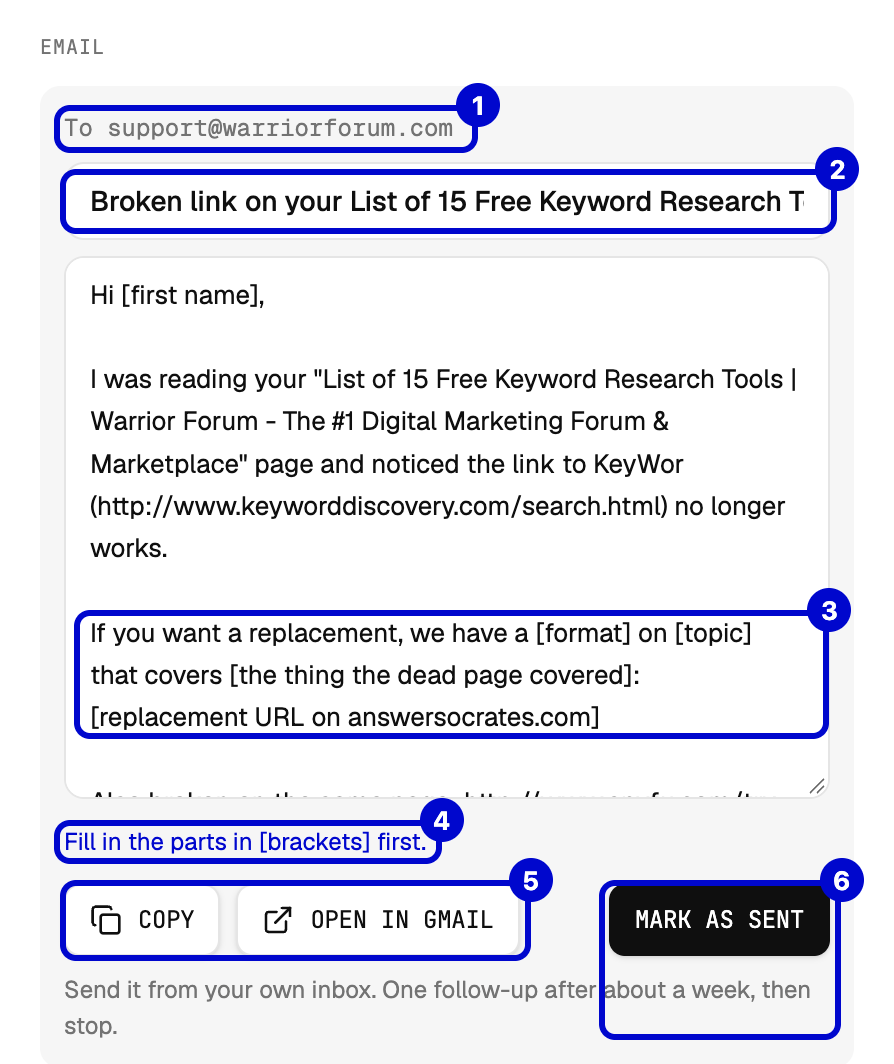
You then Copy it or Open in Gmail, and send it yourself. Nothing is sent from Answer Socrates. Opening or copying a draft changes nothing; only Mark as sent sets the row to Contacted, which is how a team avoids pitching the same site twice.
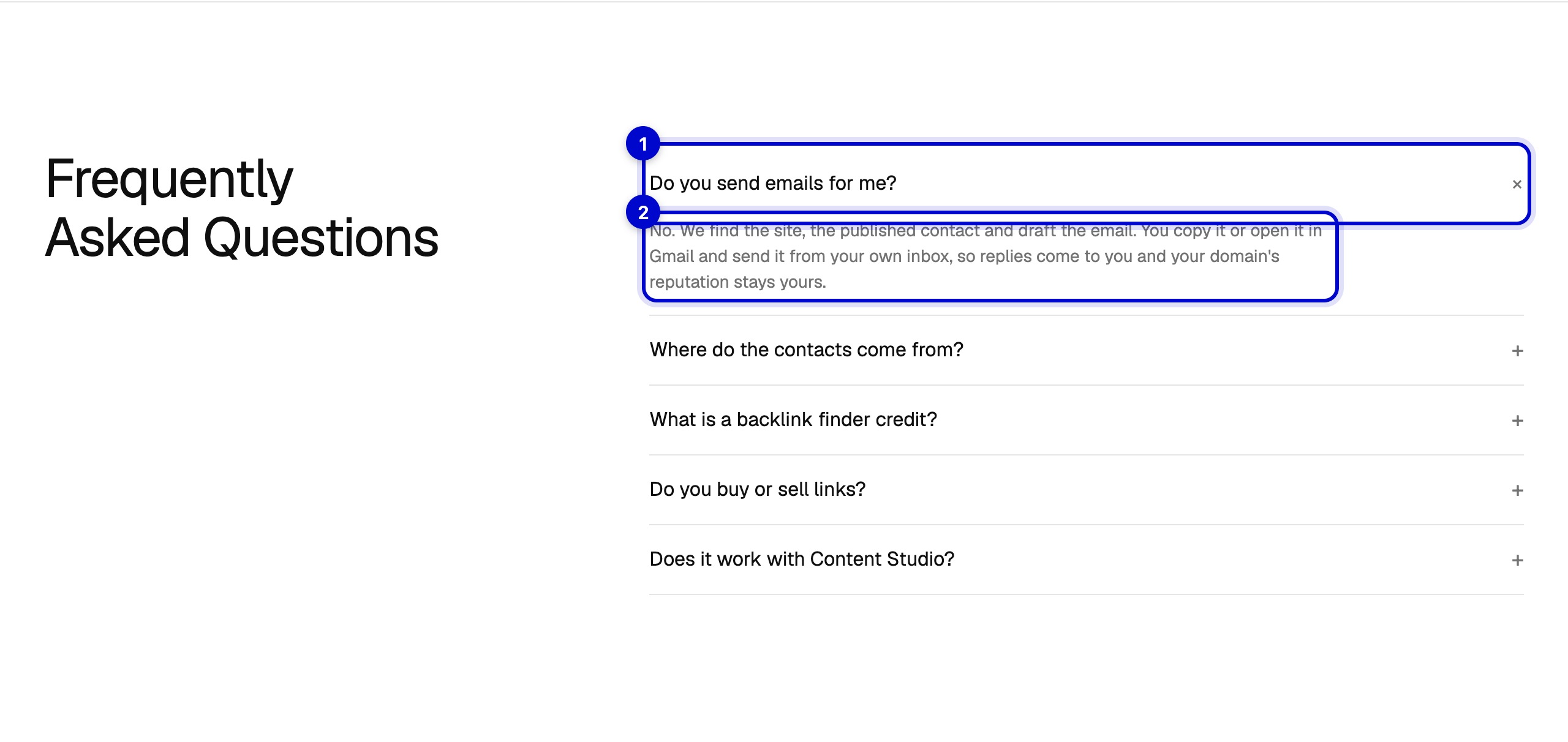
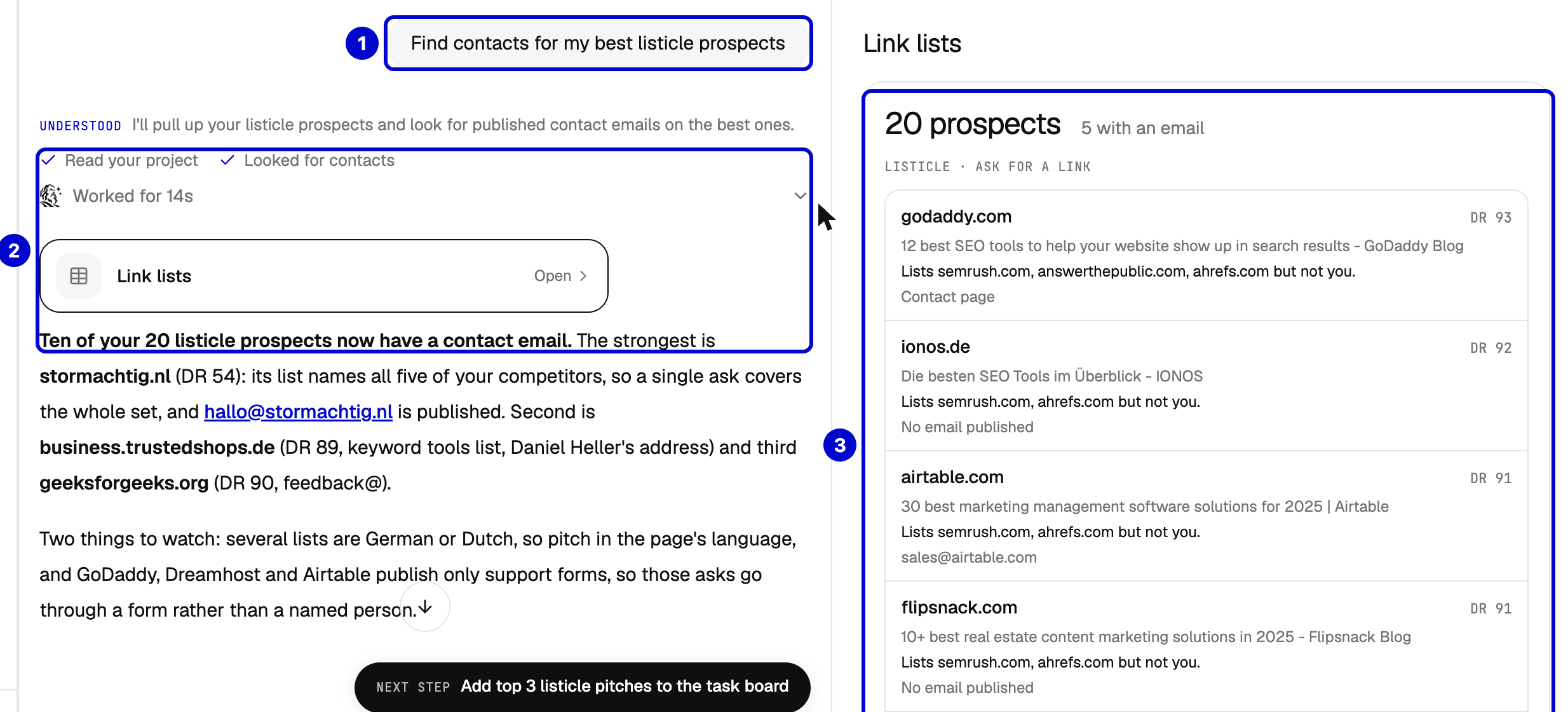
Ask Socrates, the chat, does not write outreach emails. It can do the step before: in a chat on your project, ask "find contacts for my best listicle prospects". It shows a "Looking for contact emails" step and checks up to 25 unchecked prospects per call, best sites first, for free. It fills the list; it never contacts anyone.
Follow up once, then stop
Silence is the most common answer. Muck Rack found that 54% of journalists seldom or never respond to PR pitches [1]. Site owners are no different: they are busy, and your email is not their job.
One follow-up is fair. Half of journalists (50%) call one follow-up ideal, and 51% say it should come 3 to 7 days after the first email [1]. The Link Building draft panel gives the same advice: one follow-up after about a week, then stop. More is worse than none: 46% of journalists delete pitches that are sent again and again without a response [1].
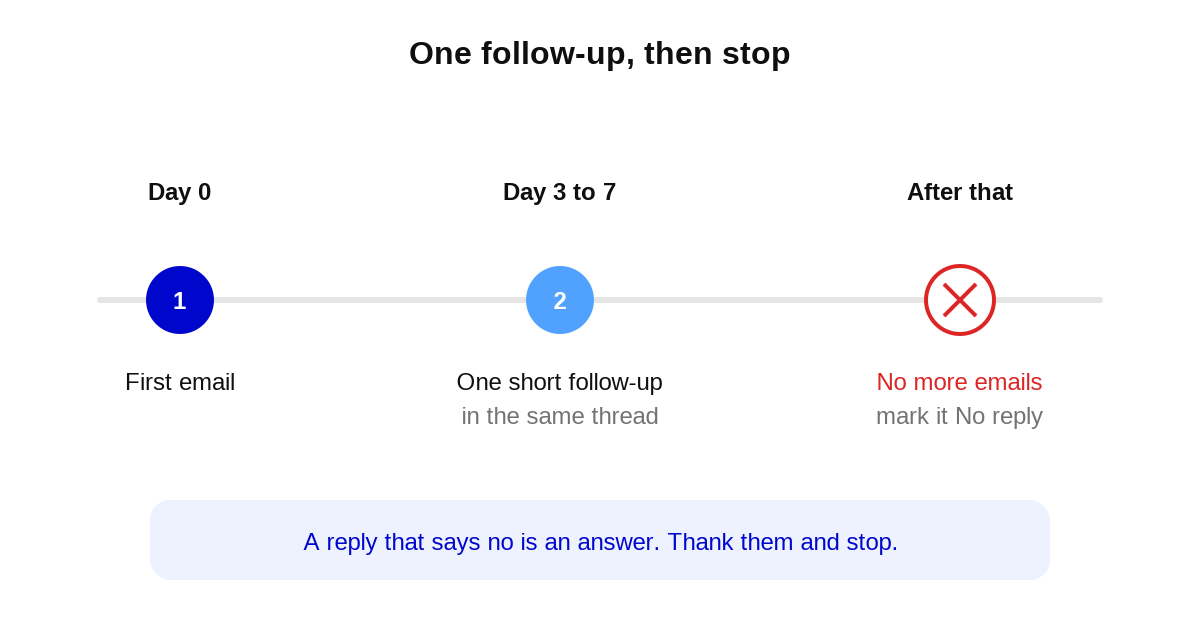
A good follow-up is shorter than the first email: two lines, in the same thread, with something new if you have it ("we just updated the chart with this year's data"). If they say no, thank them and stop. If nothing comes back, mark the row No reply in Link Building and move on.
Protect your sender reputation
Every email you send builds or spends your domain's reputation with Gmail, Outlook and the rest. Spend too much and even your normal email starts landing in spam. Google's email sender guidelines set the rules for anyone sending to Gmail [2]:
- Authenticate your domain. All senders need SPF or DKIM set up (two DNS records that prove the mail really comes from your domain). Senders of more than 5,000 messages a day to Gmail need SPF, DKIM and DMARC, plus one-click unsubscribe on marketing mail [2].
- Keep spam reports low. Google says to keep the spam rate in Postmaster Tools below 0.10% and to avoid ever reaching 0.30% or higher [2]. One person in a thousand pressing "Report spam" is already the line.
- Send at a steady pace. Google advises sending at a consistent rate and avoiding bursts, starting small and growing slowly [2]. Ten careful emails a day beat five hundred in an hour.
- Never buy lists. Google's guidance is plain: don't purchase email addresses from other companies [2].
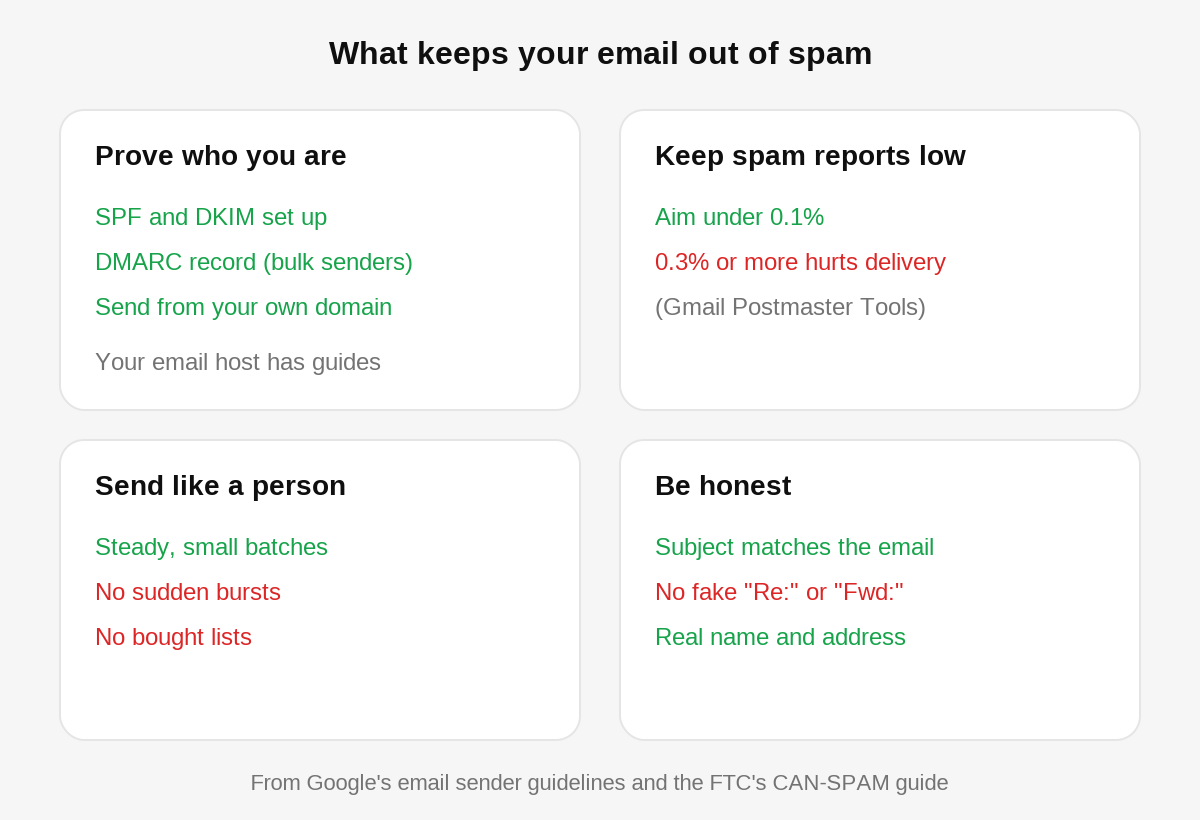
The law matters too. In the US, the FTC says CAN-SPAM covers commercial email and "makes no exception for business-to-business email" [3]. Whether a message counts as commercial depends on its "primary purpose" [3]. A plain request to fix a broken link may not be; a pitch for your product on a best-of list probably is. If it is, the email needs truthful headers, an accurate subject, your valid postal address and a way to opt out, and opt-outs must be honoured within 10 business days [3]. Other countries have their own rules, so check the ones where you and your recipients are.
Where to go next
| If you want to... | Read |
|---|---|
| Find the prospects worth emailing | Finding link opportunities |
| Write the email for a dead link | Broken link building |
| Send the warmest ask of all | Turning unlinked brand mentions into links |
| Pitch a data story to journalists | Digital PR with data studies |
| Run the prospect lists from chat | Link building with Ask Socrates |
Sources
- The State of Journalism 2026, Muck Rack, 2026
- Email sender guidelines, Gmail Help, 2026
- CAN-SPAM Act: A Compliance Guide for Business, Federal Trade Commission, 2024
