Content pruning: fixing or cutting weak pages
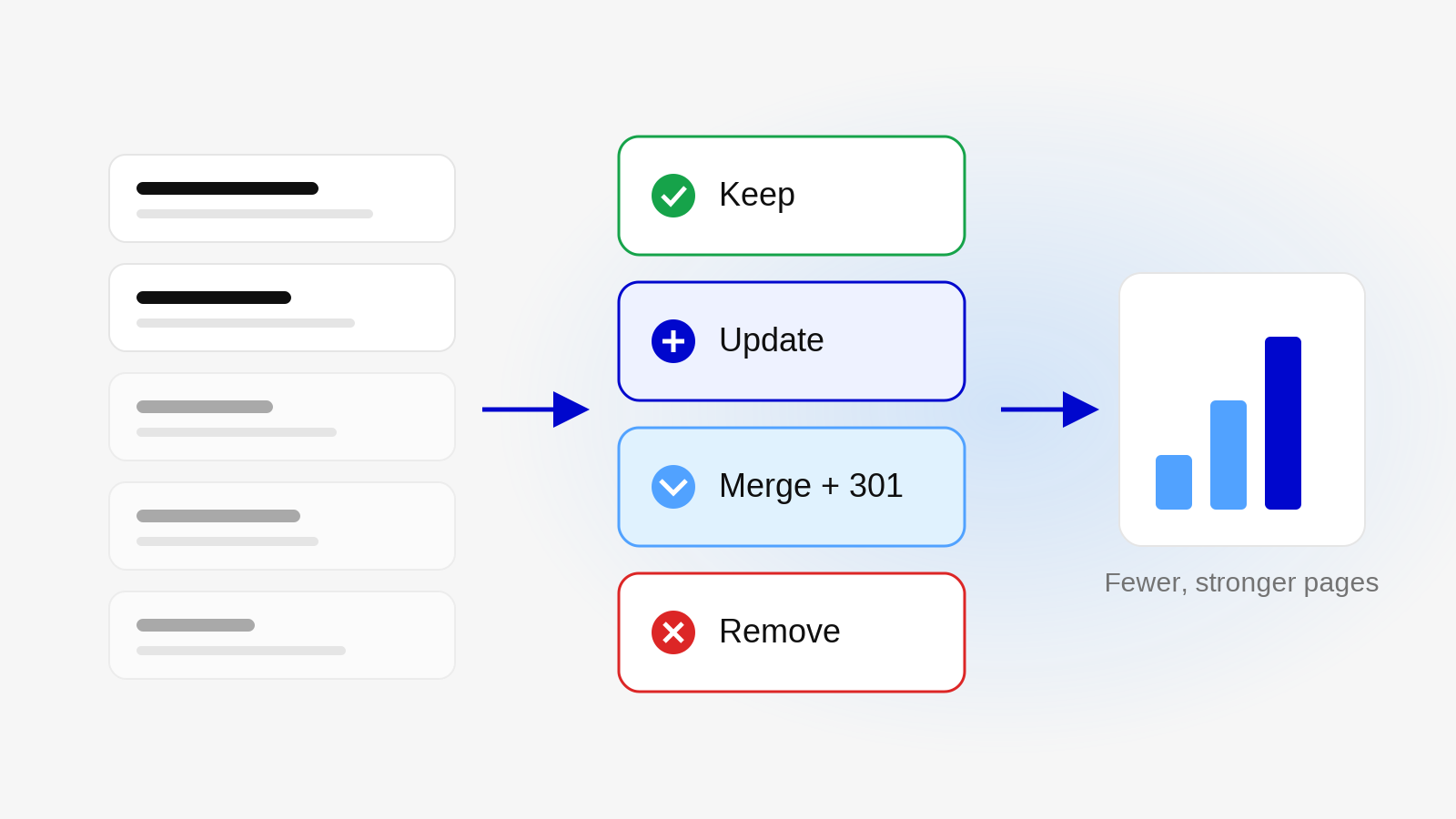
Content pruning is reviewing the weak pages on your site and deciding, one by one, whether to update, merge, hide or remove each. Done well it is mostly rewriting: Google calls deleting content a last resort, but says removing truly unhelpful pages can help the rest of your site.
Key takeaways
- Google's core update guidance calls deleting content "a last resort", so update or merge a weak page before you consider removing it.
- Find weak pages with Search Console: the Performance report's Pages tab over 12 months, plus Soft 404 and duplicate reasons in the Page indexing report.
- A real update changes substance (new questions answered, facts checked); Google's checklist warns against changing dates on unchanged pages.
- Merge overlapping pages into the strongest one and 301 redirect the old URLs to it; never redirect to the home page just to keep links.
- Google treats 404 and 410 the same, noindex only works if robots.txt lets Google crawl the page, and the Removals tool lasts about 6 months.
Pruning means judging every weak page, not deleting
Content pruning is reviewing the pages on your site that do little (few visits, no links, out-of-date facts) and deciding, page by page, whether to update, merge, hide or remove each one. The name makes it sound like cutting. Most of the time the right move is a rewrite.
Google says this plainly. Its guidance on core updates calls deleting content "a last resort", for pages that cannot be saved [1]. The same page adds that if whole sections of a site were made for search engines rather than people, "deleting the unhelpful content can help the good content on your site perform better" [1]. Both halves matter: fix first, cut what is truly unhelpful.
Age alone is not a reason. When a large publisher deleted old articles in 2023, Google's Search Liaison answered "That's not a thing!" and "Older content can still be helpful, too" [9]. Google's own checklist also asks whether you are "removing a lot of older content" mainly because you think it will lift rankings [2]. If that is your only reason, stop.
Find weak pages with Google Search Console
You need numbers per page before you judge anything. Google Search Console is Google's free tool for site owners, and two of its reports do most of the work.
The Performance report shows clicks, impressions (how often your page appeared in results), click-through rate and average position, over the past three months by default [7]. Open the Pages tab to see the numbers grouped by page [7]. Set the date range to the last 12 months so a seasonal page is not judged in its quiet season.
The Page indexing report lists pages Google chose not to index and why [8]. Three reasons are pruning clues:
- Soft 404: the page looks empty or like an error to Google but returns a normal status [8].
- Crawled, currently not indexed: Google read it and left it out. Google says this is often fine, but check it for pages that matter [8].
- Duplicate without user-selected canonical: Google thinks the page duplicates another one and shows the other one instead [8].
Export your page list to a spreadsheet and add three columns of your own: links pointing to the page, sales or sign-ups it brings, and the topic it covers. Search numbers alone miss a page that earns links or converts well from email.
| Signal | What it suggests | Check before acting |
|---|---|---|
| Impressions, almost no clicks | People see it but do not choose it | Title and snippet first, then content |
| Clicks falling for a year | Facts or format out of date | What the top pages for the topic look like now |
| No impressions at all for 12 months | Nobody searches this, or Google ignores it | Whether anyone searches the topic |
| Two pages on the same topic, both weak | They split the same searches | Which one has more links and traffic |
| Soft 404 in Page indexing | Thin or empty page | Whether it can be filled, or should go |
Four questions decide what happens to each page
Take one weak page at a time and answer four questions in order.
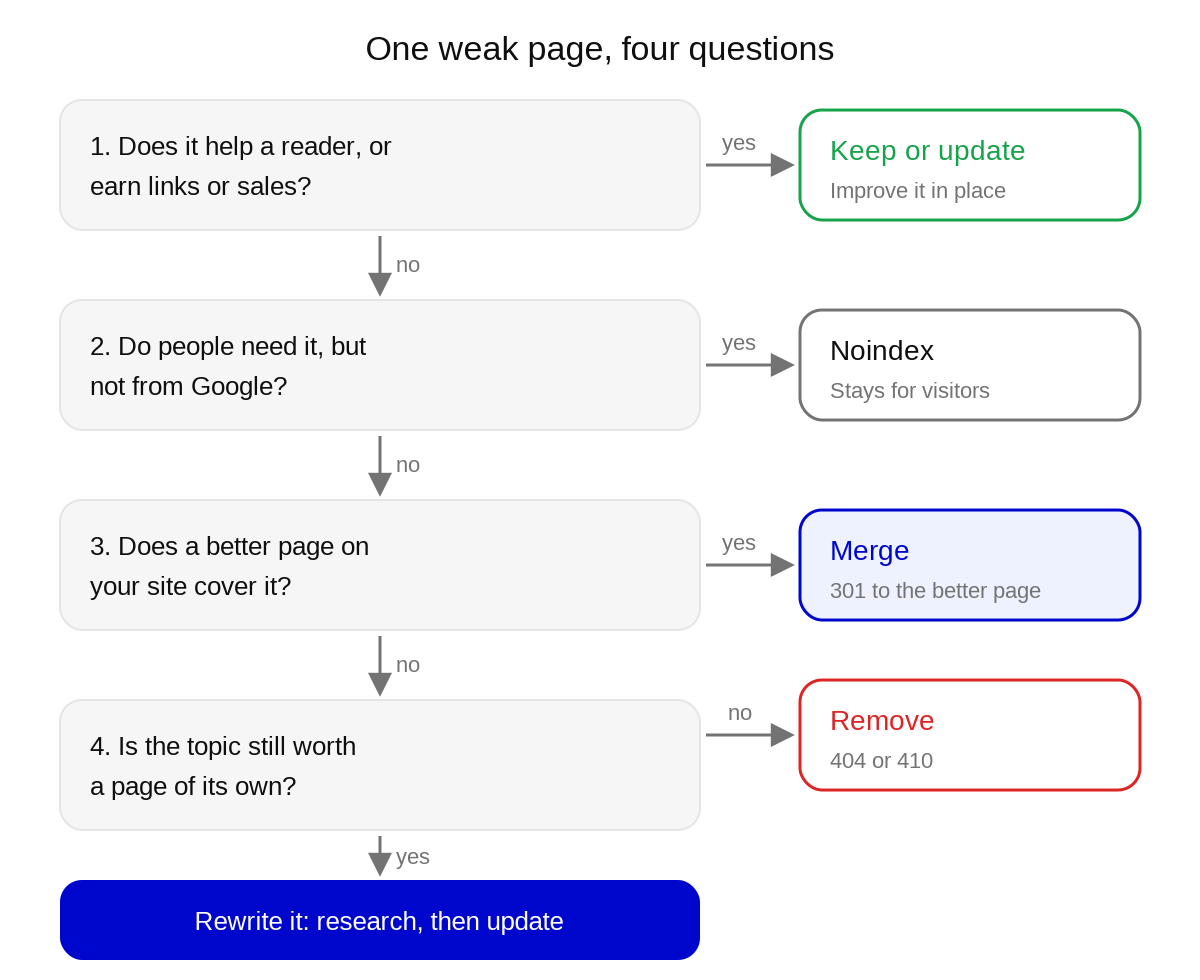
- Does it help a reader, or earn links or sales? Then keep it, and update it if the numbers are slipping.
- Do people need it, but not from Google? A thank-you page or a tag archive can stay for visitors and be hidden from search with noindex.
- Does a better page on your site already cover it? Merge the useful parts into that page and redirect.
- Is the topic still worth its own page? If yes, rewrite it. If no, and nothing links to it, remove it.
Update the page before you think about cutting it
An update keeps the URL, the links that point at it and whatever trust it has built. It is the cheapest win in pruning.
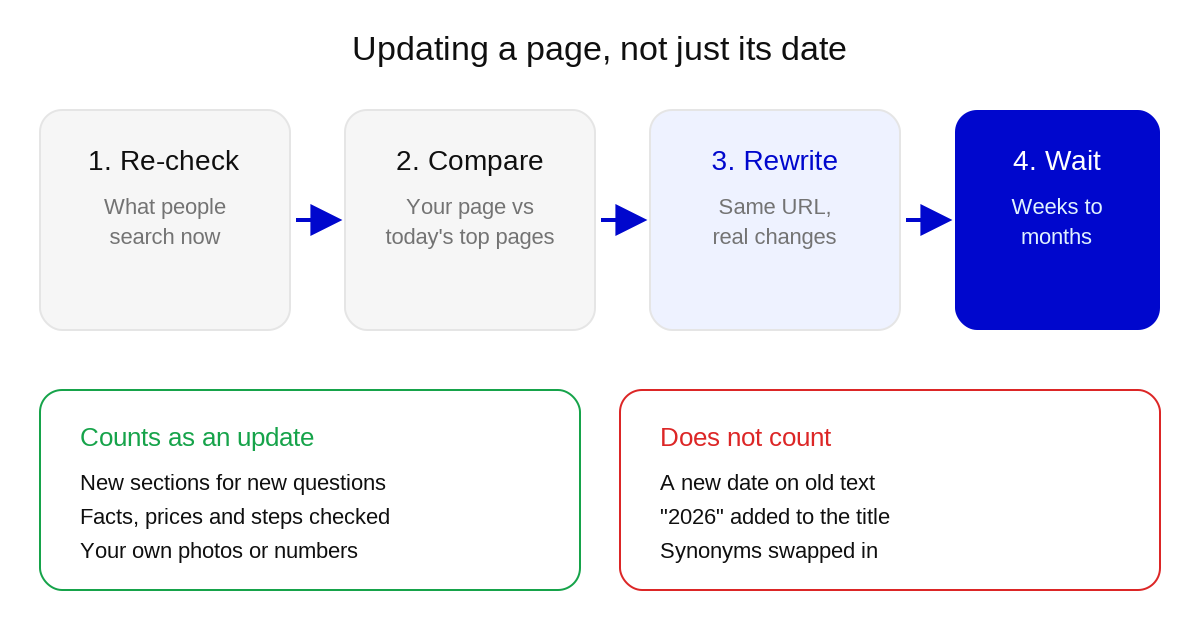
Google's helpful content checklist asks: "Are you changing the date of pages to make them seem fresh when the content has not substantially changed?" [2] So an update has to change the substance: answer the questions people ask now, fix facts and prices, add what only you know.
Be patient afterwards. Google says some changes show within days, but confirming a site has improved "could take several months" [1].
How to re-research a weak page in Answer Socrates
A page often goes weak because the questions around it changed. Here is how to see the topic as people search it today, then rewrite.
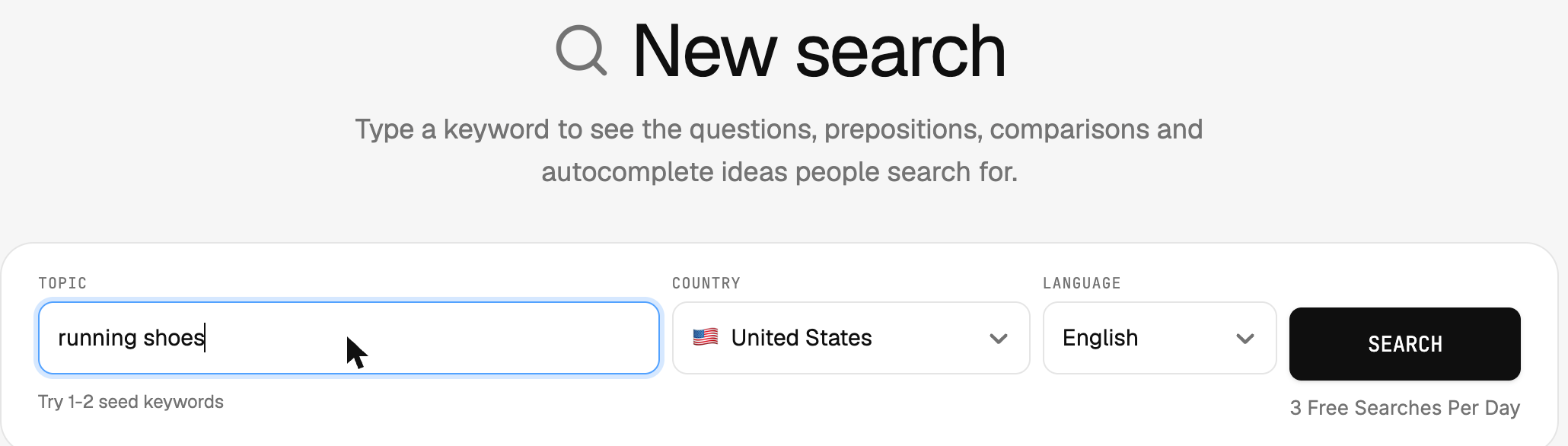
Step 1: pull the questions for the page's topic
Run the page's main topic through the classic keyword search. Type the topic, pick the country your readers live in and the language, then search.
Step 2: mark what your page does not answer
Read the Questions group and tick off each question your page already answers. What is left is your update list.
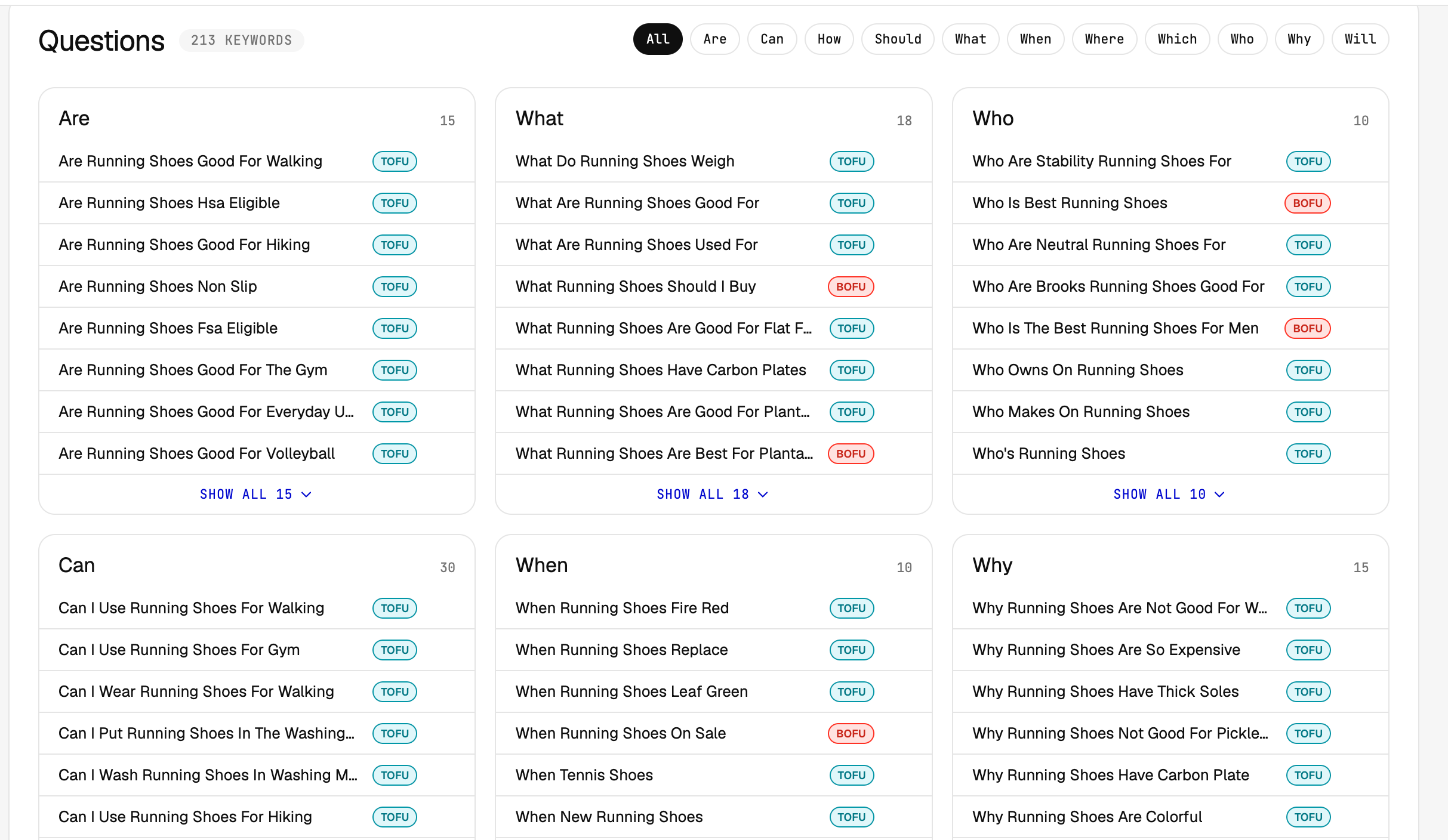
Many questions that look like separate pages are really one page with several sections. That is your merge signal: if your site has three thin posts that each answer one of these, they belong together. The lesson on clusters covers this call in depth.
Step 3: check what your site already covers
If you use Content Studio, its Topics list has a Coverage column: "You cover this", "Partly covered" or "Not covered", worked out from the posts on your site (adding a sitemap in Settings makes it more complete). Hover a covered topic to see which of your posts covers it.

A topic marked "Partly covered" with a weak existing post is the best update candidate you have: demand is proven and the page already exists.
Step 4: rewrite with Content Studio, keep the old URL
Write a fresh article for the topic in Content Studio. Pick the ranking pages that answer the question best as sources, and use the notes box (up to 800 characters) for the facts from your old page worth keeping: prices, your own test results, a customer story.
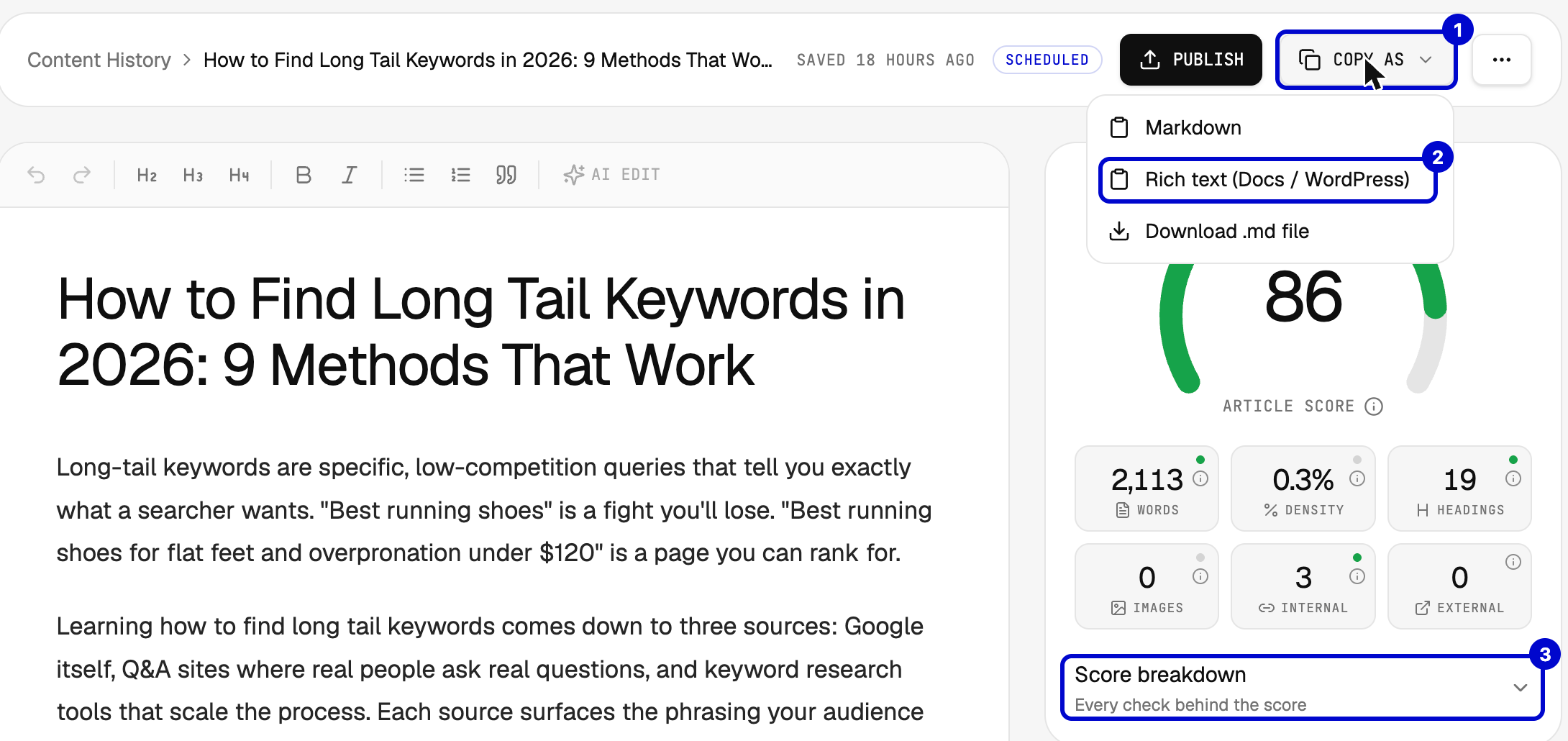
Then copy the draft as rich text and paste it into the old post in your CMS, keeping its URL. Publishing it as a new post would create a second page on the same topic, which is the problem you are trying to fix.

Merge overlapping pages with a 301 redirect
Merging means moving the useful parts of two or more weak pages into one strong page, then sending the old URLs to it with a 301 redirect, a permanent instruction that says "this page now lives there".
Google treats a permanent redirect as a strong signal that the target should be the page shown in results [3][10]. Use one "when you're sure that the redirect won't be reverted" [3], and redirect to the page that really replaces the old one, the page a visitor would want.
- Pick the page that stays: usually the one with more links and traffic.
- Move every useful section, fact and image from the others into it.
- Redirect each old URL to the page that stays (most CMSs have a redirect setting or plugin).
- Update your internal links so they point straight at the new page, not through the redirect.
Remove or noindex what has no future
Some pages have no future: an expired promotion, a thin tag page, a post about a product you no longer sell with no links pointing to it. You have three ways to take a URL out of Google, and they do different things for visitors.
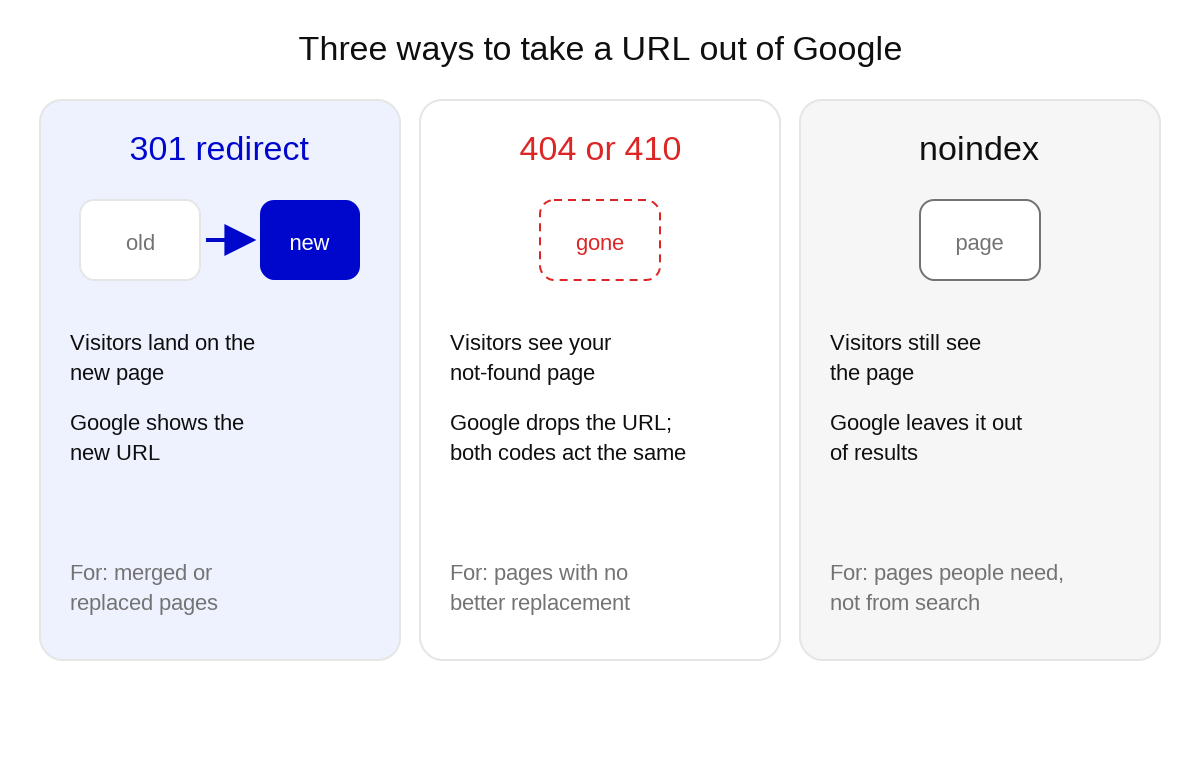
| Option | Visitors get | Google does | Use it for |
|---|---|---|---|
| 301 redirect | The replacement page | Shows the new URL instead [3] | Merged or replaced pages |
| 404 or 410 | Your not-found page | Drops the URL; it treats both codes the same [4] | Pages with no replacement and no links |
| noindex | The page, as before | Leaves it out of results [5] | Pages people need, but not from search |
Two traps to avoid:
- noindex needs crawling. If robots.txt blocks the page, Google never sees the noindex and the page can stay in results [5]. Use one or the other, not both.
- The Removals tool is temporary. In Search Console it hides a URL fast, but only "for about 6 months" [6]. Use it for an emergency, then do one of the permanent options above.
A made-up example: a running shoe store's blog
A made-up example: a running shoe store has 140 blog posts. Search Console shows 60 of them with under 10 clicks in 12 months.
- Keep: 12 have links from other sites or sell well from the newsletter. They stay as they are.
- Update: 20 still have impressions. The store pulls the questions for each topic, finds "Are running shoes good for walking" and "Can I use running shoes for the gym" missing, and adds real sections with its own fitting advice.
- Merge: 14 thin posts cover the same five topics. They become five strong guides, and the old URLs get 301 redirects.
- Noindex: 4 tag archive pages stay for visitors browsing the blog.
- Remove: 10 posts about discontinued shoes with no links return 404.
Fifty of the sixty pages were improved or kept. Ten went.
Where to go next
| If you want to... | Read |
|---|---|
| Decide when two topics share a page | One page or many? Reading a keyword cluster |
| Add what the top pages for a topic are missing | Information gain: adding what other pages lack |
| Rewrite a weak page from fresh research | Writing with Content Studio, step by step |
| Point links at the merged page | Internal links: connecting your pages |
| Re-check the questions behind a page | How to do keyword research: find what people actually ask |
Sources
- Google Search's core updates and your website, Google Search Central, n.d.
- Creating helpful, reliable, people-first content, Google Search Central, n.d.
- Redirects and Google Search, Google Search Central, n.d.
- How HTTP status codes, and network and DNS errors affect Google Search, Google Search Central, n.d.
- Block Search indexing with noindex, Google Search Central, n.d.
- Remove a page hosted on your site from Google, Google Search Central, n.d.
- Performance report (Search results), Search Console Help, n.d.
- Page indexing report, Search Console Help, n.d.
- Google: Don't Delete Older Content Just Because It Is Old, Search Engine Roundtable, 2023
- How to specify a canonical URL with rel="canonical" and other methods, Google Search Central, n.d.
